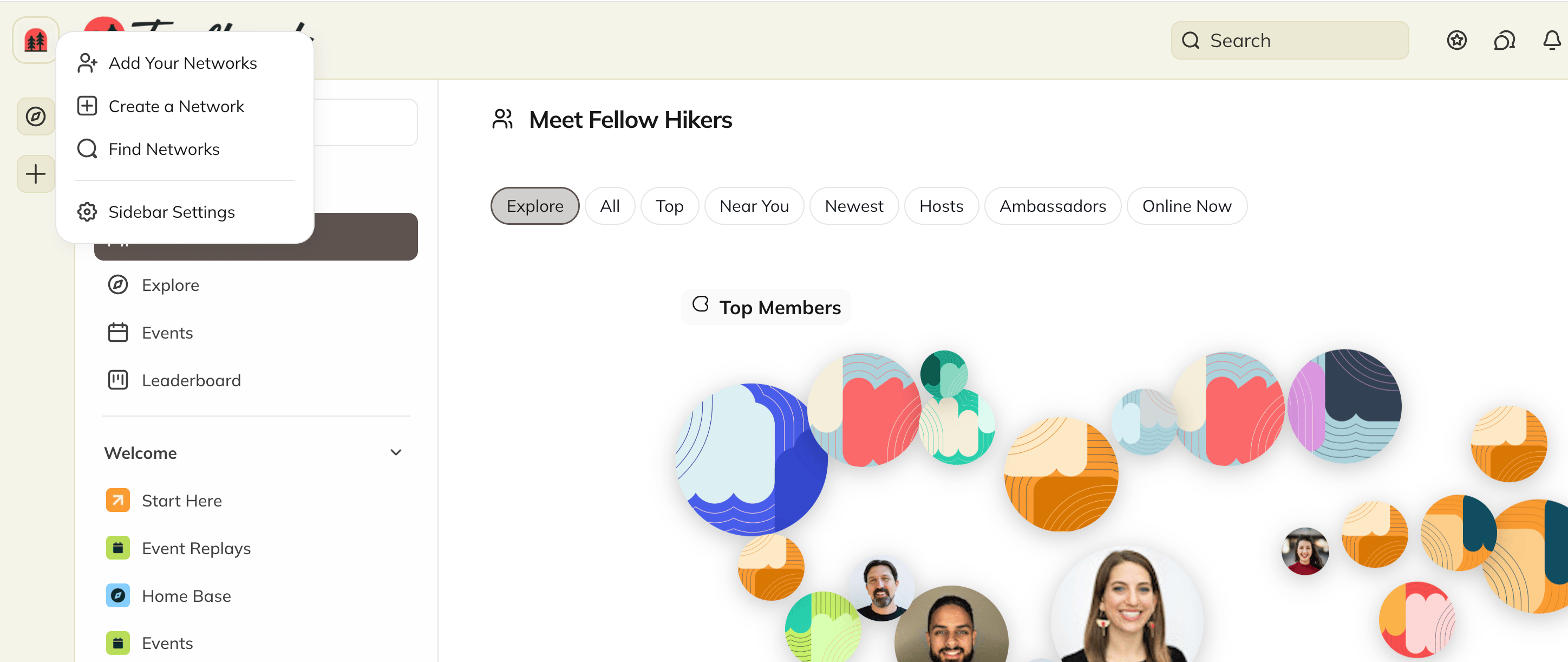
What is Mighty Discovery?
Mighty Discovery will be a new place for people to explore Networks across Mighty and find one built around what matters to them. People will be able to:- Browse Networks selected around different interests and experiences.
- Receive relevant recommendations.
- Explore Networks by category.
- Search for a Network by name or topic.
- Start a Network of their own if they don’t find what they need.
How Can I Get My Network Ready?
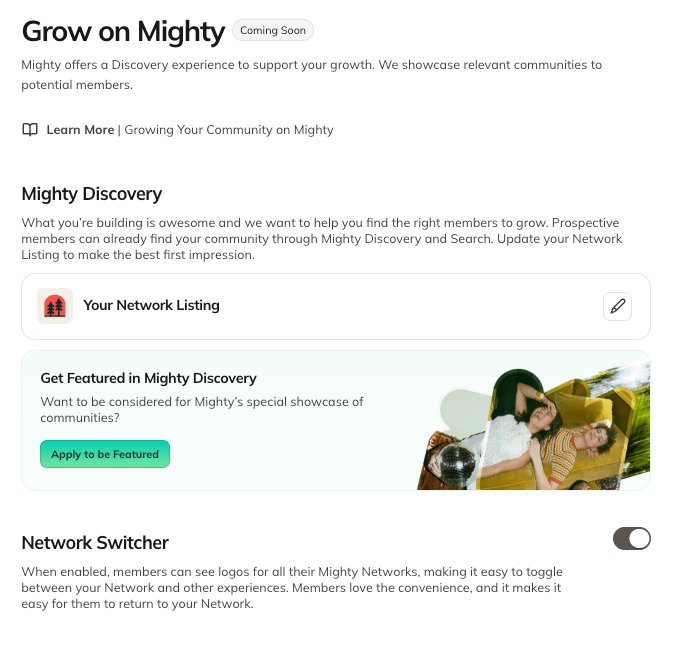
Your Network Listing will be your first impression for someone discovering you on Mighty. Use it to tell the story of your Network: who it brings together, what members can experience, and why someone will want to become part of it. To get ready:- Complete your Network Listing in Admin > Marketing > Grow on Mighty.
- Apply to be featured in Mighty Discovery
How Can I Apply to Be Featured?
To apply:- Go to Admin > Marketing > Grow on Mighty.
- Complete your Network Listing.
- Review your eligibility.
- Submit your application.
- Be on a paid Mighty Plan.
- Be Discoverable. Under Admin > Privacy, make sure you have selected “Anyone” under Who Can Find Your Network.
- Your application will be reviewed and approved by the Mighty team.
.png?fit=max&auto=format&n=EfGL2odRK74p9k-y&q=85&s=f178a9974a17f27705372947accd7f4d)
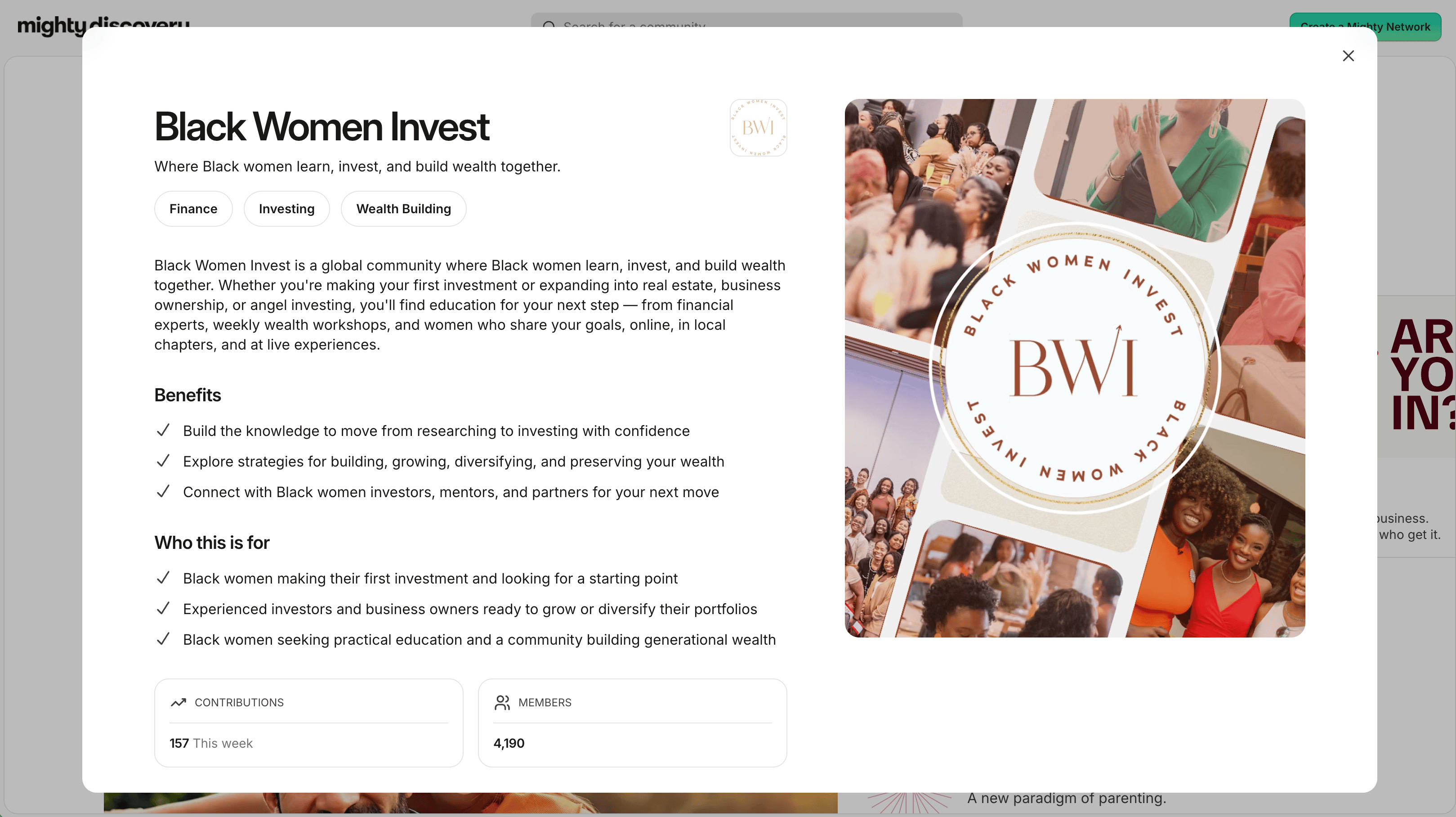
What is a Network Detail Page?
When someone selects a Network from Mighty Discovery or Network Search, they’ll be able to visit its Network Detail Page before deciding to join. The page will help people understand:- Who your Network is for.
- What they can experience there.
- Who is bringing everyone together.
- How they can take the next step.
What is the Network Switcher?
The Network Switcher will give members one place to see the Mighty Networks they already belong to and easily move between them. No signing out. No searching for an old link. Their Networks—and the people, progress, and experiences inside them—will stay within easy reach, which means more time engaging. Members will see their Mighty Networks together in one place—even if they joined using different email addresses. They’ll also be able to add another account using a quick verification code and choose which Networks appear in their Switcher.