Sell Existing Plans in New Currencies
If you already sell paid plans and want to support additional currencies, you’ll need to add each new currency one at a time. Every paid plan in your Network—existing or newly created—must include a price in each currency you choose to support. Free plans aren’t affected.Add a new currency
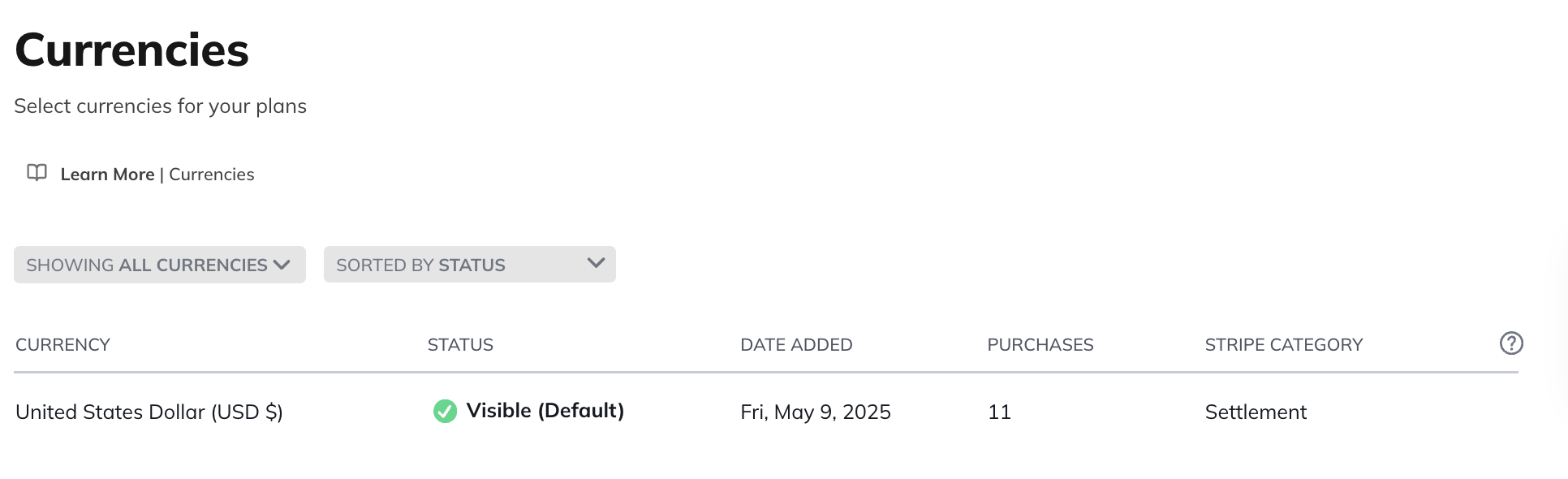
- Go to Admin > Plans & Access > Currencies.
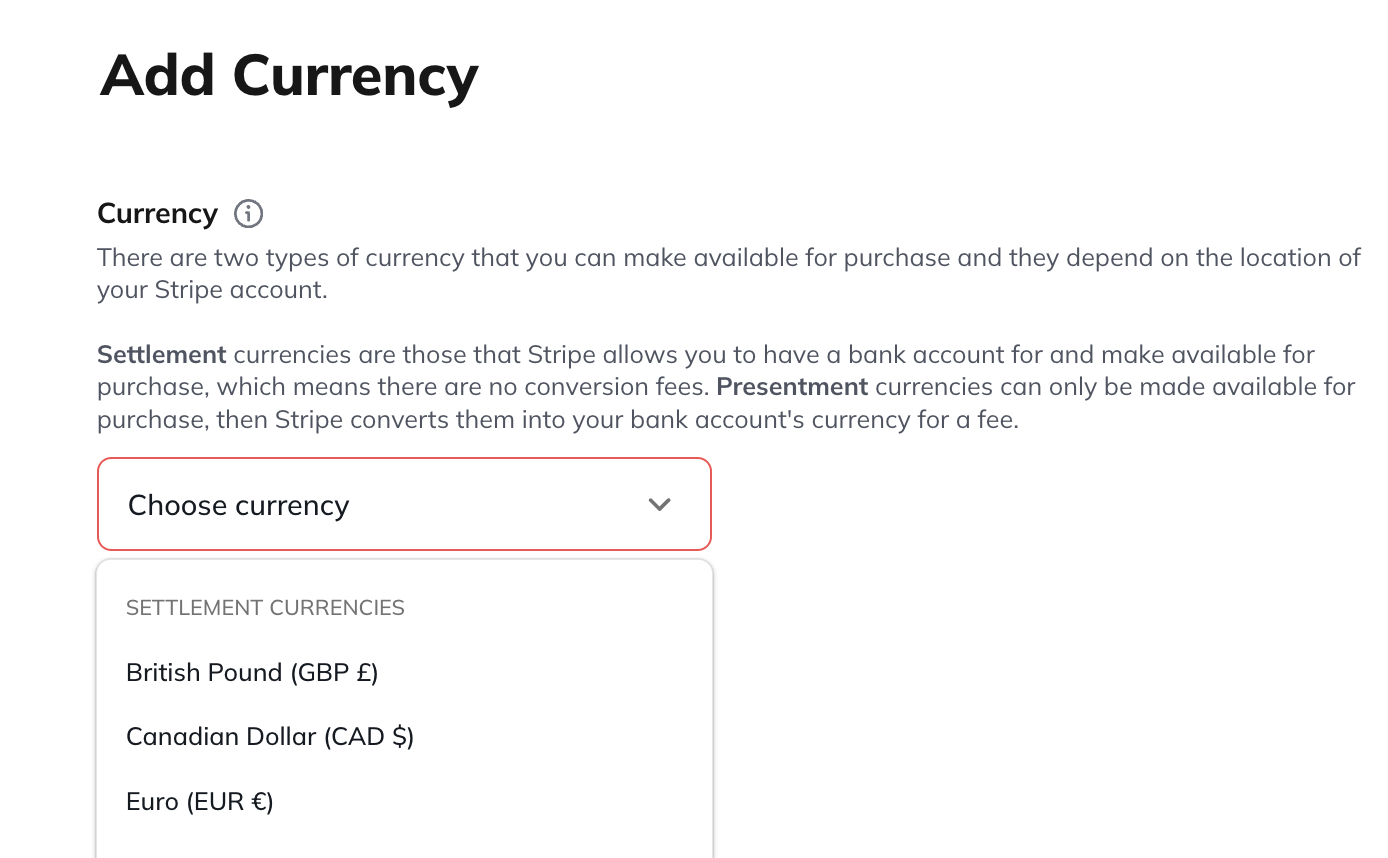
- Select the + icon, then choose a currency from the drop-down menu.
Set Plan prices in the new currency
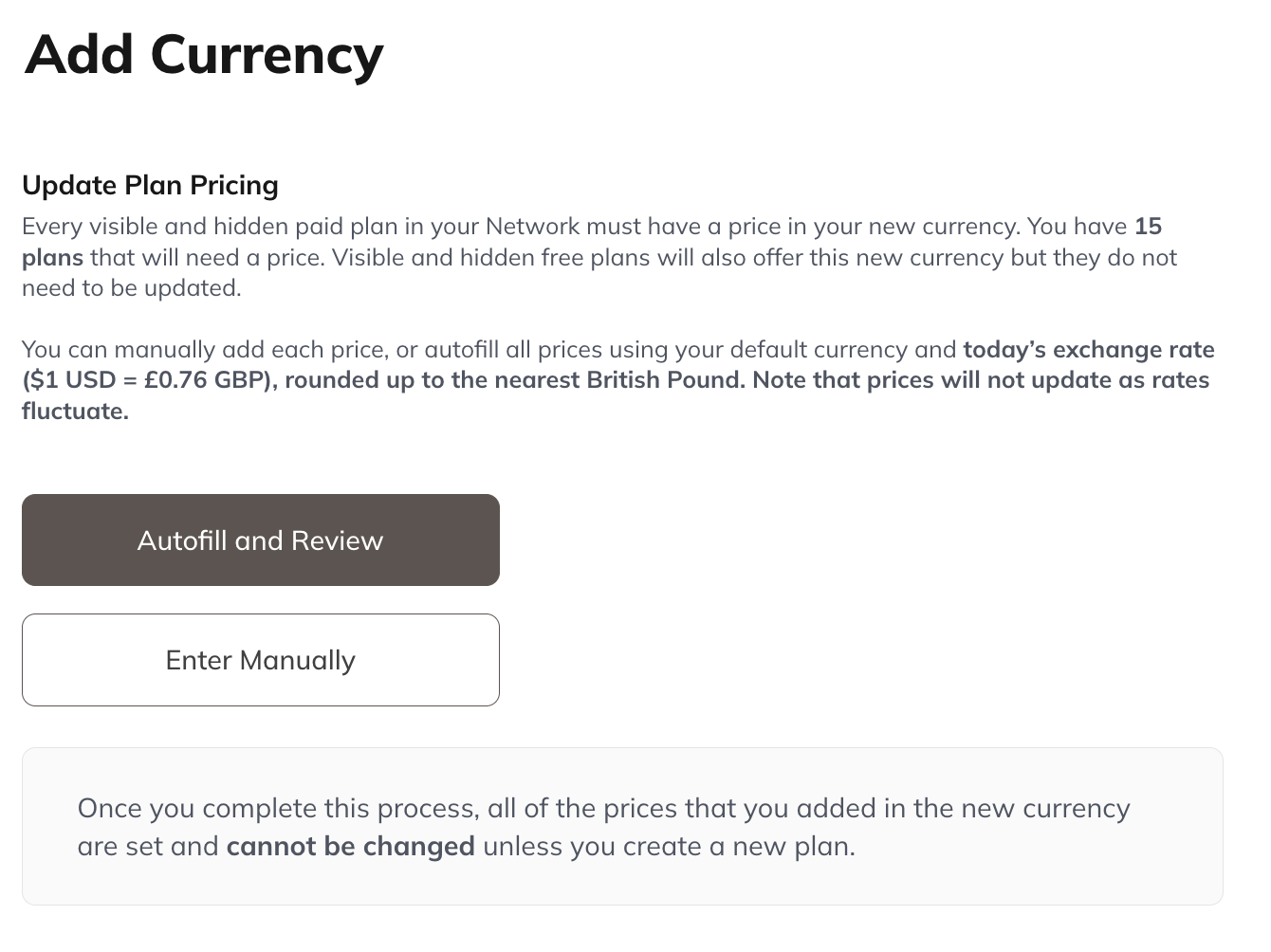
After adding a currency, you must add a price for every paid plan. You can:- Manually enter prices, or
- Autofill and Review prices using today’s exchange rates as calculated by Stripe.
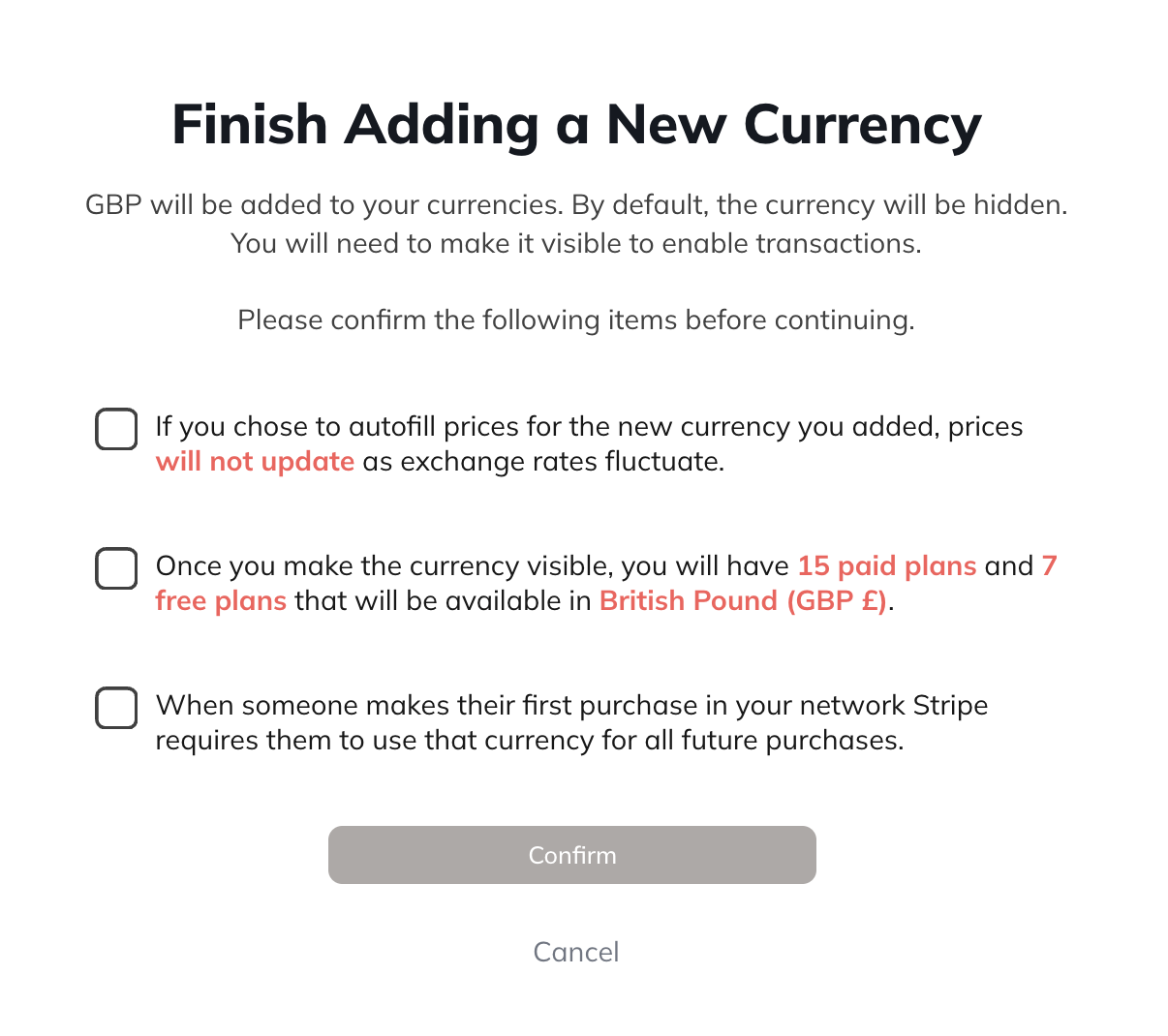
Set visibility
Newly added currencies begin as Hidden. To make a currency available for purchase:- Click the three-dot menu next to the currency
- Select Make Currency Visible
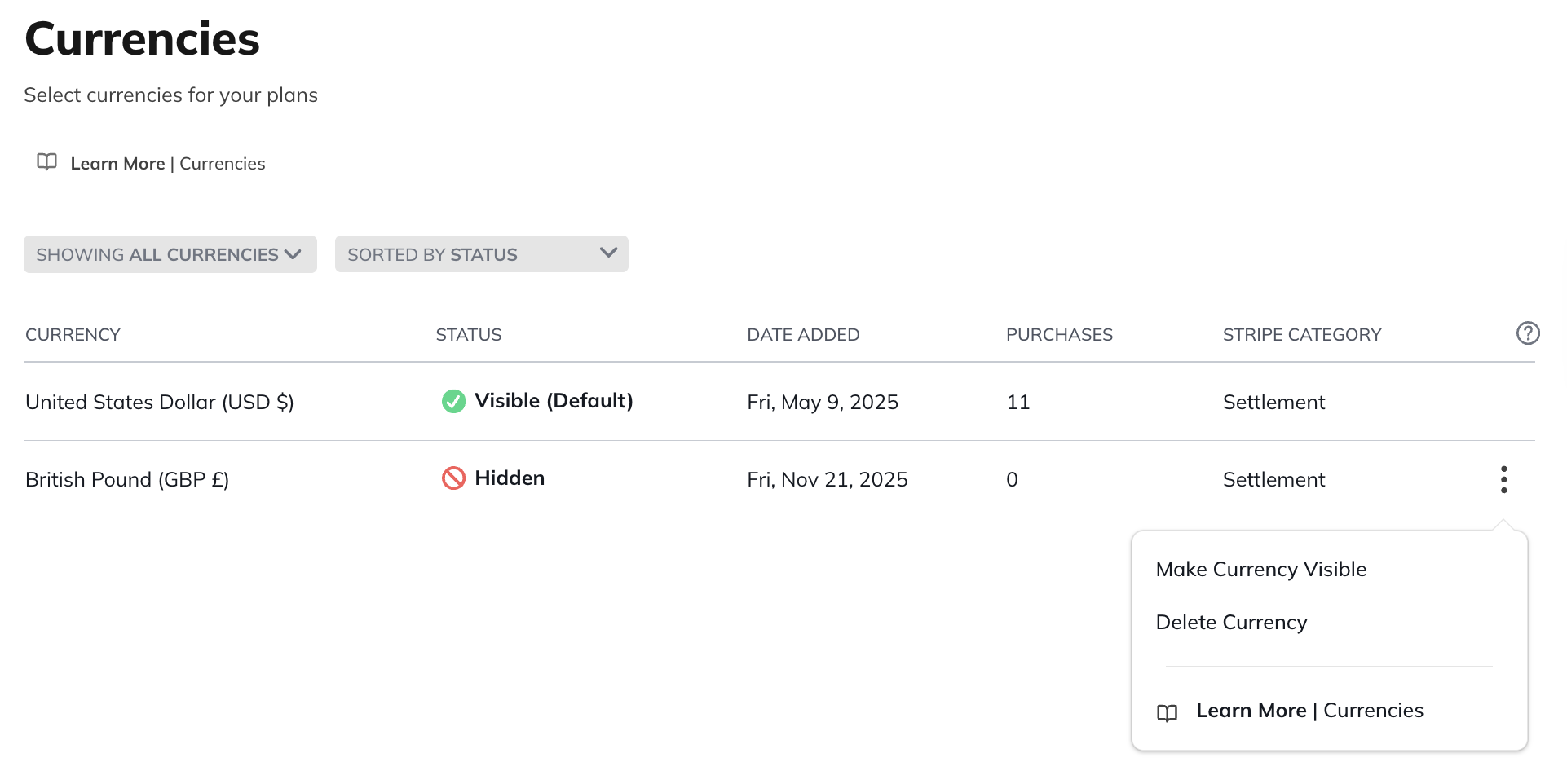
Important notes
-
You cannot edit prices for a currency after it has been added.
- If no one has purchased a subscription in that currency yet, you can delete it and add it again to reset prices.
-
Prices do not automatically update as exchange rates change.
- To change a price, you must create a new plan with updated pricing in each supported currency.
Create New Plans to Sell in Multiple Currencies
If you have never sold plans before, you’ll need to connect Stripe and create your first plan to start offering multiple currencies.- Go to Admin > Plans & Access > Plan List.
- Create your plan.
- Create the plan and price it in your existing currencies.
- Add your new currency.
- You’ll then set prices for all plans—including the new one—in the new currency.
- Once a currency is added, every new plan must be priced in all supported currencies.
- The Autofill tool is only available when you add a currency—not when creating new plans.
What Your Members Will See
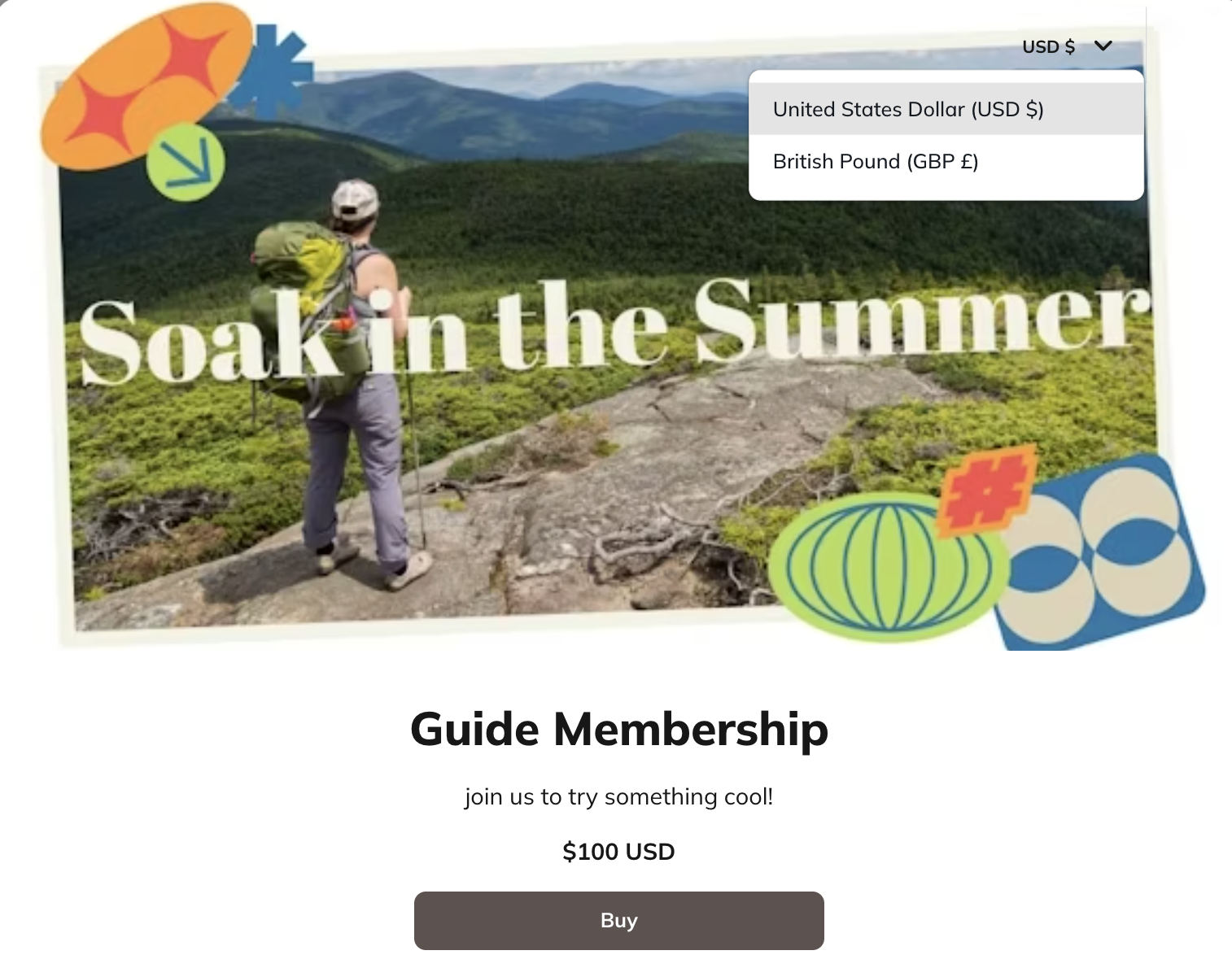
If you make your plan visible on your landing page, visitors will see a currency selector in the upper right corner. Mighty Networks will:- Show the currency that best matches where the visitor is located, if supported.
- Show your default currency if the visitor’s currency isn’t supported or their location can’t be identified.