

How to Promote a Space
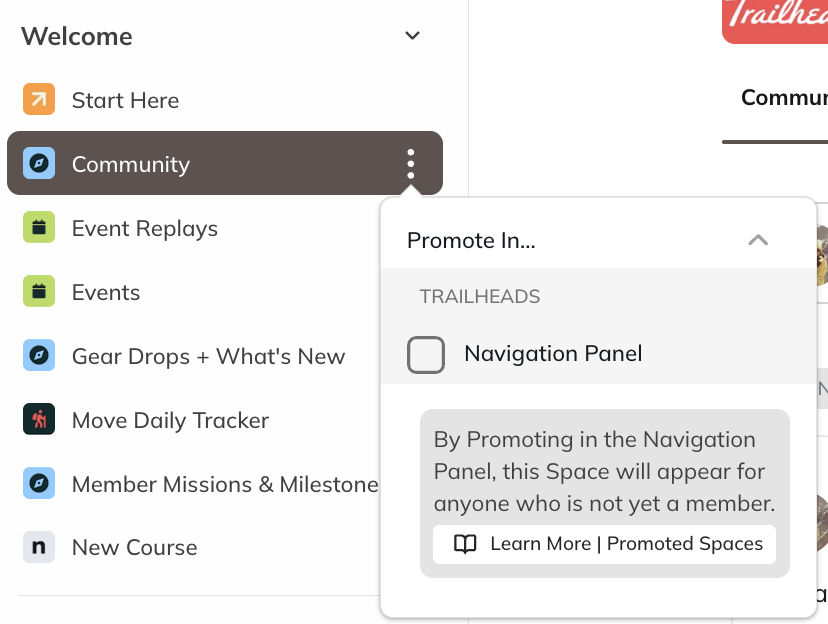
Space Hosts and moderators can promote any Space that’s visible to Anyone in the Network. To promote a Space:- Open the three-dot menu next to the Space name in the left navigation, or
- From the list of Spaces within a Collection, select Promote in Navigation Panel.
How Members See Promoted Spaces
 When a Space is promoted:
- Members who aren’t yet part of the Space will see a star icon next to it in the left navigation.
- After they join the Space, the star icon disappears for that member.