

Gamification features (Launch plan and up) help keep members motivated, engaged, and connected by recognizing consistent participation and meaningful contributions.
Mighty’s gamification tools include streaks, points, recognitions, and leaderboards.
You can use these features together or independently, depending on the experience you want to create in your Mighty Network.
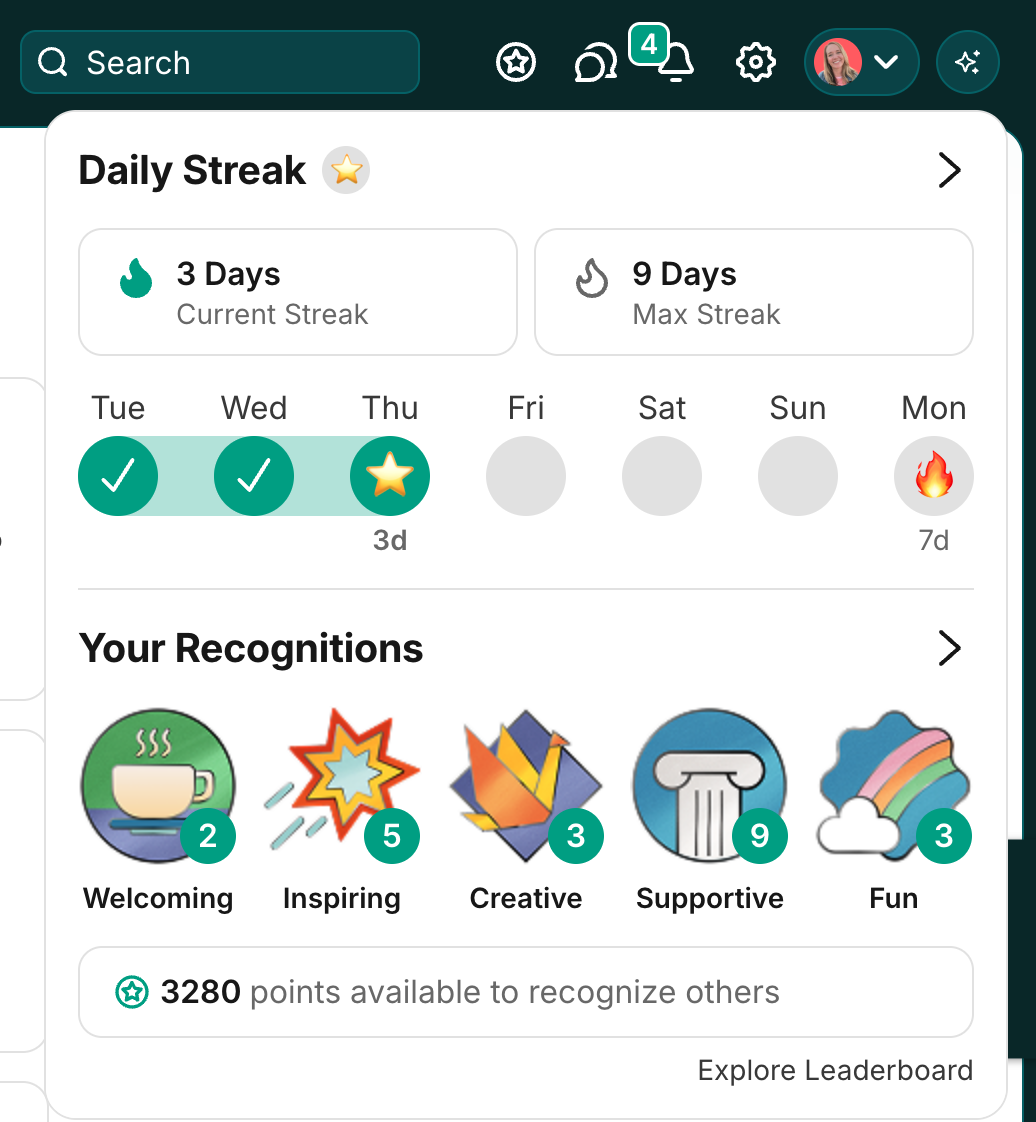
- Streaks and streak milestones to encourage daily visits
- Points to reward engagement and participation
- Recognitions to celebrate members who embody your Community Values
- Leaderboard to highlight the most recognized members across your Network
Streaks and Streak Milestones
Streaks encourage members to return to your Mighty Network every day by tracking their daily visits.How to Enable or Disable Streaks
Go to Admin > Engagement > Streaks to turn this feature on or off. On web, streaks appear within the Gamification icon (next to the invite icon in the upper right). On mobile, they appear within the profile area in the bottom navigation tab.What Members See
Each member can view:- Current Streak: Number of consecutive days they’ve signed in
- Max Streak: Their longest streak to date
- Current Streak: the current number of days in a row they’ve signed in at least once
- Max Streak: their longest streak to date
- 3 days ⭐
- 7 days 🔥
- 14 days 🚀
- 30 days ⚡
- 45 days 🎉
- 60 days 💎
- 90 days 🏅
- 180 days 🏆
- 365 days 👑
Calendar View
Members also see a weekly calendar view showing recent activity. Selecting See More opens their full streak calendar on their profile. This calendar is visible to everyone in your Mighty Network unless a member chooses to hide it. To hide the streak calendar, go to Personal Settings > Streaks and toggle off Public Streak Calendar.Streak Notifications
Members will see:- A small indicator on web showing their current streak progress
- A push notification (if enabled) reminding them to sign in when their streak is active
Points, Recognitions, and Community Values
These features celebrate members for embodying your community’s values and for engaging regularly.Setting Up Community Values
Go to Admin > Engagement > Community Values > Get Started. You’ll see three default values—you can edit, delete, or add your own.Adding Your Own Values
Select Create from Recommendations to view suggested values, or Create New to build your own. You can customize each value’s name and image. All values are currently worth 20 points and are not customizable. If you edit or remove a value, it will update or be removed for all members.How Members Earn Points
Members earn points in two ways:- Daily Visits: Automatically earn 10 points each day they visit your Mighty Network.
- Automations: Receive points for completing milestones or actions you define.
- Their total points
- Recognitions received
- Available points to recognize others
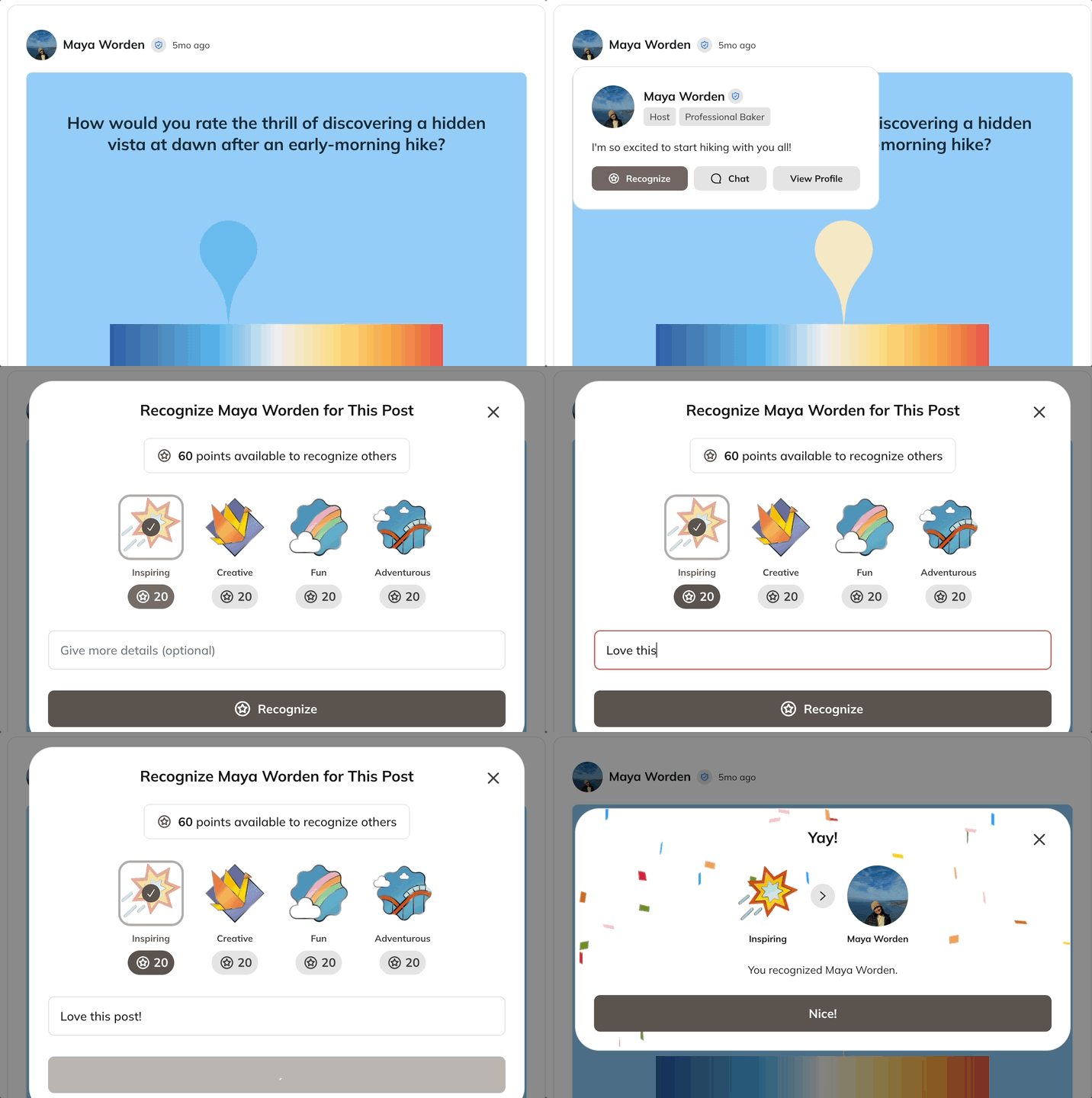
How Members Recognize
Members can recognize another member by hovering over their profile photo and selecting Recognize on a post, comment, chat, or profile. They’ll then:- Choose a Community Value they want to recognize.
- Add an optional note.
- Click Recognize to send it.
Leaderboard
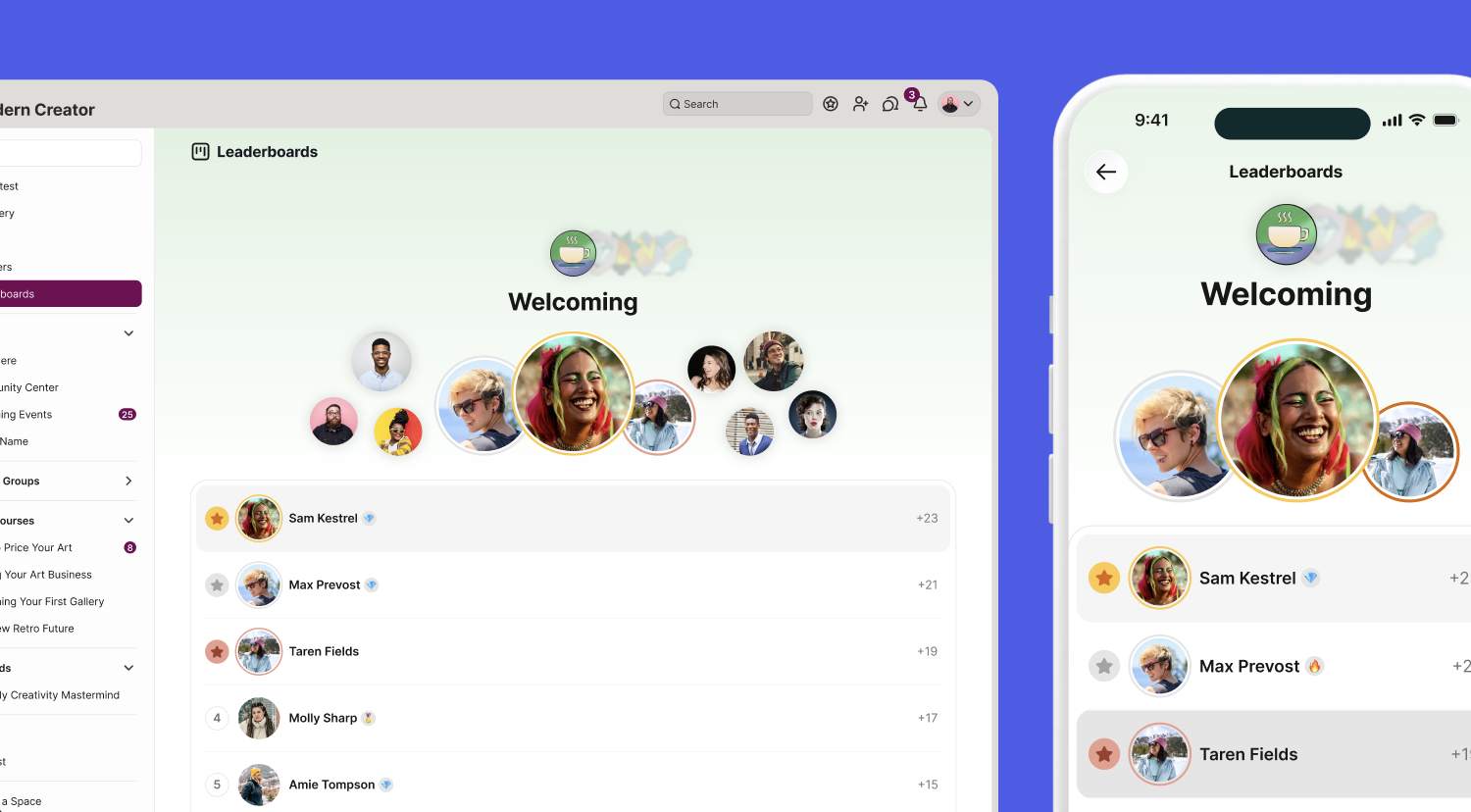
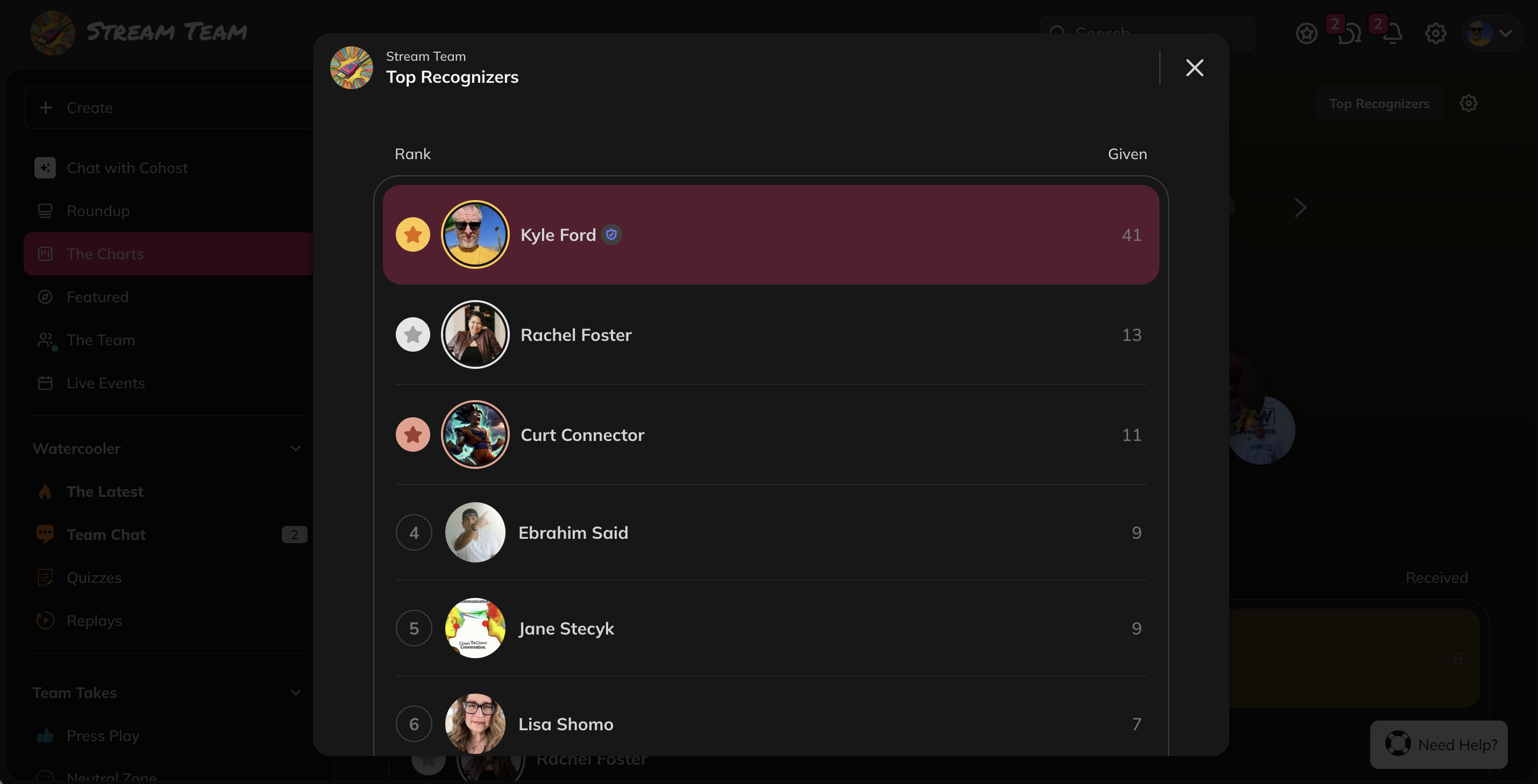
How Leaderboards Work
The Leaderboard is a Global Feature and available at the Network level.- Go to Admin > Global Features and toggle on Leaderboard
- Note: you will need to have Community Values enabled
- Select Manage to customize the name or decide whether or not to include or exclude Network Hosts and moderators from the rankings.
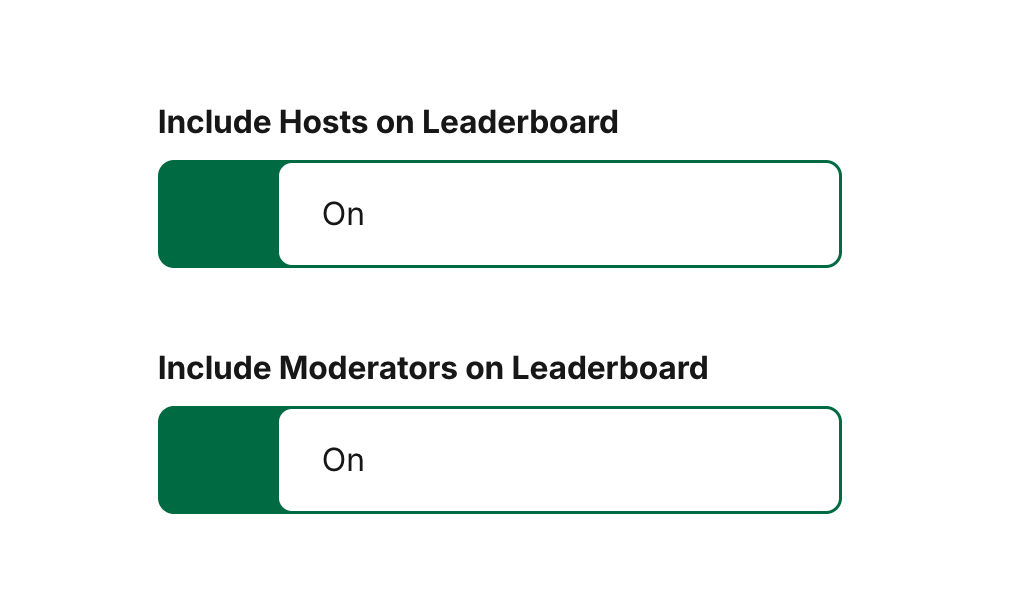
- They display the top 10 people for each value
- Hosts, members and moderators are included in the rankings
- Rankings are based on recognitions received and are cumulative
- In a tie, the member who reached the count first ranks higher.
- The Leaderboard will refresh every Monday at 7am PST
- This is also when notifications for the Leaderboard will be sent.
- Those on the Leaderboard will receive a notification (email, in-app or push) depending on how they have set up their notification preferences.
- All others will receive a notification to check out the Leaderboard.
- These notifications can be toggled off in Personal Settings > Notifications.
Gamification Automations
You can automate point awards or recognitions using Triggers and Actions in Automations. Automatically award points, add tags, or take other actions when a member hits a streak milestone. Award points for specific actions, such as:- Completing a Course or Quiz
- Earning a badge
- Reaching Ambassador levels