Yes! On the Scale plan and up, you can set up your Rewardful integration by going to Admin > Integrations > Affiliate Programs.
Screenshot2026 03 13at8 40 57AM
For general information and FAQs about Affiliate Programs on Mighty, start here. Select the Connect Rewardful button: Sign up for any Rewardful plan.

How to Set Up the Integration

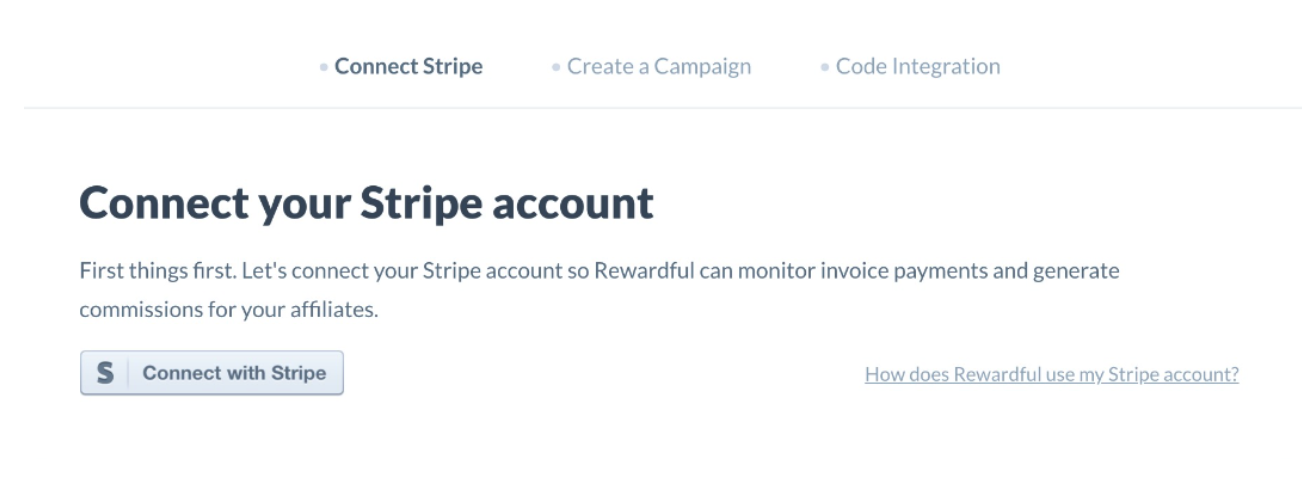
  • On your new Rewardful account, connect Stripe (use the same account connected to your Mighty Network)
Screenshot2026 03 13at8 43 40AM
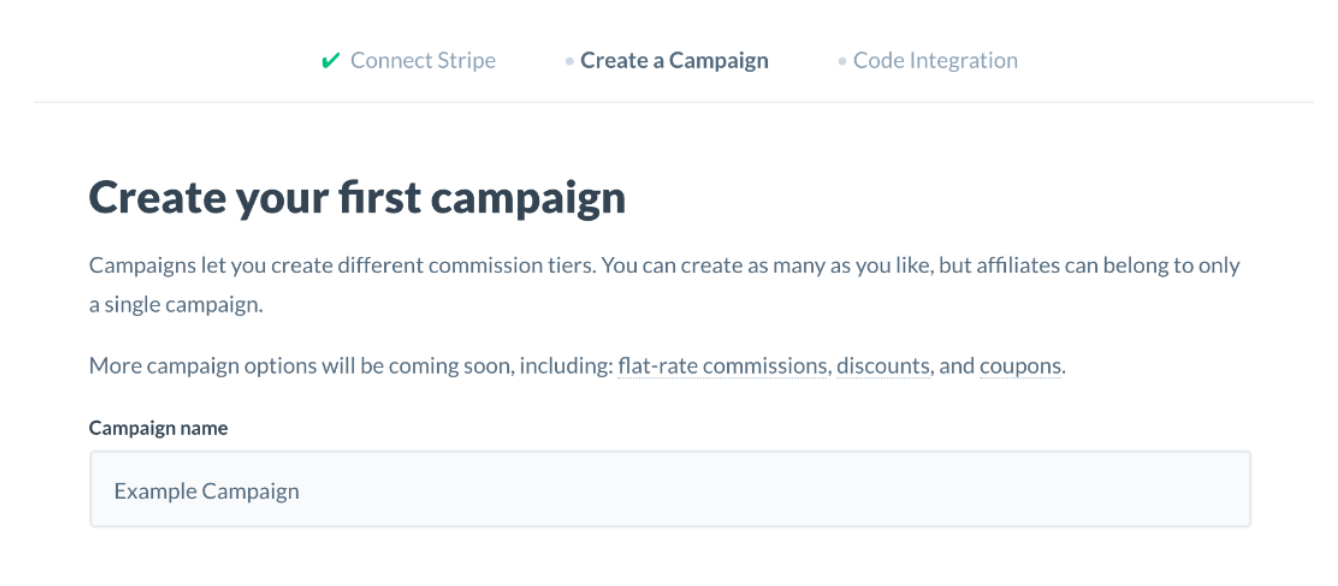
  • Next, create your first affiliate campaign:
Screenshot2026 03 13at8 44 12AM
  • On the Code Integration step, all you need to do is copy your Rewardful API Key:
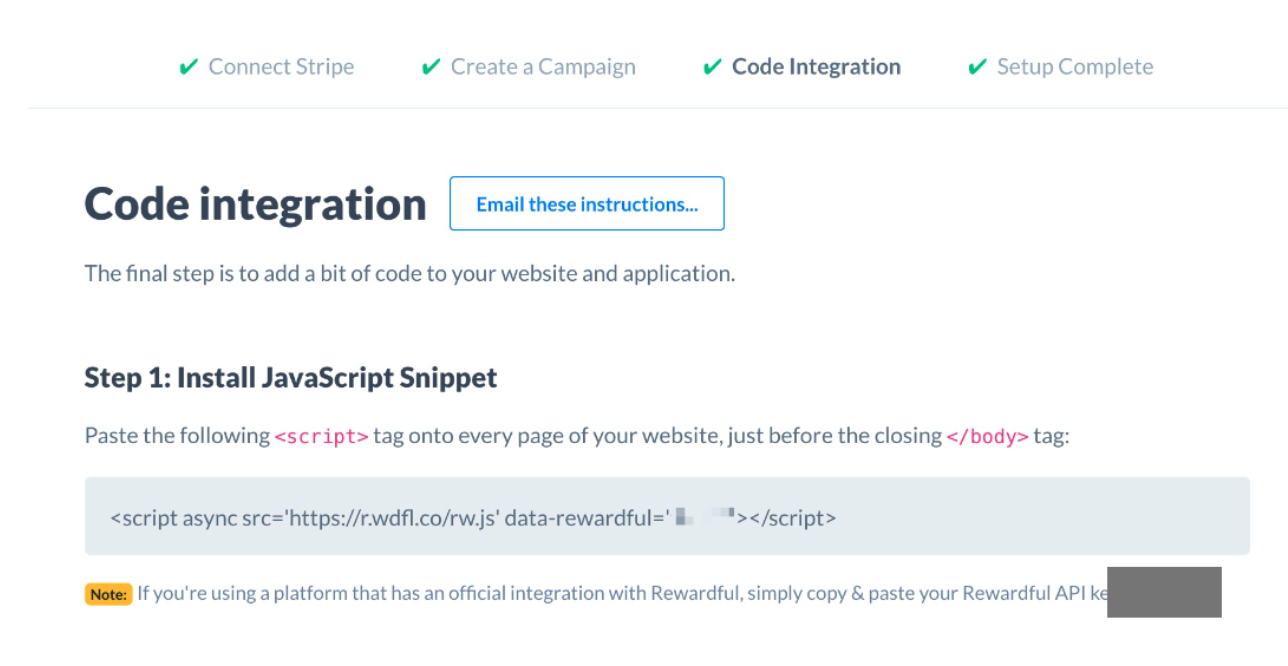
Screenshot2026 03 13at8 44 37AM
  • Note: when setting up a campaign, you need to choose ‘Affiliate Links’ as a Query String (default), if you select Hash Fragment, the integration won’t work.
  • Back on Mighty, paste in your Rewardful API Key:
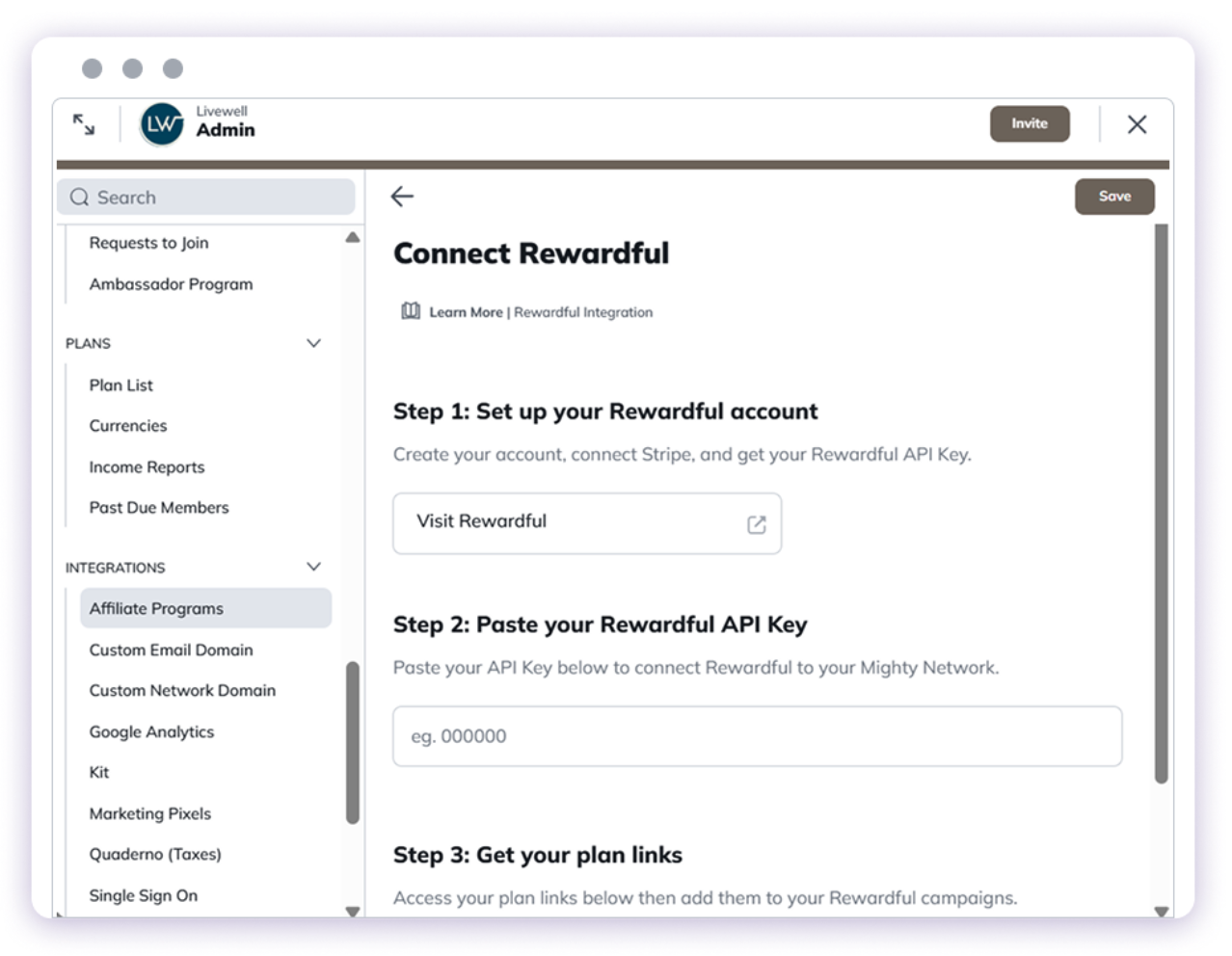
Screenshot2026 03 13at8 45 10AM
  • On Rewardful, scroll to the bottom of the page, then click the Ok button
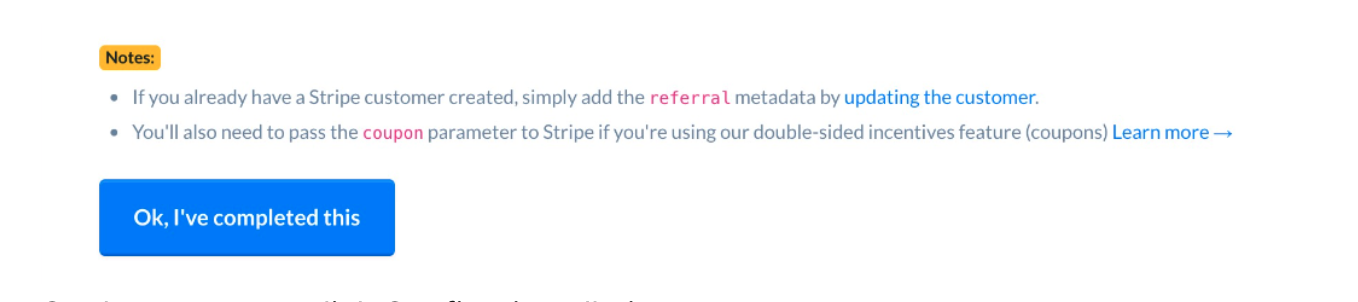
Screenshot2026 03 13at8 45 35AM
  • On the next step, click Confirm installation
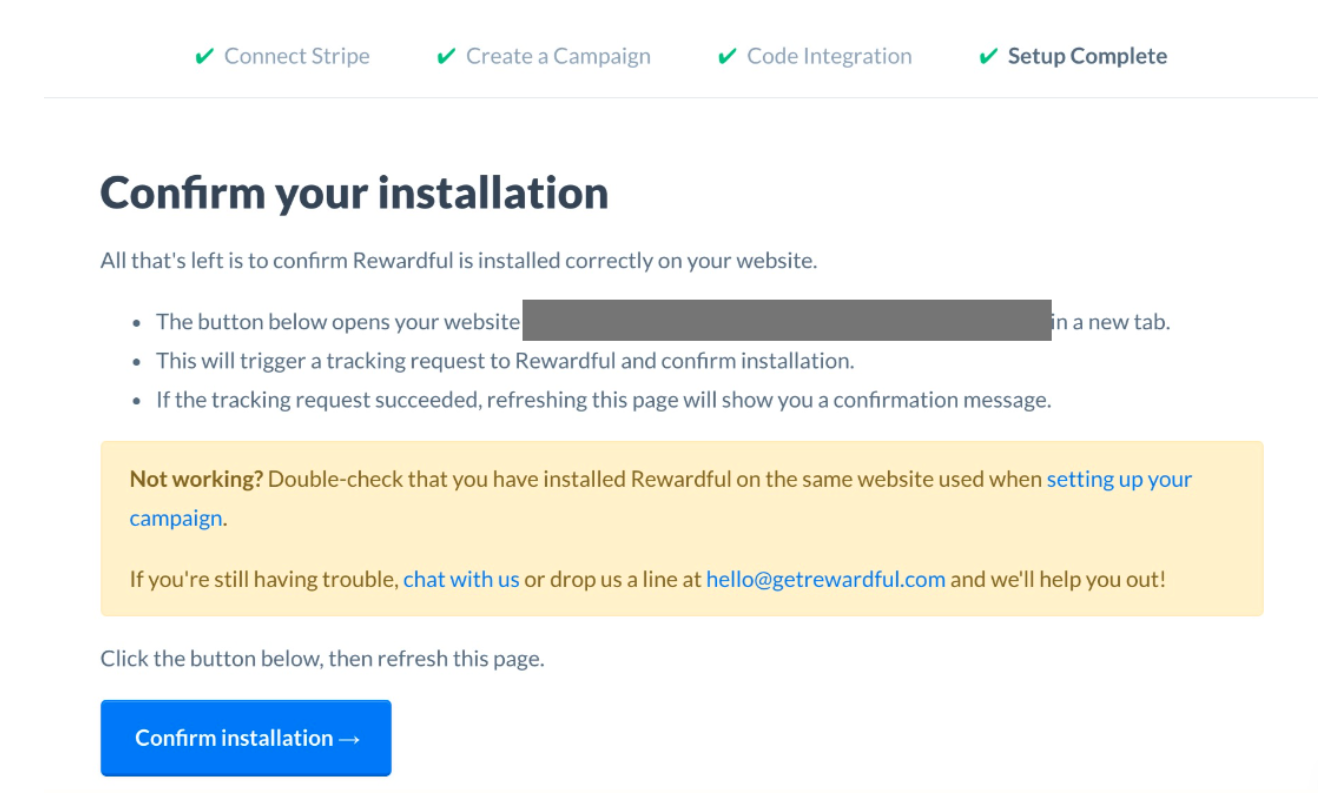
Screenshot2026 03 13at8 45 57AM
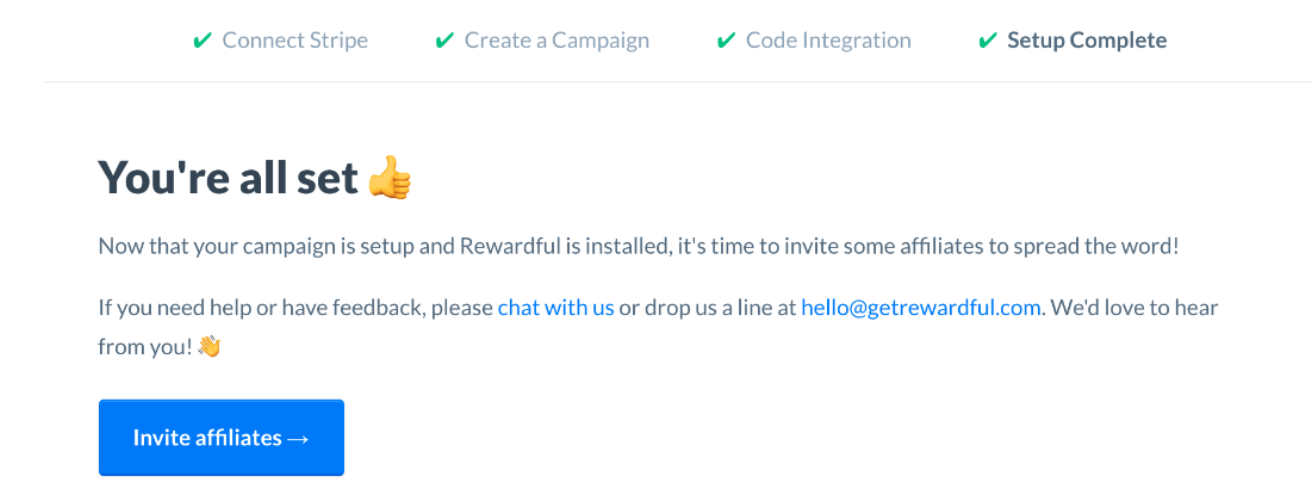
Your Mighty Network will open. Now in Rewardful, if you refresh the page, you’ll see a confirmation that your setup is done:
Screenshot2026 03 13at8 46 24AM
That’s it! You can now start inviting affiliates via Rewardful. Need help from Rewardful?