

How To Set a Default Plan
Go to Admin > Privacy & Access and scroll to the section “Set Default Plan for Network Invites”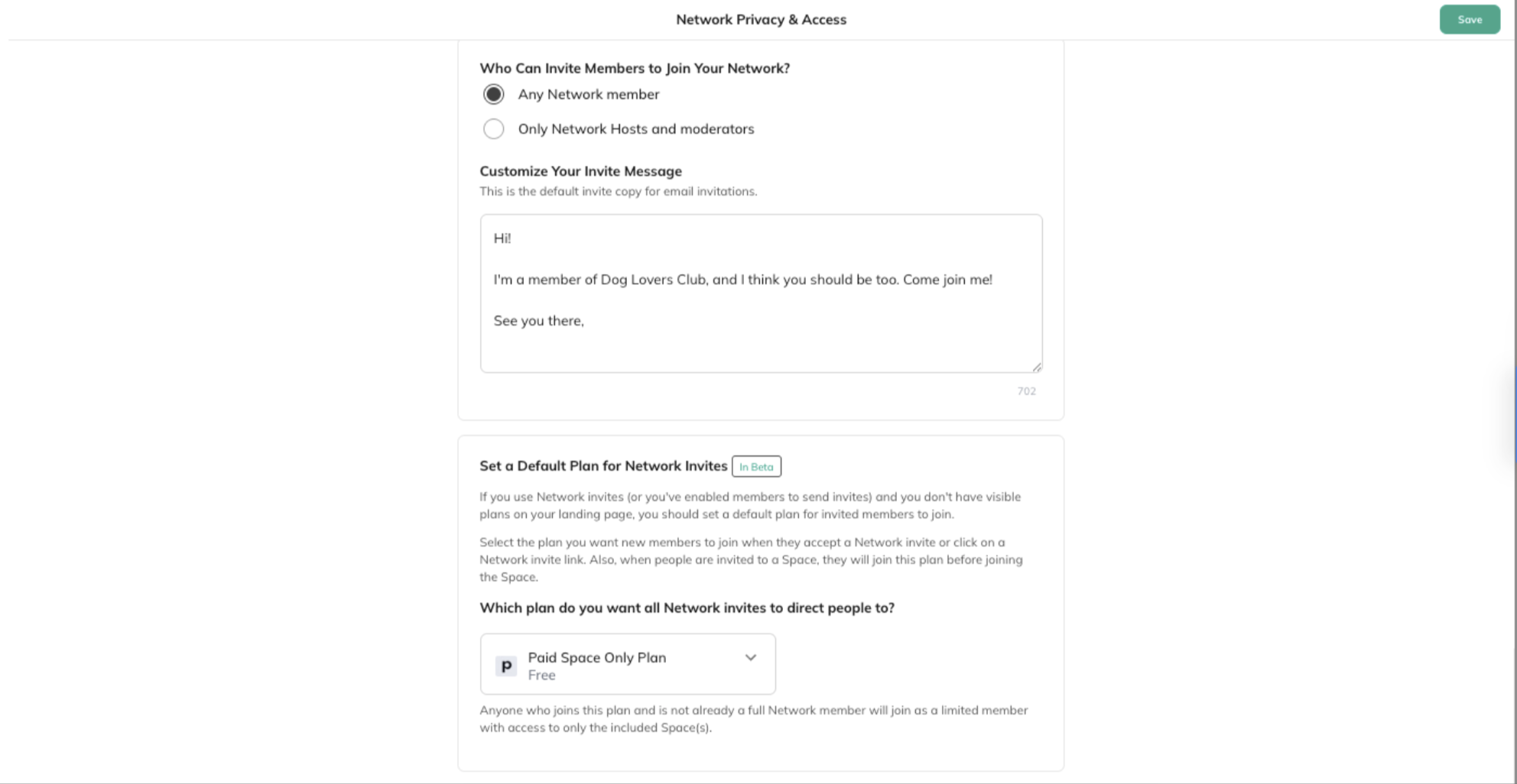 You’ll see a dropdown where you can choose the plan you want all Network invites to direct people to.
Here you can choose:
You’ll see a dropdown where you can choose the plan you want all Network invites to direct people to.
Here you can choose:
- A default plan or set it to No Default Plan
-
If the plan includes the Network:
“Anyone who joins this plan will be a full Network member.” -
If the plan includes only Space(s):
“Anyone who joins this plan and is not already a full Network member will join as a limited member with access to only the included Space(s).” -
If no plans are selected:
“If the Network is set to Invite-Only or Anyone Can Join, any Network invite will allow people to join immediately. If the Network is Accessible Through Plans, people who accept a Network invite or click on a Network invite link will see any visible plans on the landing page.”
- Invite to Planoption or the Plan Share Link
- Make this plan visible and add gates to it, like screening questions or approvals