

Why Use Limited Memberships
By restricting access to Network-level Global Features—including private messaging, the Global Feed, or Global Members—you can:- Keep your broader community gated, exclusive, or reserved for paying members.
- Use individual Spaces as entry points to introduce new people to your work.
- Sell standalone programs or experiences while keeping your full community experience separate for those on a higher-tier plan.
How Limited Members Join Spaces
Important: Limited members can only join Spaces through paid plans. This means:- Invites do not grant access to limited members for Spaces
- “Anyone Can Join” settings do not apply to limited members for Spaces
- Limited members must have a valid payment for a plan that includes the Space in order to access it
What Limited Members See
Here’s an example of what the limited member experience can look like: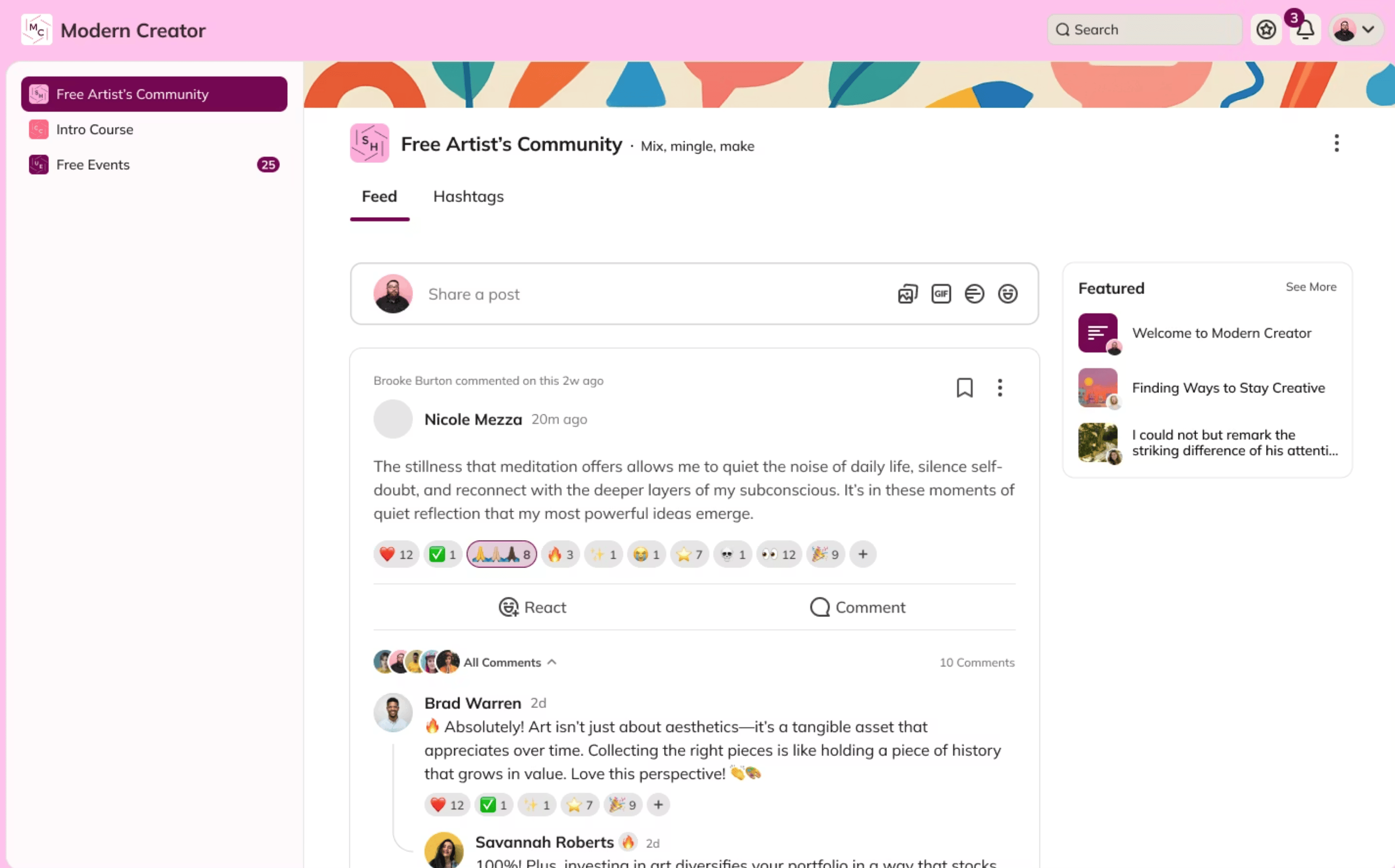
Check out this video on how to set up limited memberships:
For more details on setting up plans, check out this article.
Below is a detailed guide to the features accessible to each member type:
Important notes:- If you set your Network Privacy & Access settings to “anyone can view content inside the Network,” these definitions may shift because a limited member can see what a visitor/non-member sees (e.g. Collections with Spaces that anyone in the Network can see, promoted Spaces, etc.).
- If you demote a full member to a limited member (by removing the Network from any of the Spaces they are on) they will lose access to their private chats and any of the Global Features. If you add the Network back and restore them to full membership, then they will be able to access their previous chat messages.
- Limited members cannot become Space Hosts or Space moderators.