

With the Direct Add feature, Network Hosts and moderators can instantly add existing members to Spaces or the Network without sending invites or requiring any action from members. Network Hosts can also add members directly to a free or access plan.
Use Direct Add to:
- Give full members immediate access to one or more Spaces
- Upgrade limited members to full Network access
- Give members immediate access to a free plan or an access plan
- Automate membership assignments through Automations or Zapier
- Only Network Hosts and moderators can add members to Spaces or the Network. Only Network Hosts can add members to a plan.
- Only members who already have accounts in your Mighty Network can be directly added to Spaces, the Network, or a plan.
- If a member later joins a plan that includes the Space, their access becomes tied to the plan.
- Adding to Spaces or the Network will bypass plan requirements (paid or free), screening questions, approvals, or member actions.
- You can only add members directly to free plans and access plans (plans with no payment gate). For paid plans, consider moving members to plans instead.
- Add to Network and Add to Spaces don’t add members to plans, so any plan gates do not apply when directly adding members.
- If a member leaves a Space they were directly added to, they lose the ability to rejoin it and must be added again by the Host or join through another route.
- If you are adding a large number of members, it may take a while for them to be added. You will get a notification when they have all been added successfully.
- If you add a Network Host to a Space, they will join as a Space Host.
- You choose whether members get a notification when you add them.
How Do I Directly Add a Member to My Network, Spaces, or a Plan?
You have three options:- Add a single member
- Add members in bulk
- Use Mighty Automations to add a member to Spaces, the Network, or a plan automatically, or Zapier to add them to Spaces or the Network
Add a Single Member
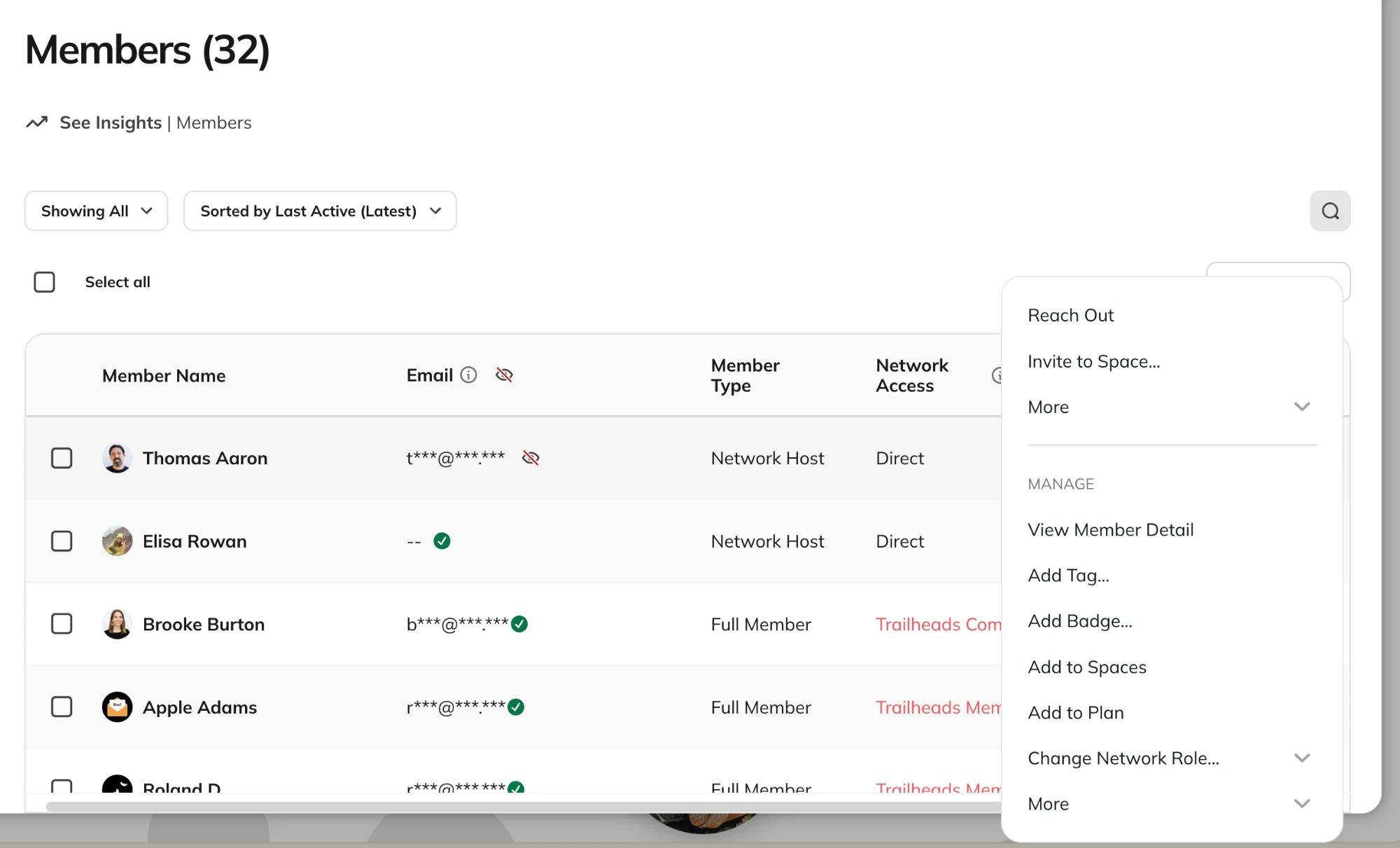
Step 1: Open the Member List- Go to Admin > Members > Member List.
- “Add to Network” will show if the member is a limited member.
- “Add to Spaces” will show if the member is a full member.
- “Add to Plan” adds the member to a free or access plan. Learn more about adding members to a plan.
Add Members in Bulk
Step 1: Open the Member List- Go to Admin > Members > Member List.
- Click the “Bulk Actions” menu.
- Select “Add to Network” to upgrade limited members to full members.
- Select “Add to Spaces” to give full members access to one or more Spaces.
- Select “Add to Plan” to give members access to a free or access plan.
Add Members to a Plan
Add to Plan gives members access to a free plan or an access plan right away. No invite is sent, and members don’t need to do anything. This is different from Invite to Plan, which sends a link the member has to act on before they get access. When you select Add to Plan, choose a plan under Select a free or access plan. Access plans are labeled Access, and free plans are labeled Free.- Paid plans aren’t supported.
- If your Mighty Network doesn’t have any free or access plans yet, you’ll see “Create a free or access plan to add members.” Learn how to create a plan or create a plan with no payment gate.
- Add to Plan is available on web, iOS, and Android. It isn’t available through the Admin API or Zapier. To add members to a plan automatically, use the Add to Plan Automation.
Notifications
As a Host, you will receive email and push notifications (if enabled) when:- Members have received access to Spaces, the Network, or a plan
- Members were not successfully added.
Automate Directly Adding Members
You can use Automations to add members to Spaces, the Network, or a plan automatically. Zapier can add members to Spaces or the Network, but not to a plan. Automations:- Actions
- Add to Network (limited members only)
- Add limited members to the Network immediately, skipping the invite flow.
- Add to Space(s) (full members only)
- Adds full members to Space(s) immediately, skipping the invite flow.
- Add to Plan (free or access plans only)
- Adds members to a free or access plan immediately, skipping the invite flow. Available on the Scale Plan and up. See which Automations are included on your plan.
- Members don’t receive a notification when they’re added this way. Pair it with a Send Private Message Action to let them know.
- Add to Network (limited members only)
- Direct Add Member to Space
- Direct Add Member to Network (only limited members)