> ## Documentation Index
> Fetch the complete documentation index at: https://docs.mightynetworks.com/llms.txt
> Use this file to discover all available pages before exploring further.
# How Do I RSVP and Attend Events as a Member?
RSVPing for and attending Events in your Mighty Network is simple! This guide will walk you through everything you need to know, step by step.
## How to RSVP to an Event
**Find the Event**
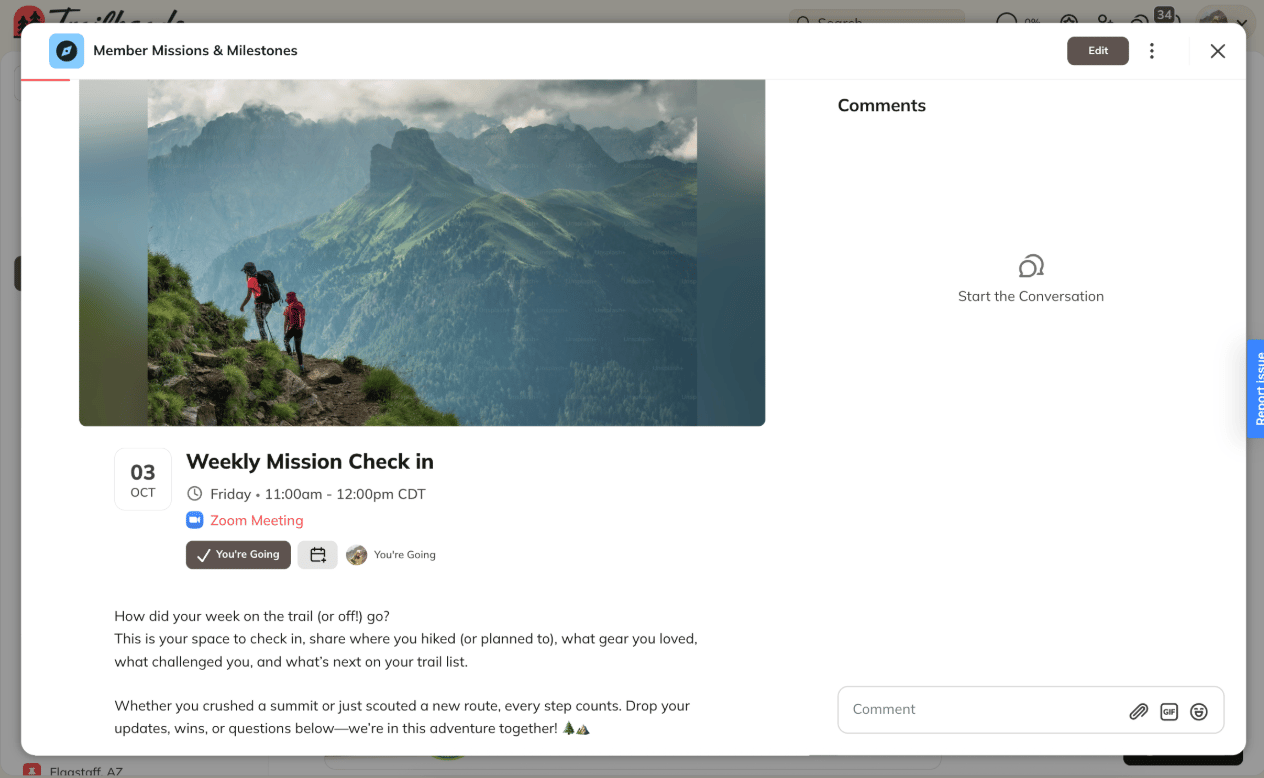
* Go to the Event you want to attend.
**Choose Your RSVP**
* Select one:
* **Going**
* **Maybe**
* **Not Going**
[ ](/images/for-members/engage-and-interact/how-do-i-rsvp-and-attend-events-as-a-member/Screenshot-2025-12-04-at-8_54_48-AM.png)
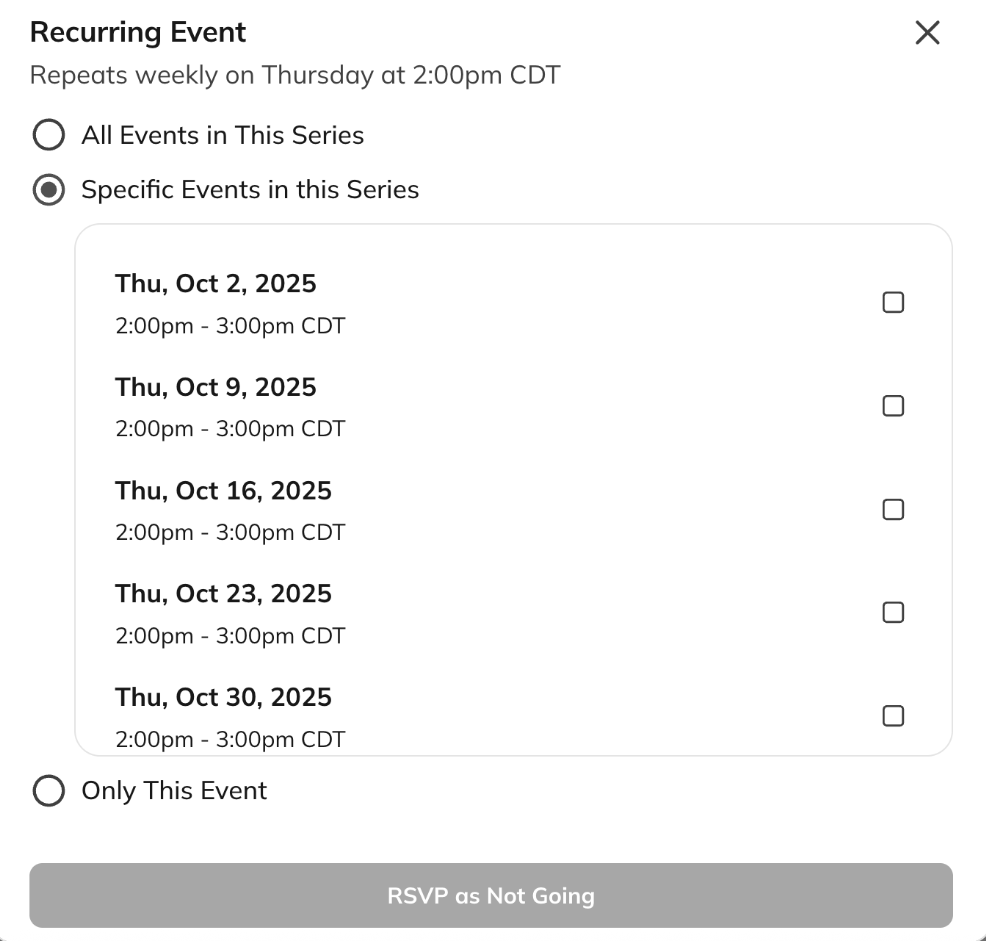
* For recurring Events, you can RSVP to specific ones in the series.
[
](/images/for-members/engage-and-interact/how-do-i-rsvp-and-attend-events-as-a-member/Screenshot-2025-12-04-at-8_54_48-AM.png)
* For recurring Events, you can RSVP to specific ones in the series.
[ ](/images/for-members/engage-and-interact/how-do-i-rsvp-and-attend-events-as-a-member/Screenshot-2025-12-05-at-9_59_04-AM.png)
**After You RSVP “Going”**
* Change your RSVP if needed.
* See who else is attending.
* **Add the Event to your calendar** by clicking **Add to Calendar**.
* Get reminders: you’ll receive a notification about 10 minutes before the Event (by email, push, or both—depending on your settings).
**Once you RSVP as Going, you’ll see options to:**
* Change your RSVP
* See who else has RSVP’d
**Add the Event to Your Calendar:**
* After RSVPing, select Add to Calendar to save it to your personal calendar.
**Get Reminders:** You'll receive a reminder 10 minutes before the Event starts via email, push notification, or both—depending on [your notification preferences](/for-members/account-and-purchases/what-notifications-will-i-get-as-a-member).
[
](/images/for-members/engage-and-interact/how-do-i-rsvp-and-attend-events-as-a-member/Screenshot-2025-12-05-at-9_59_04-AM.png)
**After You RSVP “Going”**
* Change your RSVP if needed.
* See who else is attending.
* **Add the Event to your calendar** by clicking **Add to Calendar**.
* Get reminders: you’ll receive a notification about 10 minutes before the Event (by email, push, or both—depending on your settings).
**Once you RSVP as Going, you’ll see options to:**
* Change your RSVP
* See who else has RSVP’d
**Add the Event to Your Calendar:**
* After RSVPing, select Add to Calendar to save it to your personal calendar.
**Get Reminders:** You'll receive a reminder 10 minutes before the Event starts via email, push notification, or both—depending on [your notification preferences](/for-members/account-and-purchases/what-notifications-will-i-get-as-a-member).
[ ](/images/for-members/engage-and-interact/how-do-i-rsvp-and-attend-events-as-a-member/Screenshot-2025-10-01-at-3_50_32-PM.png)
## What Happens When the Event Starts?
* **If you RSVP’d Yes or No:** You can’t change your RSVP after the Event begins.
* **If you didn’t RSVP:** The option to RSVP disappears once the Event starts.
* **If you RSVP’d Maybe:** You can still change to Yes or No after the Event starts, but once you decide, the option goes away.
* **After the Event ends:** The RSVP prompt is no longer visible.
## How to Attend an Event
* **Find Your Event**
* Livestream Events:
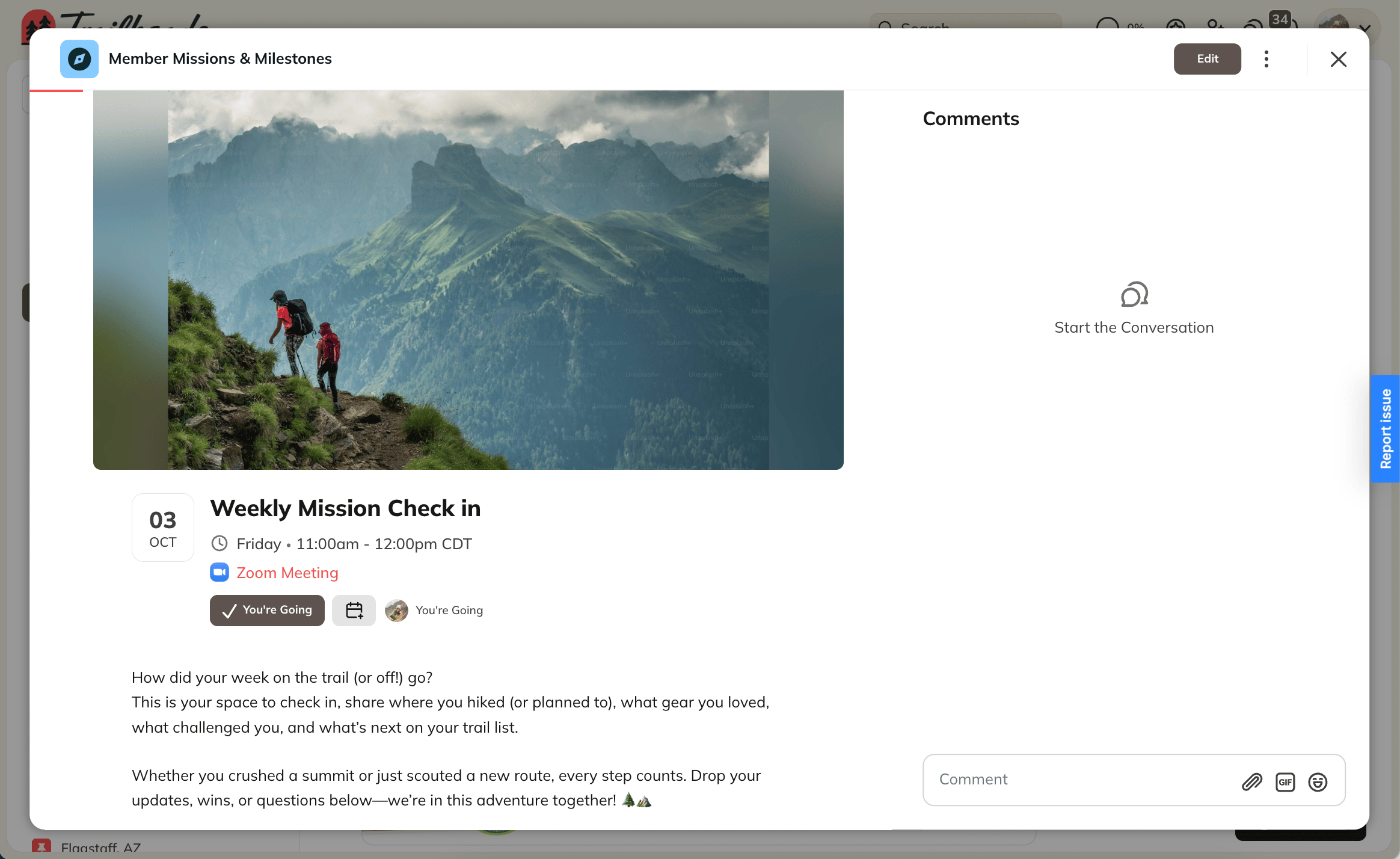
* On the event page, there will be a countdown on the event.
* If the countdown ends but the livestream hasn't started, you will see **"The livestream will begin shortly!"**
[
](/images/for-members/engage-and-interact/how-do-i-rsvp-and-attend-events-as-a-member/Screenshot-2025-10-01-at-3_50_32-PM.png)
## What Happens When the Event Starts?
* **If you RSVP’d Yes or No:** You can’t change your RSVP after the Event begins.
* **If you didn’t RSVP:** The option to RSVP disappears once the Event starts.
* **If you RSVP’d Maybe:** You can still change to Yes or No after the Event starts, but once you decide, the option goes away.
* **After the Event ends:** The RSVP prompt is no longer visible.
## How to Attend an Event
* **Find Your Event**
* Livestream Events:
* On the event page, there will be a countdown on the event.
* If the countdown ends but the livestream hasn't started, you will see **"The livestream will begin shortly!"**
[ ](/images/for-members/engage-and-interact/how-do-i-rsvp-and-attend-events-as-a-member/Screenshot-2025-12-04-at-8_56_44-AM.png)
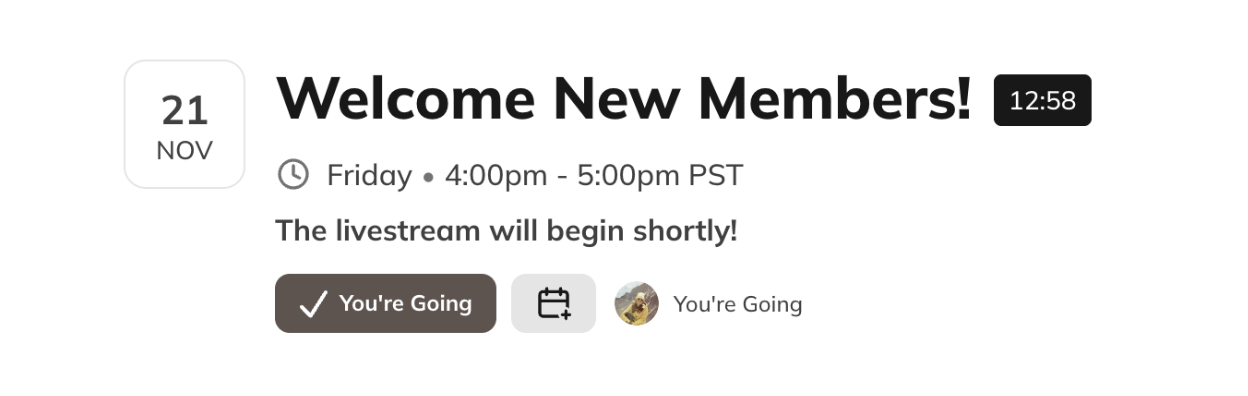
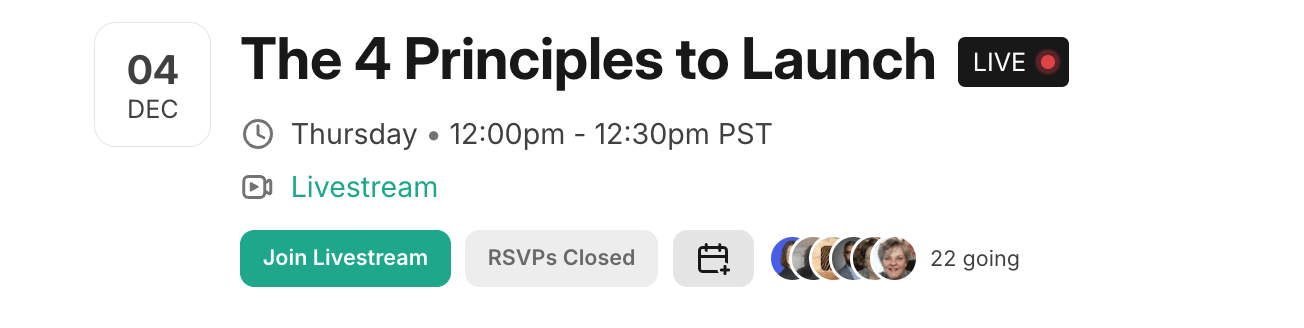
* After the livestream begins, you will see **"Join the Livestream"** which will take you directly to the live video.
[
](/images/for-members/engage-and-interact/how-do-i-rsvp-and-attend-events-as-a-member/Screenshot-2025-12-04-at-8_56_44-AM.png)
* After the livestream begins, you will see **"Join the Livestream"** which will take you directly to the live video.
[ ](/images/for-members/engage-and-interact/how-do-i-rsvp-and-attend-events-as-a-member/Screenshot-2025-12-04-at-12_12_41-PM.png)
* **Zoom Events**: The Event page shows "Zoom Meeting" which is a hyperlink to the Zoom meeting.
[](/images/for-members/engage-and-interact/how-do-i-rsvp-and-attend-events-as-a-member/Screenshot-2025-12-04-at-8_54_48-AM.png)
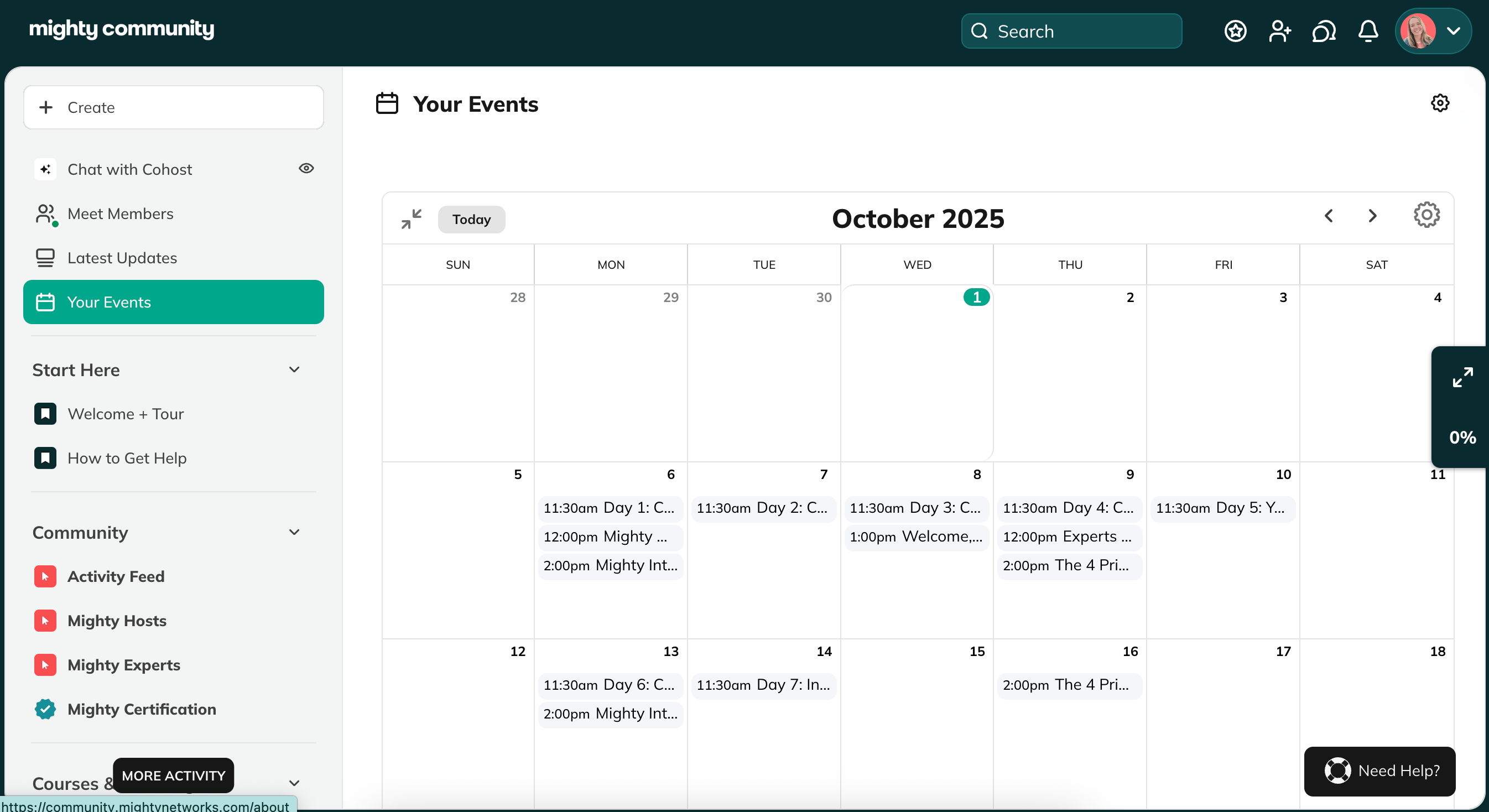
* **Explore Calendar View (Web only)**
* **[Expand the calendar in the top-right corner.](/for-hosts/events-and-livestream/is-there-a-calendar-view-for-events)**
* Use the arrows to browse past or future months.
* Sync Events to your Google, Outlook, or Apple calendar. You can sync **all Events** or only the ones you RSVP’d to.
[
](/images/for-members/engage-and-interact/how-do-i-rsvp-and-attend-events-as-a-member/Screenshot-2025-12-04-at-12_12_41-PM.png)
* **Zoom Events**: The Event page shows "Zoom Meeting" which is a hyperlink to the Zoom meeting.
[](/images/for-members/engage-and-interact/how-do-i-rsvp-and-attend-events-as-a-member/Screenshot-2025-12-04-at-8_54_48-AM.png)
* **Explore Calendar View (Web only)**
* **[Expand the calendar in the top-right corner.](/for-hosts/events-and-livestream/is-there-a-calendar-view-for-events)**
* Use the arrows to browse past or future months.
* Sync Events to your Google, Outlook, or Apple calendar. You can sync **all Events** or only the ones you RSVP’d to.
[ ](/images/for-members/engage-and-interact/how-do-i-rsvp-and-attend-events-as-a-member/Screenshot-2025-10-01-at-3_54_58-PM.png)
## Global Event Feature
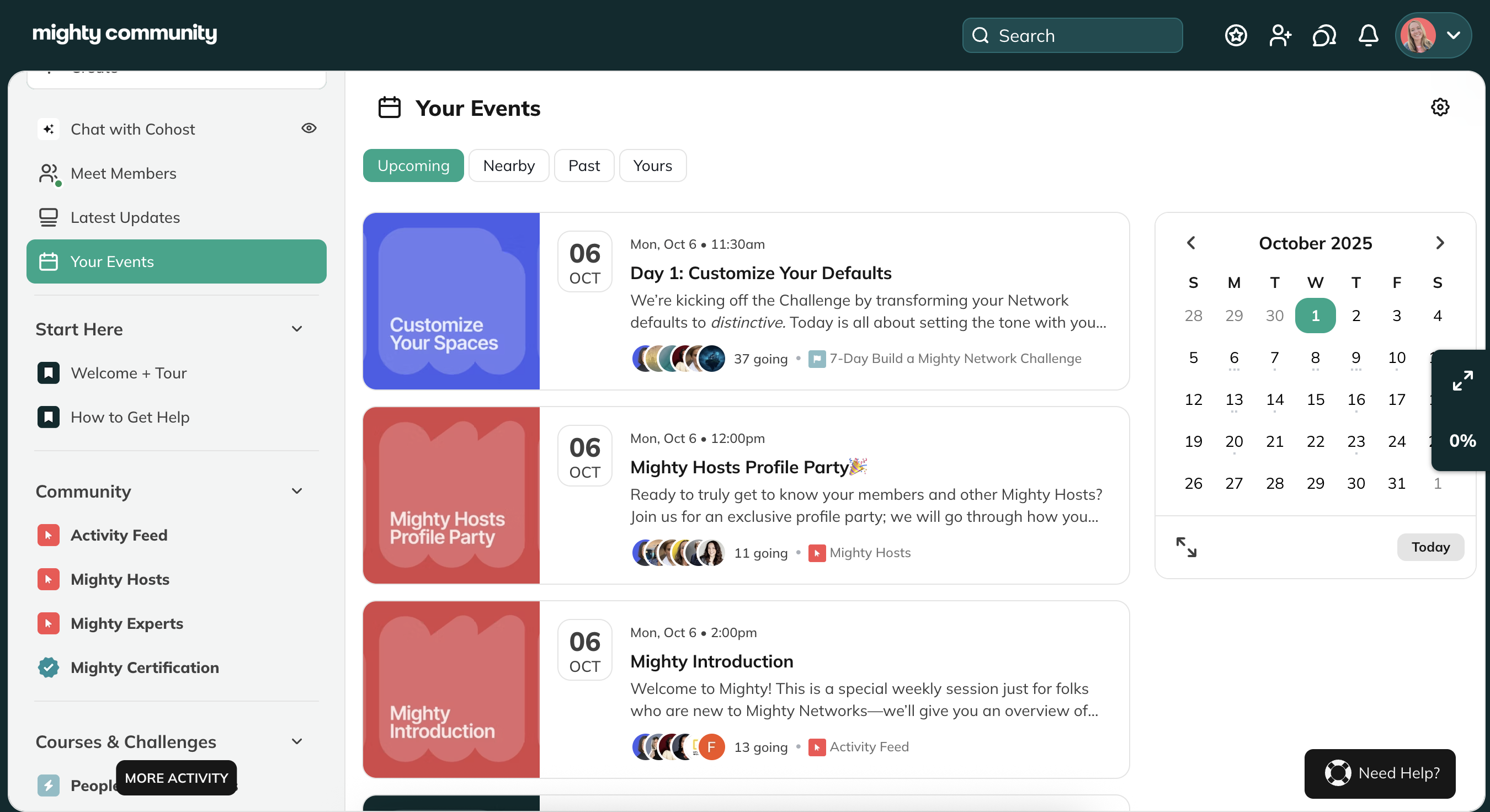
If your Host has enabled it, you’ll see a Global Event Feature in the upper-left corner of your Mighty Network. This feature gathers all Events from across your Network into one place, making it easy to see everything you can join.
[
](/images/for-members/engage-and-interact/how-do-i-rsvp-and-attend-events-as-a-member/Screenshot-2025-10-01-at-3_54_58-PM.png)
## Global Event Feature
If your Host has enabled it, you’ll see a Global Event Feature in the upper-left corner of your Mighty Network. This feature gathers all Events from across your Network into one place, making it easy to see everything you can join.
[ ](/images/for-members/engage-and-interact/how-do-i-rsvp-and-attend-events-as-a-member/Screenshot-2025-10-01-at-3_55_26-PM.png)