> ## Documentation Index
> Fetch the complete documentation index at: https://docs.mightynetworks.com/llms.txt
> Use this file to discover all available pages before exploring further.
# How Do I Set Up My Network Branding?
One of the best parts of moving off social media or chat apps is that your Mighty Network is **your own space**—you control how it looks, feels, and works.
You can customize everything to fit your brand, from **colors and logos** to **images, layout, and even the names of roles**.
Your updates appear on both **web** and **mobile**, putting your brand front and center wherever members connect.
## [👉 Download the Mighty Branding Guide](https://docs.google.com/presentation/d/1keL3CuVbG8sBotTm9IkyPFKWZGoFnASUQvqTNzqnk54/edit?usp=sharing)
## Set Up Network Branding
To start customizing your Mighty Network, go to **Admin > Branding** — the direct path is `/admin/colors`.
Here, you can manage your Network's main visual identity.
## Colors
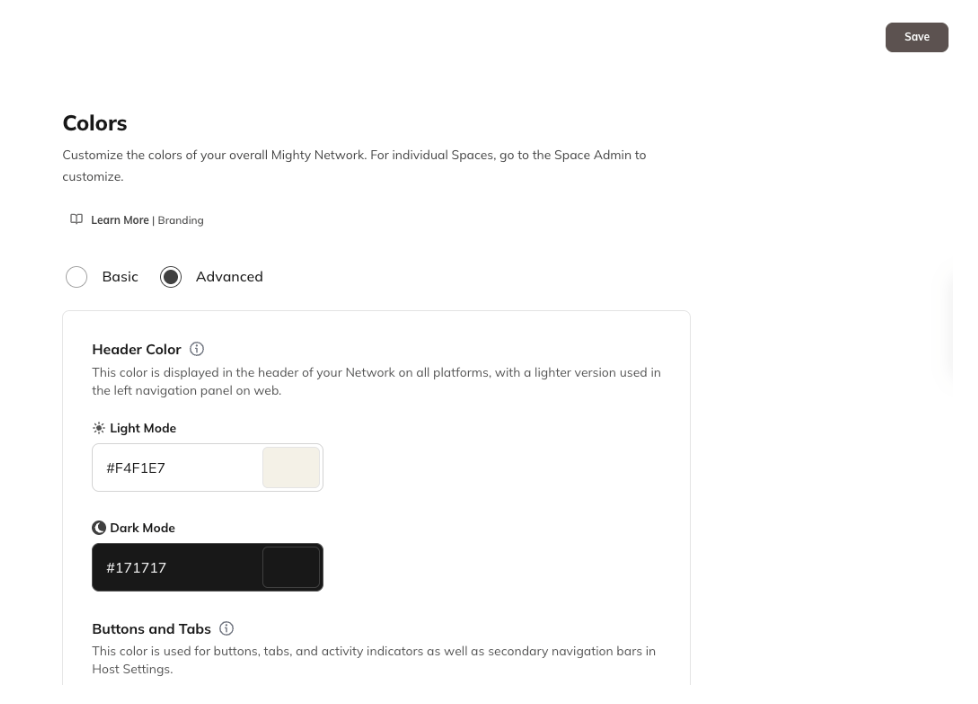
Choose your Network's color palette for both **light** and **dark mode**, including:
* Header color
* Buttons and tabs
* Text links and action icons
## Typography
You can select up to **5 fonts for your Network** that will show in all system-generated text and member-created content.
## Imagery
Add visuals to showcase your brand across your Network:
### Network Logo
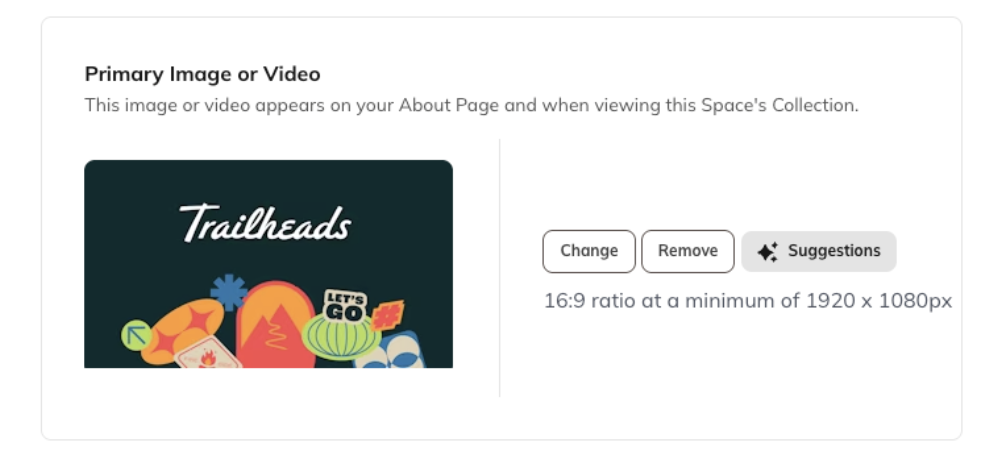
### Primary Image or Video
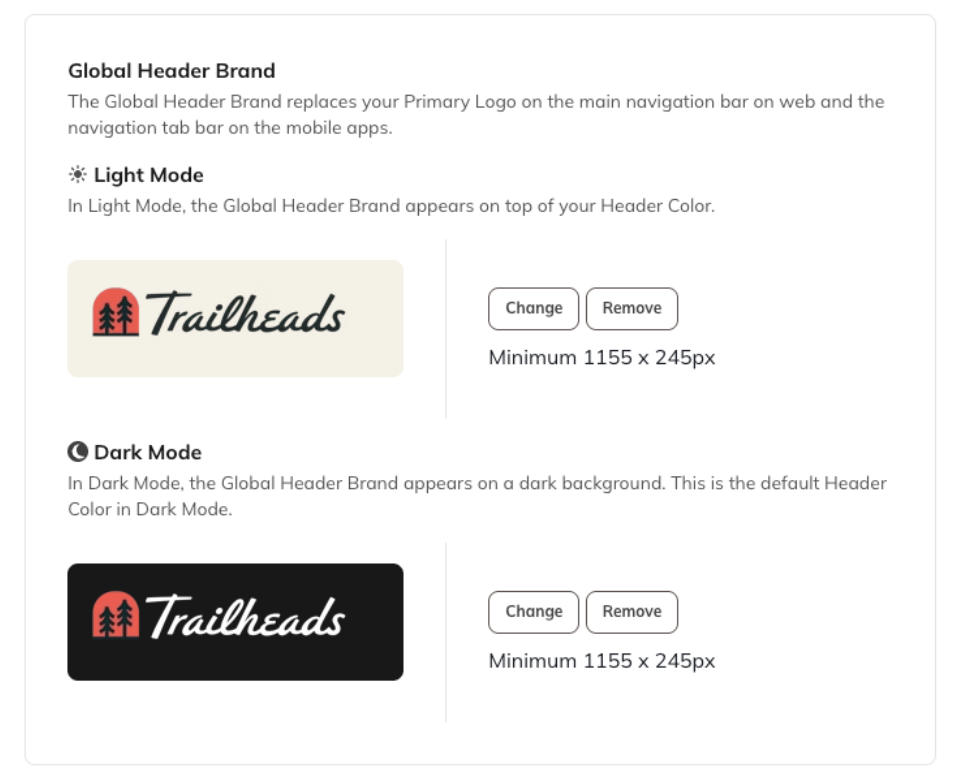
### Global Header Brand
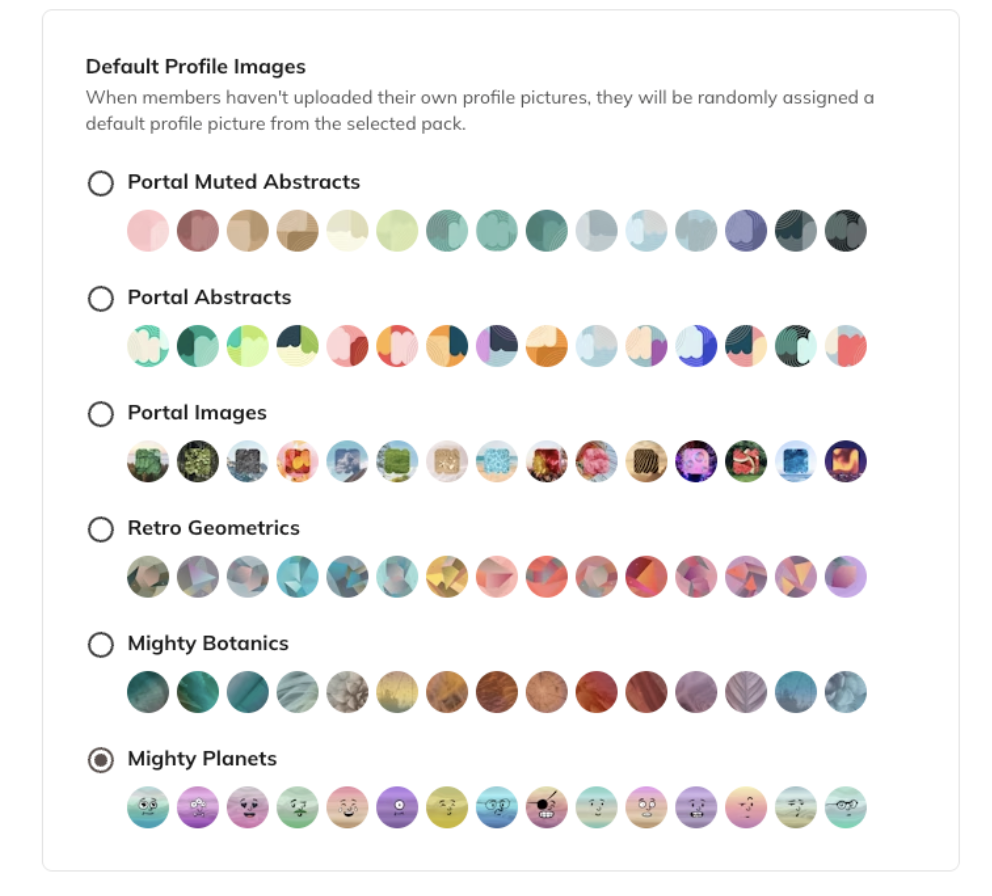
### Default Profile Images
(used when members haven't uploaded their own)
## Role Naming
Customize the names for your community roles:
* **Hosts**
* **Moderators**
* **Members**
## Set Up Space Branding
Each Space can also have its own unique branding to match its purpose.
Go to the **Gear Icon in the Space > Space Branding**
From there, you can adjust the Space's colors, imagery, and layout to fit its individual identity.
### [Learn More](https://faq.mightynetworks.com/en/articles/9140611-can-i-brand-a-space)
## Branding Resources
We've created a detailed **Mighty Branding Guide** that includes:
* Recommended image sizes
* Asset placement details
* Real examples of beautifully branded Mighty Networks
## [👉 Download the Mighty Branding Guide](https://docs.google.com/presentation/d/1keL3CuVbG8sBotTm9IkyPFKWZGoFnASUQvqTNzqnk54/edit?usp=sharing)
## Recommended Tools
Enhance your branding with these free design resources:
* [**Coolors.co:**](https://coolors.co) Create a custom color palette.
* [**Canva's Color Meaning Explorer:**]() Learn what different colors represent.
* [**Adobe Color Extract:**]() Pull a color palette directly from an image.
## Go Further with Mighty Pro
If you're ready to take your brand to the next level, [**Mighty Pro**](https://www.mightynetworks.com/pro-custom-demo?utm_source=google\&utm_medium=cpc\&utm_campaign=Search%7CMN%7CBrand%7CMighty%20Pro\&utm_content=Mighty%20Pro%7CEXT\&utm_term=mighty%20pro\&utm_term=mighty%20pro\&utm_campaign=Search%7CMN%7CBrand%7CMighty+Pro\&utm_source=google\&utm_medium=cpc\&hsa_acc=7868509693\&hsa_cam=21236082128\&hsa_grp=156818677410\&hsa_ad=698232804681\&hsa_src=g\&hsa_tgt=kwd-296054025773\&hsa_kw=mighty%20pro\&hsa_mt=e\&hsa_net=adwords\&hsa_ver=3\&gad_source=1\&gad_campaignid=21236082128\&gbraid=0AAAAADQoP_0IpHV-adCv_1Yb4yPX8oHCz\&gclid=CjwKCAjwr8LHBhBKEiwAy47uUl9h-UaB_0L4LqDtFSOqIxgeQq834INk2JUJN-b0s2DQlqAHj9Z0DhoC1VsQAvD_BwE) gives you your own fully branded app on the **Apple App Store** and **Google Play**—all for a fraction of the cost of custom development.
### [Chat with Our Team](https://www.mightynetworks.com/pro-custom-demo?utm_source=google\&utm_medium=cpc\&utm_campaign=Search%7CMN%7CBrand%7CMighty%20Pro\&utm_content=Mighty%20Pro%7CEXT\&utm_term=mighty%20pro\&utm_term=mighty%20pro\&utm_campaign=Search%7CMN%7CBrand%7CMighty+Pro\&utm_source=google\&utm_medium=cpc\&hsa_acc=7868509693\&hsa_cam=21236082128\&hsa_grp=156818677410\&hsa_ad=698232804681\&hsa_src=g\&hsa_tgt=kwd-296054025773\&hsa_kw=mighty%20pro\&hsa_mt=e\&hsa_net=adwords\&hsa_ver=3\&gad_source=1\&gad_campaignid=21236082128\&gbraid=0AAAAADQoP_0IpHV-adCv_1Yb4yPX8oHCz\&gclid=CjwKCAjwr8LHBhBKEiwAy47uUl9h-UaB_0L4LqDtFSOqIxgeQq834INk2JUJN-b0s2DQlqAHj9Z0DhoC1VsQAvD_BwE)
Not ready yet? You can upgrade to Mighty Pro anytime, and your members will transition seamlessly.
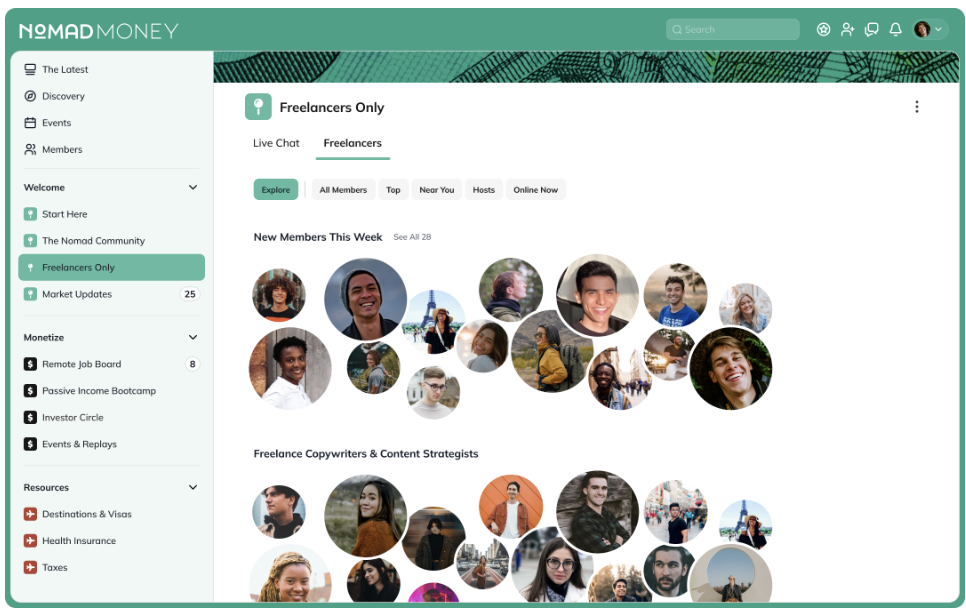 ## Colors
Choose your Network's color palette for both **light** and **dark mode**, including:
* Header color
* Buttons and tabs
* Text links and action icons
## Colors
Choose your Network's color palette for both **light** and **dark mode**, including:
* Header color
* Buttons and tabs
* Text links and action icons
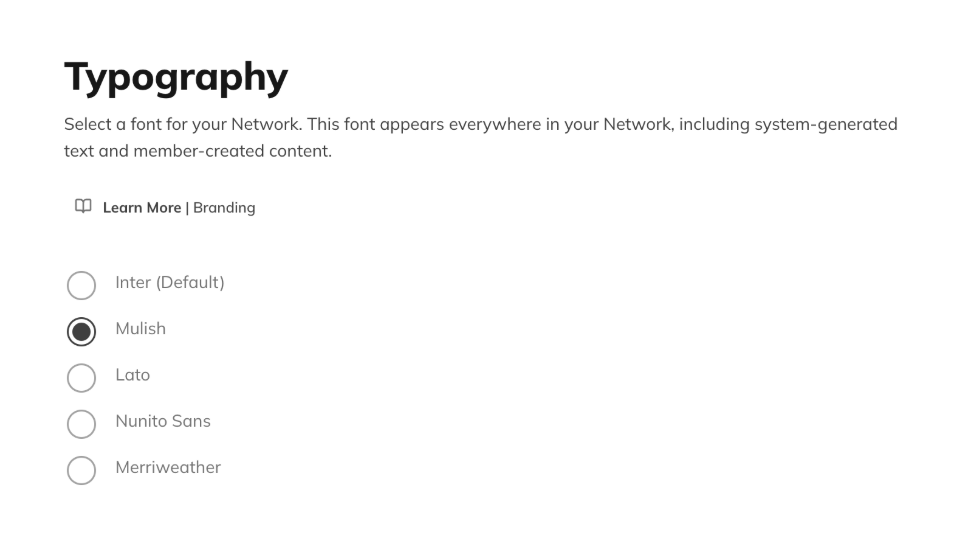
 ## Typography
You can select up to **5 fonts for your Network** that will show in all system-generated text and member-created content.
## Typography
You can select up to **5 fonts for your Network** that will show in all system-generated text and member-created content.
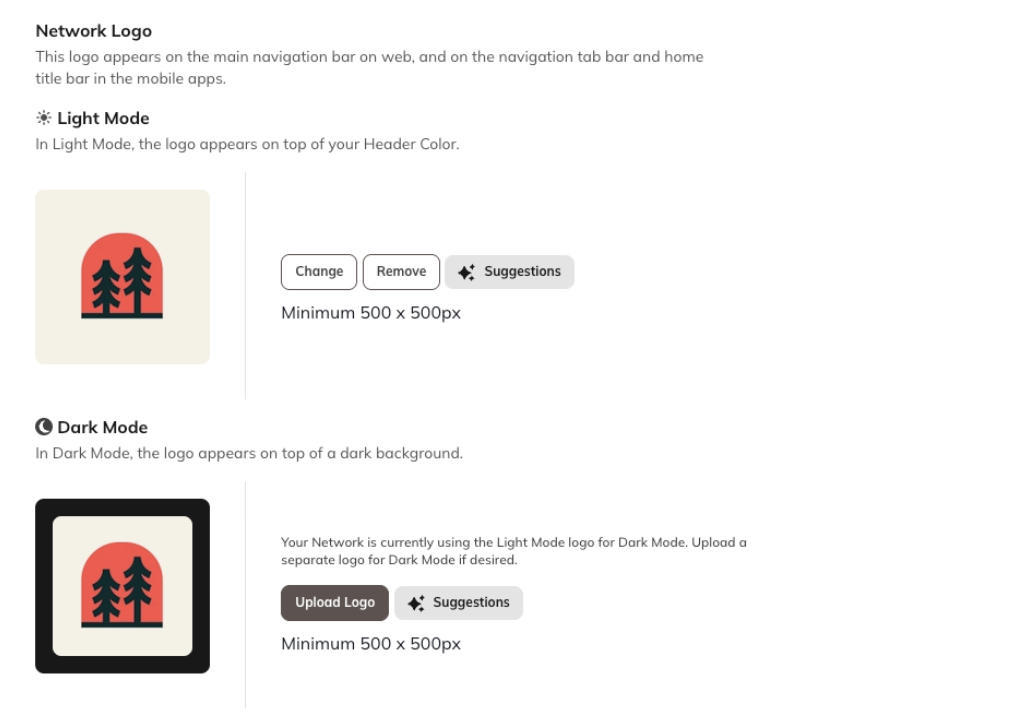
 ## Imagery
Add visuals to showcase your brand across your Network:
### Network Logo
## Imagery
Add visuals to showcase your brand across your Network:
### Network Logo
 ### Primary Image or Video
 ### Global Header Brand
 ### Default Profile Images
(used when members haven't uploaded their own)
### Default Profile Images
(used when members haven't uploaded their own)
 ## Role Naming
Customize the names for your community roles:
* **Hosts**
* **Moderators**
* **Members**
## Set Up Space Branding
Each Space can also have its own unique branding to match its purpose.
Go to the **Gear Icon in the Space > Space Branding**
From there, you can adjust the Space's colors, imagery, and layout to fit its individual identity.
### [Learn More](https://faq.mightynetworks.com/en/articles/9140611-can-i-brand-a-space)
## Branding Resources
We've created a detailed **Mighty Branding Guide** that includes:
* Recommended image sizes
* Asset placement details
* Real examples of beautifully branded Mighty Networks
## [👉 Download the Mighty Branding Guide](https://docs.google.com/presentation/d/1keL3CuVbG8sBotTm9IkyPFKWZGoFnASUQvqTNzqnk54/edit?usp=sharing)
## Recommended Tools
Enhance your branding with these free design resources:
* [**Coolors.co:**](https://coolors.co) Create a custom color palette.
* [**Canva's Color Meaning Explorer:**]() Learn what different colors represent.
* [**Adobe Color Extract:**]() Pull a color palette directly from an image.
## Go Further with Mighty Pro
If you're ready to take your brand to the next level, [**Mighty Pro**](https://www.mightynetworks.com/pro-custom-demo?utm_source=google\&utm_medium=cpc\&utm_campaign=Search%7CMN%7CBrand%7CMighty%20Pro\&utm_content=Mighty%20Pro%7CEXT\&utm_term=mighty%20pro\&utm_term=mighty%20pro\&utm_campaign=Search%7CMN%7CBrand%7CMighty+Pro\&utm_source=google\&utm_medium=cpc\&hsa_acc=7868509693\&hsa_cam=21236082128\&hsa_grp=156818677410\&hsa_ad=698232804681\&hsa_src=g\&hsa_tgt=kwd-296054025773\&hsa_kw=mighty%20pro\&hsa_mt=e\&hsa_net=adwords\&hsa_ver=3\&gad_source=1\&gad_campaignid=21236082128\&gbraid=0AAAAADQoP_0IpHV-adCv_1Yb4yPX8oHCz\&gclid=CjwKCAjwr8LHBhBKEiwAy47uUl9h-UaB_0L4LqDtFSOqIxgeQq834INk2JUJN-b0s2DQlqAHj9Z0DhoC1VsQAvD_BwE) gives you your own fully branded app on the **Apple App Store** and **Google Play**—all for a fraction of the cost of custom development.
### [Chat with Our Team](https://www.mightynetworks.com/pro-custom-demo?utm_source=google\&utm_medium=cpc\&utm_campaign=Search%7CMN%7CBrand%7CMighty%20Pro\&utm_content=Mighty%20Pro%7CEXT\&utm_term=mighty%20pro\&utm_term=mighty%20pro\&utm_campaign=Search%7CMN%7CBrand%7CMighty+Pro\&utm_source=google\&utm_medium=cpc\&hsa_acc=7868509693\&hsa_cam=21236082128\&hsa_grp=156818677410\&hsa_ad=698232804681\&hsa_src=g\&hsa_tgt=kwd-296054025773\&hsa_kw=mighty%20pro\&hsa_mt=e\&hsa_net=adwords\&hsa_ver=3\&gad_source=1\&gad_campaignid=21236082128\&gbraid=0AAAAADQoP_0IpHV-adCv_1Yb4yPX8oHCz\&gclid=CjwKCAjwr8LHBhBKEiwAy47uUl9h-UaB_0L4LqDtFSOqIxgeQq834INk2JUJN-b0s2DQlqAHj9Z0DhoC1VsQAvD_BwE)
Not ready yet? You can upgrade to Mighty Pro anytime, and your members will transition seamlessly.
## Role Naming
Customize the names for your community roles:
* **Hosts**
* **Moderators**
* **Members**
## Set Up Space Branding
Each Space can also have its own unique branding to match its purpose.
Go to the **Gear Icon in the Space > Space Branding**
From there, you can adjust the Space's colors, imagery, and layout to fit its individual identity.
### [Learn More](https://faq.mightynetworks.com/en/articles/9140611-can-i-brand-a-space)
## Branding Resources
We've created a detailed **Mighty Branding Guide** that includes:
* Recommended image sizes
* Asset placement details
* Real examples of beautifully branded Mighty Networks
## [👉 Download the Mighty Branding Guide](https://docs.google.com/presentation/d/1keL3CuVbG8sBotTm9IkyPFKWZGoFnASUQvqTNzqnk54/edit?usp=sharing)
## Recommended Tools
Enhance your branding with these free design resources:
* [**Coolors.co:**](https://coolors.co) Create a custom color palette.
* [**Canva's Color Meaning Explorer:**]() Learn what different colors represent.
* [**Adobe Color Extract:**]() Pull a color palette directly from an image.
## Go Further with Mighty Pro
If you're ready to take your brand to the next level, [**Mighty Pro**](https://www.mightynetworks.com/pro-custom-demo?utm_source=google\&utm_medium=cpc\&utm_campaign=Search%7CMN%7CBrand%7CMighty%20Pro\&utm_content=Mighty%20Pro%7CEXT\&utm_term=mighty%20pro\&utm_term=mighty%20pro\&utm_campaign=Search%7CMN%7CBrand%7CMighty+Pro\&utm_source=google\&utm_medium=cpc\&hsa_acc=7868509693\&hsa_cam=21236082128\&hsa_grp=156818677410\&hsa_ad=698232804681\&hsa_src=g\&hsa_tgt=kwd-296054025773\&hsa_kw=mighty%20pro\&hsa_mt=e\&hsa_net=adwords\&hsa_ver=3\&gad_source=1\&gad_campaignid=21236082128\&gbraid=0AAAAADQoP_0IpHV-adCv_1Yb4yPX8oHCz\&gclid=CjwKCAjwr8LHBhBKEiwAy47uUl9h-UaB_0L4LqDtFSOqIxgeQq834INk2JUJN-b0s2DQlqAHj9Z0DhoC1VsQAvD_BwE) gives you your own fully branded app on the **Apple App Store** and **Google Play**—all for a fraction of the cost of custom development.
### [Chat with Our Team](https://www.mightynetworks.com/pro-custom-demo?utm_source=google\&utm_medium=cpc\&utm_campaign=Search%7CMN%7CBrand%7CMighty%20Pro\&utm_content=Mighty%20Pro%7CEXT\&utm_term=mighty%20pro\&utm_term=mighty%20pro\&utm_campaign=Search%7CMN%7CBrand%7CMighty+Pro\&utm_source=google\&utm_medium=cpc\&hsa_acc=7868509693\&hsa_cam=21236082128\&hsa_grp=156818677410\&hsa_ad=698232804681\&hsa_src=g\&hsa_tgt=kwd-296054025773\&hsa_kw=mighty%20pro\&hsa_mt=e\&hsa_net=adwords\&hsa_ver=3\&gad_source=1\&gad_campaignid=21236082128\&gbraid=0AAAAADQoP_0IpHV-adCv_1Yb4yPX8oHCz\&gclid=CjwKCAjwr8LHBhBKEiwAy47uUl9h-UaB_0L4LqDtFSOqIxgeQq834INk2JUJN-b0s2DQlqAHj9Z0DhoC1VsQAvD_BwE)
Not ready yet? You can upgrade to Mighty Pro anytime, and your members will transition seamlessly.