> ## Documentation Index
> Fetch the complete documentation index at: https://docs.mightynetworks.com/llms.txt
> Use this file to discover all available pages before exploring further.
# How Do I Set the Privacy Settings for a Space?
When you [create a new Space](https://docs.mightynetworks.com/for-hosts/setting-up-your-network/how-do-i-create-and-manage-my-spaces), you can control exactly how people find, join, and participate in it. By choosing different combinations of the settings below, you can support a wide range of use cases—from welcome Spaces to exclusive, members-only experiences.
To configure your Space’s privacy, go to **Space** **Admin > Privacy & Access** and decide the following:
## How Do People Join This Space?
[ ](/images/for-hosts/setting-up-your-network/how-do-i-set-the-privacy-settings-for-a-space/AD_4nXc77o_juIGfAOetvFt1RiKV_imVnhynWkOIFEty0Q_L6WSfP4UdQy6tw22v97m2qquIXLDjMlIaQqFgwueFIS-GmFQ12xOH87u0DS3cQ_7u9Utzqh3AevvrxClBDzp_MhBgzLef2A)
Access to your Space can be one of the following:
* **[Accessible Through Plans](https://docs.mightynetworks.com/for-hosts/payments-and-access/how-do-i-create-a-plan)** (required for creating limited memberships)
* **Invite-Only**
* **Anyone Can Join**
Every new Space is set to **Invite-Only** by default, since no plans exist yet and the Space isn’t ready for members.
**[Plans](https://docs.mightynetworks.com/for-hosts/payments-and-access/how-do-i-create-a-plan)** offer the most flexibility for how people join your Space. Use plans if you want people to do one or more of the following before joining:
* Pay
* Answer questions
* Request approval
Plans also make it easy to bundle access to multiple Spaces in a single flow.
Once you create a plan that includes the Space and make it active (by selecting at least one visibility option or creating **plan share links**), the Space automatically becomes **Accessible Through Plans**.
If you decide not to use plans, choose one of the following:
**Keep your Space set to Invite-Only**Best if you want to tightly control access by only allowing people with an invite (one-time or multi-use) to join. This option doesn’t require members to pay, answer questions, or request approval.It also lets you choose whether Space members can invite others who can then join without restrictions.
*Note: This option does not support limited memberships.*
**Set your Space so that Anyone Can Join**Any logged-in Network member can join without restrictions.This option is ideal for open Spaces such as general discussions or resource hubs.
You can also make a Space **Auto Join**, which automatically adds members to the Space when they join your Network—perfect for welcome or onboarding Spaces.
## Who Can View Content Inside This Space?
[
](/images/for-hosts/setting-up-your-network/how-do-i-set-the-privacy-settings-for-a-space/AD_4nXc77o_juIGfAOetvFt1RiKV_imVnhynWkOIFEty0Q_L6WSfP4UdQy6tw22v97m2qquIXLDjMlIaQqFgwueFIS-GmFQ12xOH87u0DS3cQ_7u9Utzqh3AevvrxClBDzp_MhBgzLef2A)
Access to your Space can be one of the following:
* **[Accessible Through Plans](https://docs.mightynetworks.com/for-hosts/payments-and-access/how-do-i-create-a-plan)** (required for creating limited memberships)
* **Invite-Only**
* **Anyone Can Join**
Every new Space is set to **Invite-Only** by default, since no plans exist yet and the Space isn’t ready for members.
**[Plans](https://docs.mightynetworks.com/for-hosts/payments-and-access/how-do-i-create-a-plan)** offer the most flexibility for how people join your Space. Use plans if you want people to do one or more of the following before joining:
* Pay
* Answer questions
* Request approval
Plans also make it easy to bundle access to multiple Spaces in a single flow.
Once you create a plan that includes the Space and make it active (by selecting at least one visibility option or creating **plan share links**), the Space automatically becomes **Accessible Through Plans**.
If you decide not to use plans, choose one of the following:
**Keep your Space set to Invite-Only**Best if you want to tightly control access by only allowing people with an invite (one-time or multi-use) to join. This option doesn’t require members to pay, answer questions, or request approval.It also lets you choose whether Space members can invite others who can then join without restrictions.
*Note: This option does not support limited memberships.*
**Set your Space so that Anyone Can Join**Any logged-in Network member can join without restrictions.This option is ideal for open Spaces such as general discussions or resource hubs.
You can also make a Space **Auto Join**, which automatically adds members to the Space when they join your Network—perfect for welcome or onboarding Spaces.
## Who Can View Content Inside This Space?
[ ](/images/for-hosts/setting-up-your-network/how-do-i-set-the-privacy-settings-for-a-space/Screenshot-2025-11-05-at-11_46_22-AM.png)
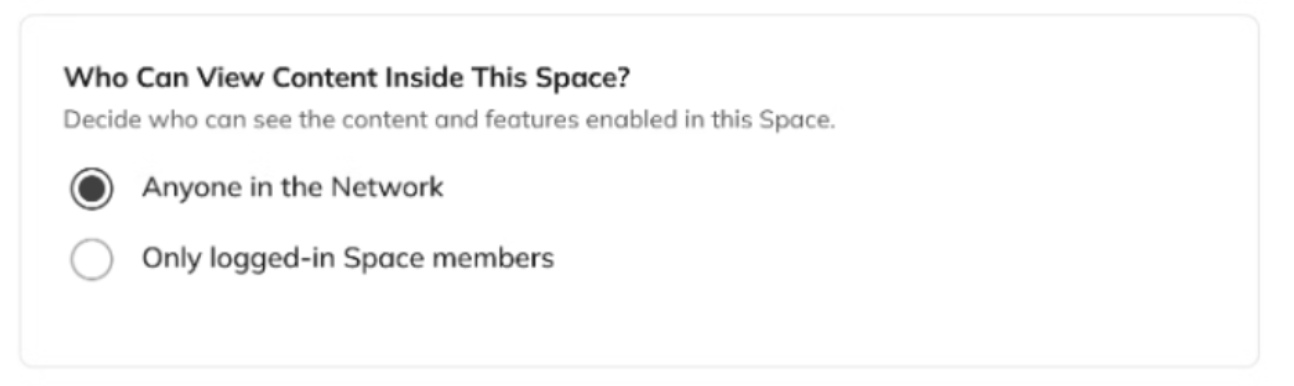
Decide who can see the content and features within your Space. You can let people preview activity before joining, or keep everything visible only to members.
**Anyone in the Network**All Network members—whether or not they’ve joined the Space—can view posts, profiles, and activity within it.If your Network is set so that anyone can view content, visitors will also be able to see these Spaces.This option is best when you want to showcase what’s happening inside a Space to encourage participation.
**Only logged-in Space members**Only people who have joined the Space can see its content and members.This option is best for creating exclusive experiences such as courses, premium offers, or private groups.
## Who Can See This Space?
[
](/images/for-hosts/setting-up-your-network/how-do-i-set-the-privacy-settings-for-a-space/Screenshot-2025-11-05-at-11_46_22-AM.png)
Decide who can see the content and features within your Space. You can let people preview activity before joining, or keep everything visible only to members.
**Anyone in the Network**All Network members—whether or not they’ve joined the Space—can view posts, profiles, and activity within it.If your Network is set so that anyone can view content, visitors will also be able to see these Spaces.This option is best when you want to showcase what’s happening inside a Space to encourage participation.
**Only logged-in Space members**Only people who have joined the Space can see its content and members.This option is best for creating exclusive experiences such as courses, premium offers, or private groups.
## Who Can See This Space?
[ ](/images/for-hosts/setting-up-your-network/how-do-i-set-the-privacy-settings-for-a-space/Screenshot-2025-11-05-at-11_46_29-AM.png)
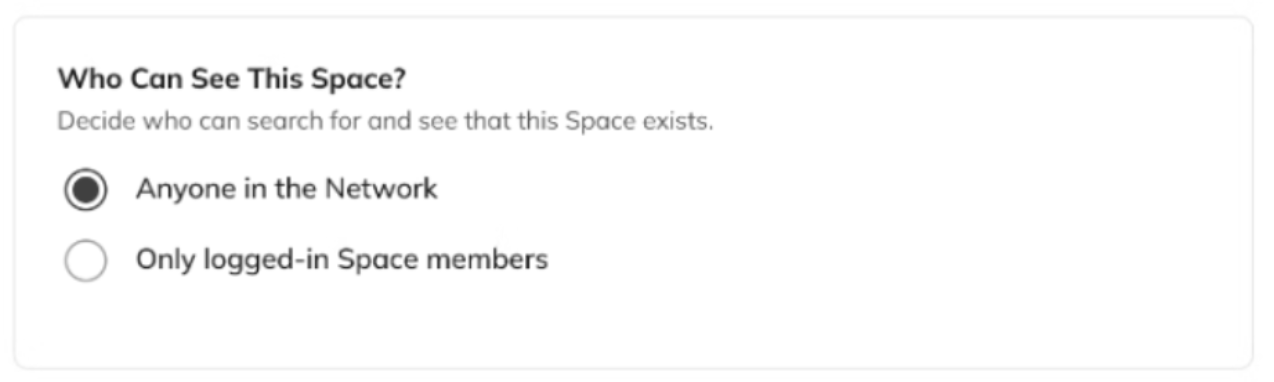
Decide who can search for and see that your Space exists. You can make it visible in its Collection and in search for all Network members, or restrict it to those who have access through an invite or plan.
**Anyone in the Network**The Space appears in its Collection and in global search. All members can see the name, icon, and description—even if they can’t access content without joining.This option is best when you want people to easily discover and join your Space.
**Only logged-in Space members**The Space appears only in navigation, search results, or its Collection for members who’ve already joined.This option is best when you want the Space to remain hidden from others unless they have a link or a plan that includes access.
*Note: If your Network allows “Anyone” to view content and you want those visitors to see specific Spaces, make sure to [promote them](https://docs.mightynetworks.com/for-hosts/setting-up-your-network/what-are-promoted-spaces).*
## Who Can Invite Members to Join This Space?
[
](/images/for-hosts/setting-up-your-network/how-do-i-set-the-privacy-settings-for-a-space/Screenshot-2025-11-05-at-11_46_29-AM.png)
Decide who can search for and see that your Space exists. You can make it visible in its Collection and in search for all Network members, or restrict it to those who have access through an invite or plan.
**Anyone in the Network**The Space appears in its Collection and in global search. All members can see the name, icon, and description—even if they can’t access content without joining.This option is best when you want people to easily discover and join your Space.
**Only logged-in Space members**The Space appears only in navigation, search results, or its Collection for members who’ve already joined.This option is best when you want the Space to remain hidden from others unless they have a link or a plan that includes access.
*Note: If your Network allows “Anyone” to view content and you want those visitors to see specific Spaces, make sure to [promote them](https://docs.mightynetworks.com/for-hosts/setting-up-your-network/what-are-promoted-spaces).*
## Who Can Invite Members to Join This Space?
[ ](/images/for-hosts/setting-up-your-network/how-do-i-set-the-privacy-settings-for-a-space/Screenshot-2025-11-05-at-11_46_36-AM.png)
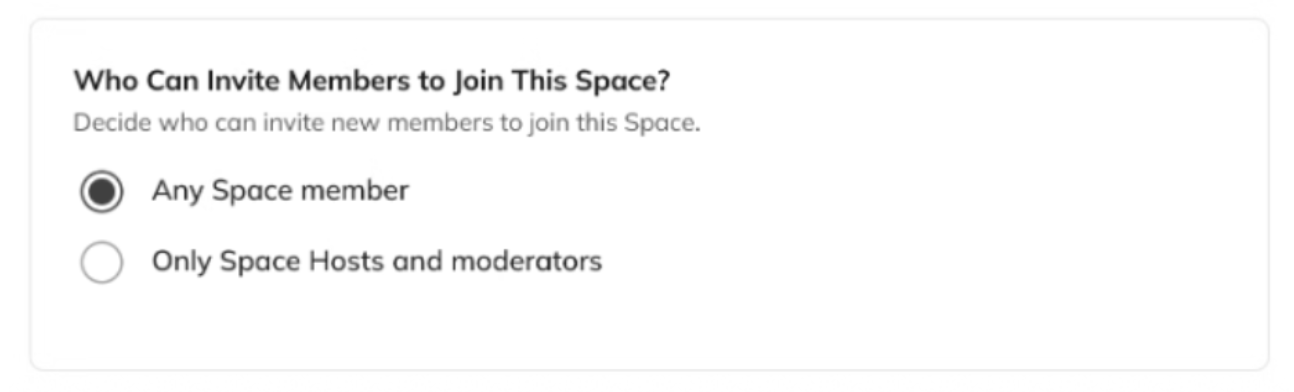
Decide who can invite new members to join your Space.
**Any Space member**All Space members can see the option to invite others.
**Only Space Hosts and moderators**Only Hosts and moderators can send invites.
This setting matters most for Spaces set to **Invite-Only**, since it determines whether members can invite others who can then join without restrictions.
* An invite to a Space set to **Accessible Through Plans** requires the invitee to join via a visible plan.
* An invite to a Space set to **Anyone Can Join** allows Network members to join freely, since the Space is already open.
To set privacy and access for your Network, [check out this article](https://docs.mightynetworks.com/for-hosts/setting-up-your-network/how-do-i-set-the-privacy-settings-for-my-network).
](/images/for-hosts/setting-up-your-network/how-do-i-set-the-privacy-settings-for-a-space/Screenshot-2025-11-05-at-11_46_36-AM.png)
Decide who can invite new members to join your Space.
**Any Space member**All Space members can see the option to invite others.
**Only Space Hosts and moderators**Only Hosts and moderators can send invites.
This setting matters most for Spaces set to **Invite-Only**, since it determines whether members can invite others who can then join without restrictions.
* An invite to a Space set to **Accessible Through Plans** requires the invitee to join via a visible plan.
* An invite to a Space set to **Anyone Can Join** allows Network members to join freely, since the Space is already open.
To set privacy and access for your Network, [check out this article](https://docs.mightynetworks.com/for-hosts/setting-up-your-network/how-do-i-set-the-privacy-settings-for-my-network).