> ## Documentation Index
> Fetch the complete documentation index at: https://docs.mightynetworks.com/llms.txt
> Use this file to discover all available pages before exploring further.
# How Do I Chat with Cohost?
**Mighty Cohost** is your all-in-one assistant for building and running your community.
Available on the [**Explore Plan**](https://docs.mightynetworks.com/for-hosts/meet-mighty/exploreplan) and above, Cohost is trained on our [Community Design](https://docs.mightynetworks.com/for-hosts/setting-up-your-network/whats-community-design)™ framework, help center and more!
It's designed to help you design, launch, and grow a thriving Mighty Network—while answering your questions 24/7.
## Chat with Cohost
In the upper right corner of your Mighty Network on web, you'll find the Cohost icon next to your personal settings.
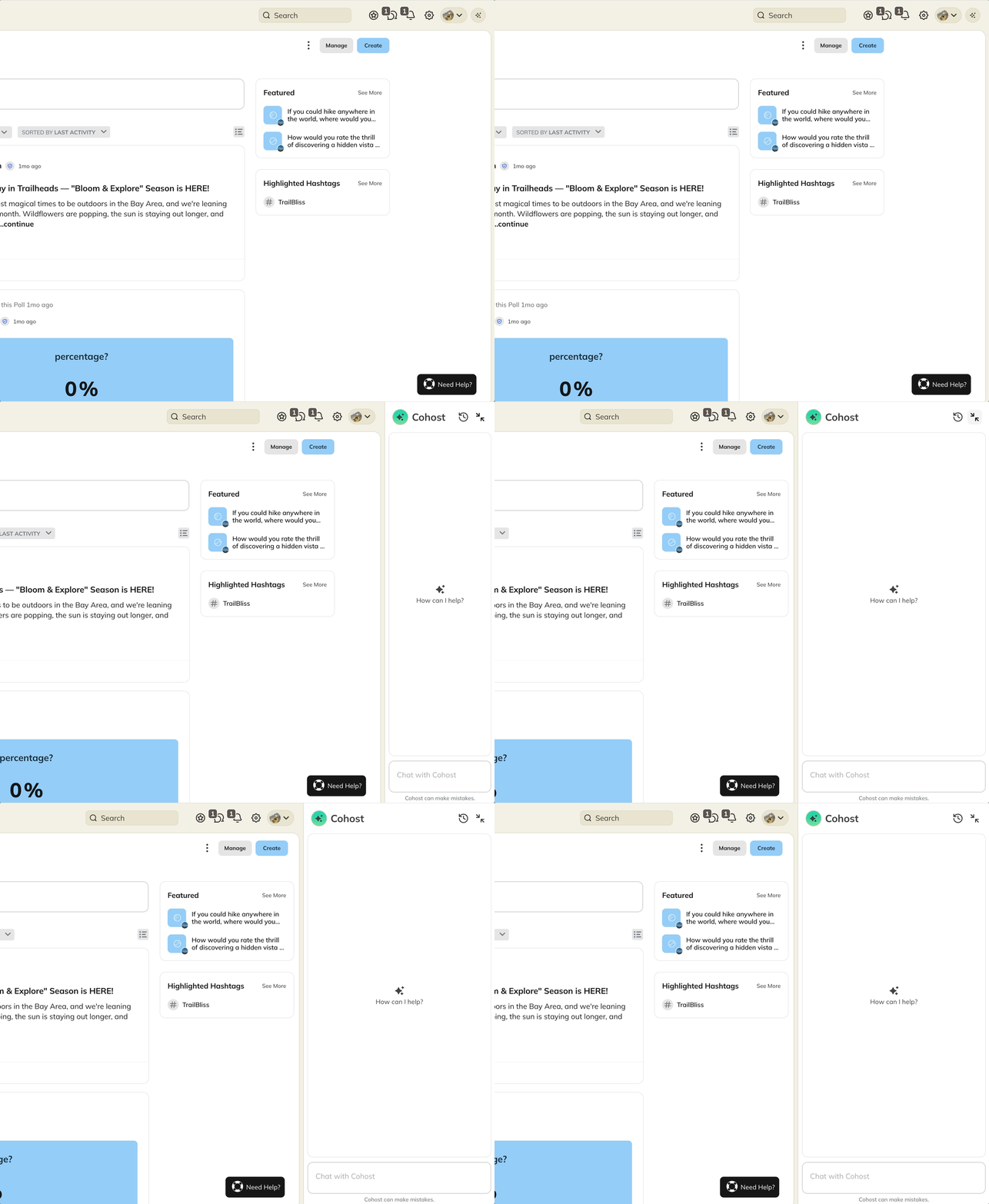 On mobile, you'll see it on your bottom navigation
 All **Network Hosts** can view and participate in Cohost conversations, however you will only see your messages with Cohost. You can **rate a response** with a thumbs-up or thumbs-down to help improve future results.
The two icons next to the Cohost name will show you:
* **Clock icon** — Your conversation history and updates from the Mighty team
* **Close icon** — Closes the Cohost panel
All **Network Hosts** can view and participate in Cohost conversations, however you will only see your messages with Cohost. You can **rate a response** with a thumbs-up or thumbs-down to help improve future results.
The two icons next to the Cohost name will show you:
* **Clock icon** — Your conversation history and updates from the Mighty team
* **Close icon** — Closes the Cohost panel
 ## What you can do with Cohost
Cohost helps you take action and move faster. Here’s what it can do today.
## What you can do with Cohost
Cohost helps you take action and move faster. Here’s what it can do today.
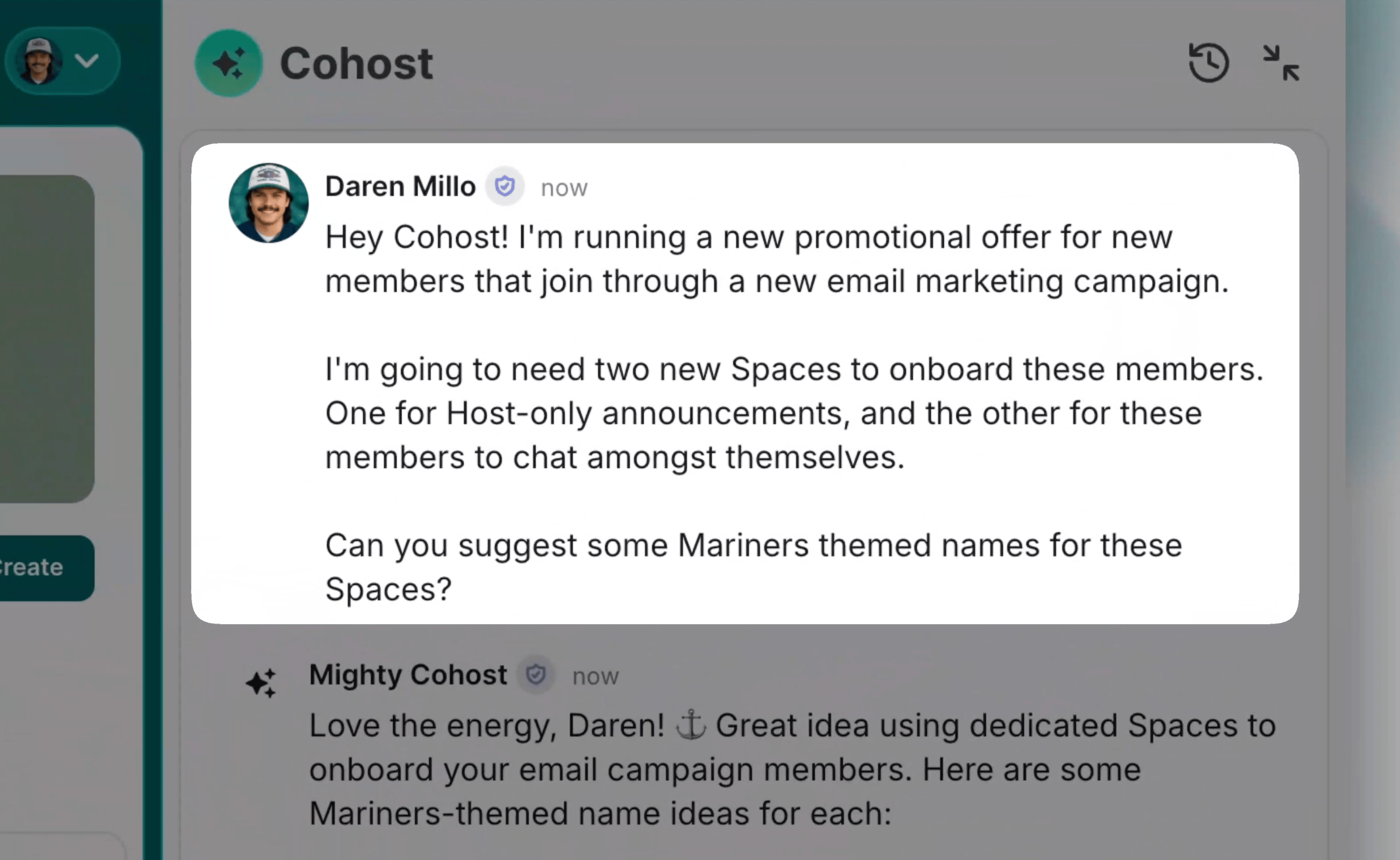 ### Create and set up
* [**Spaces**](https://docs.mightynetworks.com/for-hosts/setting-up-your-network/how-do-i-create-and-manage-my-spaces#how-do-i-create-and-manage-my-spaces) — Create new Spaces using available templates
* [**Collections**](https://docs.mightynetworks.com/for-hosts/setting-up-your-network/how-do-i-create-and-manage-my-collections#how-do-i-create-and-manage-my-collections) — Create Collections and add new Spaces to them
* **Rename** — rename existing Spaces and Collections, your Network name
* **Reorder** — Spaces in existing Collections
* [**Web address**](/for-hosts/admin-and-moderation/can-i-change-the-default-mnco-domain-for-my-mighty-network) — change your Network's `mn.co` subdomain after confirming the exact new address
* [**Plans**](https://docs.mightynetworks.com/for-hosts/payments-and-access/how-do-i-create-a-plan#how-do-i-create-a-plan) — Set up pricing and monetization for your Network, including:
* Naming
* Pricing
* Gates
* Sales pitch
* Benefits list
* Descriptions
### Customize your Network
* Update your [**Big Purpose**](https://docs.mightynetworks.com/for-hosts/setting-up-your-network/whats-a-big-purpose#big-purpose)
* Store and refine your [community design](https://docs.mightynetworks.com/for-hosts/setting-up-your-network/whats-a-big-purpose#what-is-community-design) (Ideal Member, goals, themes, and more) to personalize guidance
### Get guidance and support
* Search the Help Center for step-by-step articles
* Get direct links to the right settings pages
* Help with strategies for community building, growth, and engagement
### Find your way faster
For actions like renaming, reordering, or deleting, Cohost will guide you to the exact place in your settings so you can complete it in just a few clicks.
Cohost conversations work independently of your Network's [private chat settings](https://docs.mightynetworks.com/for-hosts/content-and-messaging/how-does-chat-work-in-a-mighty-network#private-chat-options). Even if private chat is turned off for members, you can still chat with Cohost.
**Message limits by plan:**
* **Explore Plan:** 25 messages/day
* **Launch Plan:** 100 messages/day
* **Scale Plan and above:** Unlimited messages
### Create and set up
* [**Spaces**](https://docs.mightynetworks.com/for-hosts/setting-up-your-network/how-do-i-create-and-manage-my-spaces#how-do-i-create-and-manage-my-spaces) — Create new Spaces using available templates
* [**Collections**](https://docs.mightynetworks.com/for-hosts/setting-up-your-network/how-do-i-create-and-manage-my-collections#how-do-i-create-and-manage-my-collections) — Create Collections and add new Spaces to them
* **Rename** — rename existing Spaces and Collections, your Network name
* **Reorder** — Spaces in existing Collections
* [**Web address**](/for-hosts/admin-and-moderation/can-i-change-the-default-mnco-domain-for-my-mighty-network) — change your Network's `mn.co` subdomain after confirming the exact new address
* [**Plans**](https://docs.mightynetworks.com/for-hosts/payments-and-access/how-do-i-create-a-plan#how-do-i-create-a-plan) — Set up pricing and monetization for your Network, including:
* Naming
* Pricing
* Gates
* Sales pitch
* Benefits list
* Descriptions
### Customize your Network
* Update your [**Big Purpose**](https://docs.mightynetworks.com/for-hosts/setting-up-your-network/whats-a-big-purpose#big-purpose)
* Store and refine your [community design](https://docs.mightynetworks.com/for-hosts/setting-up-your-network/whats-a-big-purpose#what-is-community-design) (Ideal Member, goals, themes, and more) to personalize guidance
### Get guidance and support
* Search the Help Center for step-by-step articles
* Get direct links to the right settings pages
* Help with strategies for community building, growth, and engagement
### Find your way faster
For actions like renaming, reordering, or deleting, Cohost will guide you to the exact place in your settings so you can complete it in just a few clicks.
Cohost conversations work independently of your Network's [private chat settings](https://docs.mightynetworks.com/for-hosts/content-and-messaging/how-does-chat-work-in-a-mighty-network#private-chat-options). Even if private chat is turned off for members, you can still chat with Cohost.
**Message limits by plan:**
* **Explore Plan:** 25 messages/day
* **Launch Plan:** 100 messages/day
* **Scale Plan and above:** Unlimited messages