> ## Documentation Index
> Fetch the complete documentation index at: https://docs.mightynetworks.com/llms.txt
> Use this file to discover all available pages before exploring further.
# How Do I Add and Manage Features in a Space?
You can add features like **Course**, **Events**, **Chat**, and more to any Space in your Mighty Network.
## Add a Feature
* Go to the Space where you want to add a feature.
* Select the "plus" icon to add features.
* You can also remove "turn off", reorder or rename the features from the three dot menu next to the feature.
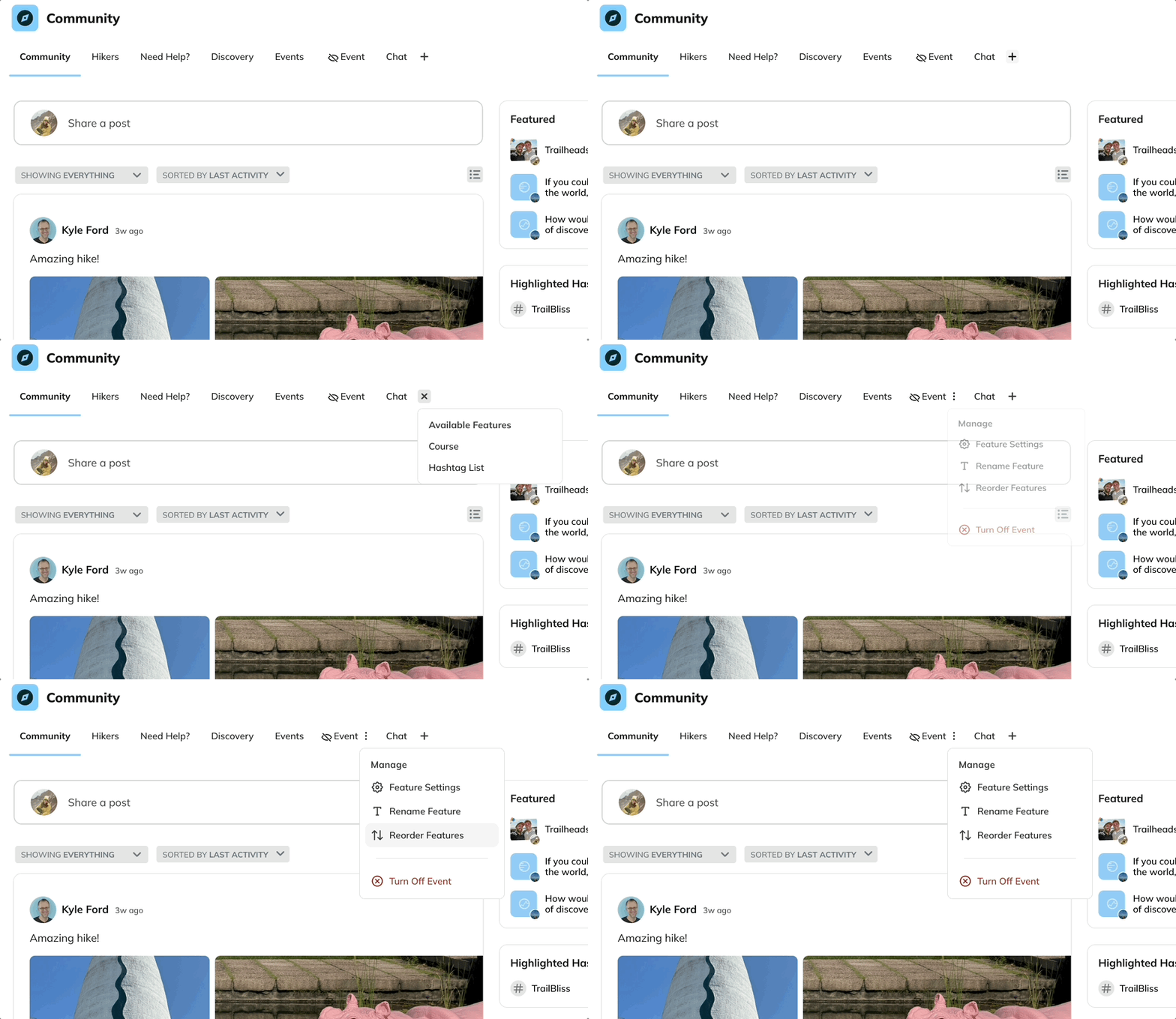 You can have one feature or any combination of them. Each feature can be renamed (up to 40 characters), reordered, or toggled on or off at any time.
## Manage Features
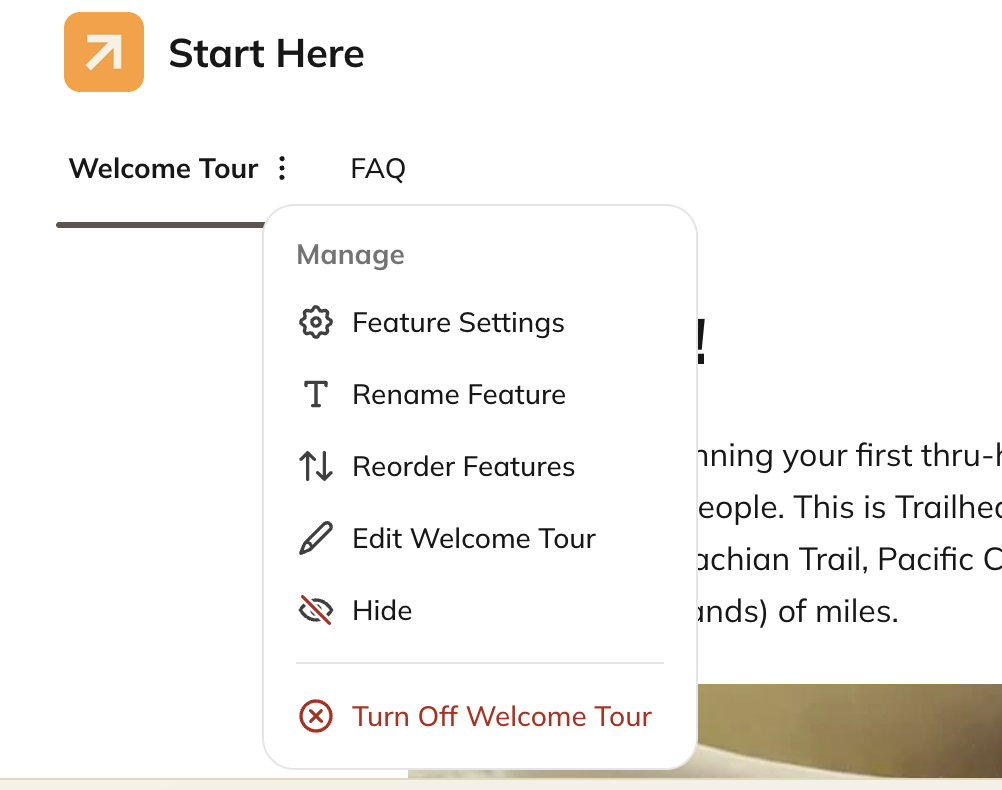
To manage any of the features, you can select the three dot menu and easily get to the feature settings, rename, reorder, edit or change the visibility.
You can have one feature or any combination of them. Each feature can be renamed (up to 40 characters), reordered, or toggled on or off at any time.
## Manage Features
To manage any of the features, you can select the three dot menu and easily get to the feature settings, rename, reorder, edit or change the visibility.
 To learn all about manage your Spaces, [check out this article](https://docs.mightynetworks.com/for-hosts/setting-up-your-network/how-do-i-create-and-manage-my-spaces#how-do-i-create-and-manage-my-spaces).
## Available Space Features
## Chat
To learn all about manage your Spaces, [check out this article](https://docs.mightynetworks.com/for-hosts/setting-up-your-network/how-do-i-create-and-manage-my-spaces#how-do-i-create-and-manage-my-spaces).
## Available Space Features
## Chat
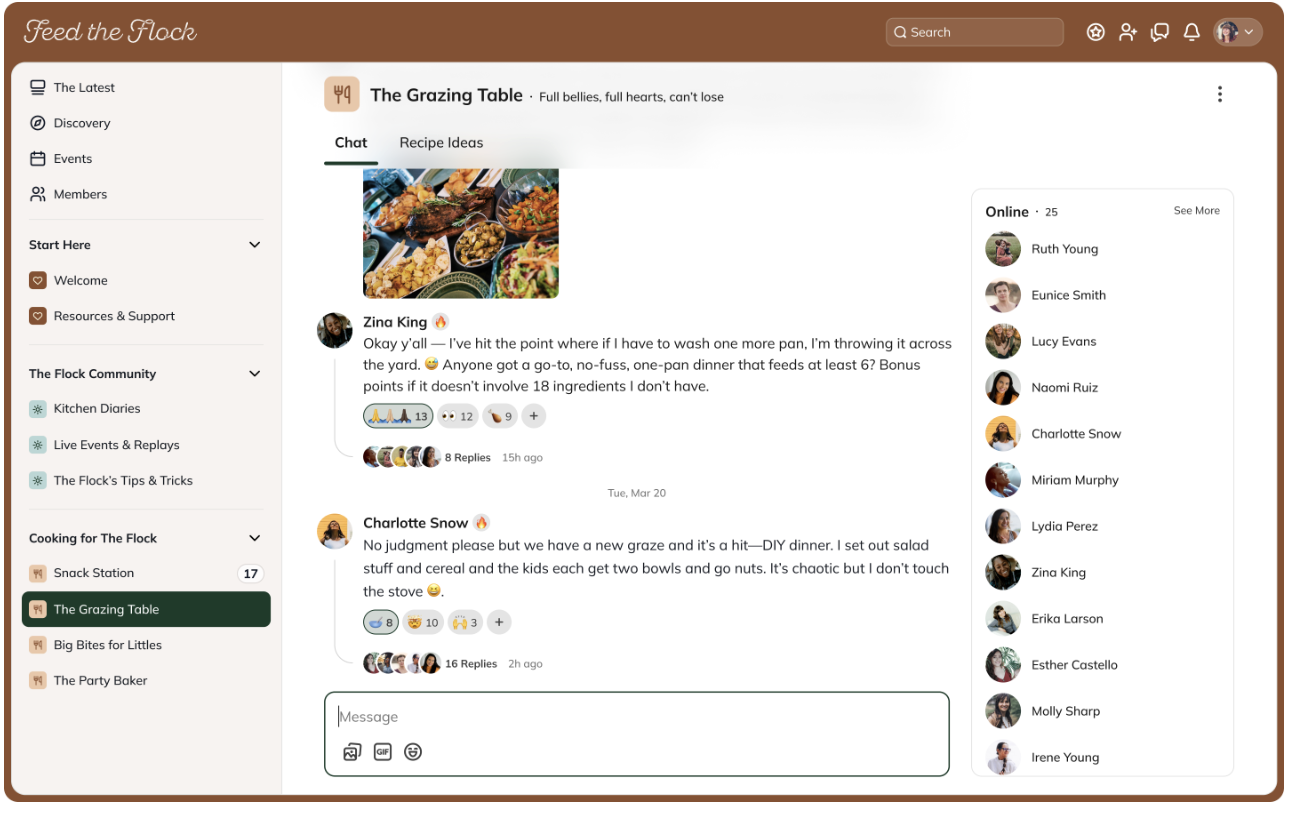 Create an open conversation area where all members in the Space can post, reply, and react.
* Members can upload emojis, GIFs, and more.
* Use **@mentions** to tag other members—they’ll receive a notification.
* Both Hosts and members will see pop-up notifications on web and mobile when there’s a new chat message.
To learn more, [check out this article](https://docs.mightynetworks.com/for-hosts/content-and-messaging/how-does-chat-work-in-a-mighty-network).
## Feed
Create an open conversation area where all members in the Space can post, reply, and react.
* Members can upload emojis, GIFs, and more.
* Use **@mentions** to tag other members—they’ll receive a notification.
* Both Hosts and members will see pop-up notifications on web and mobile when there’s a new chat message.
To learn more, [check out this article](https://docs.mightynetworks.com/for-hosts/content-and-messaging/how-does-chat-work-in-a-mighty-network).
## Feed
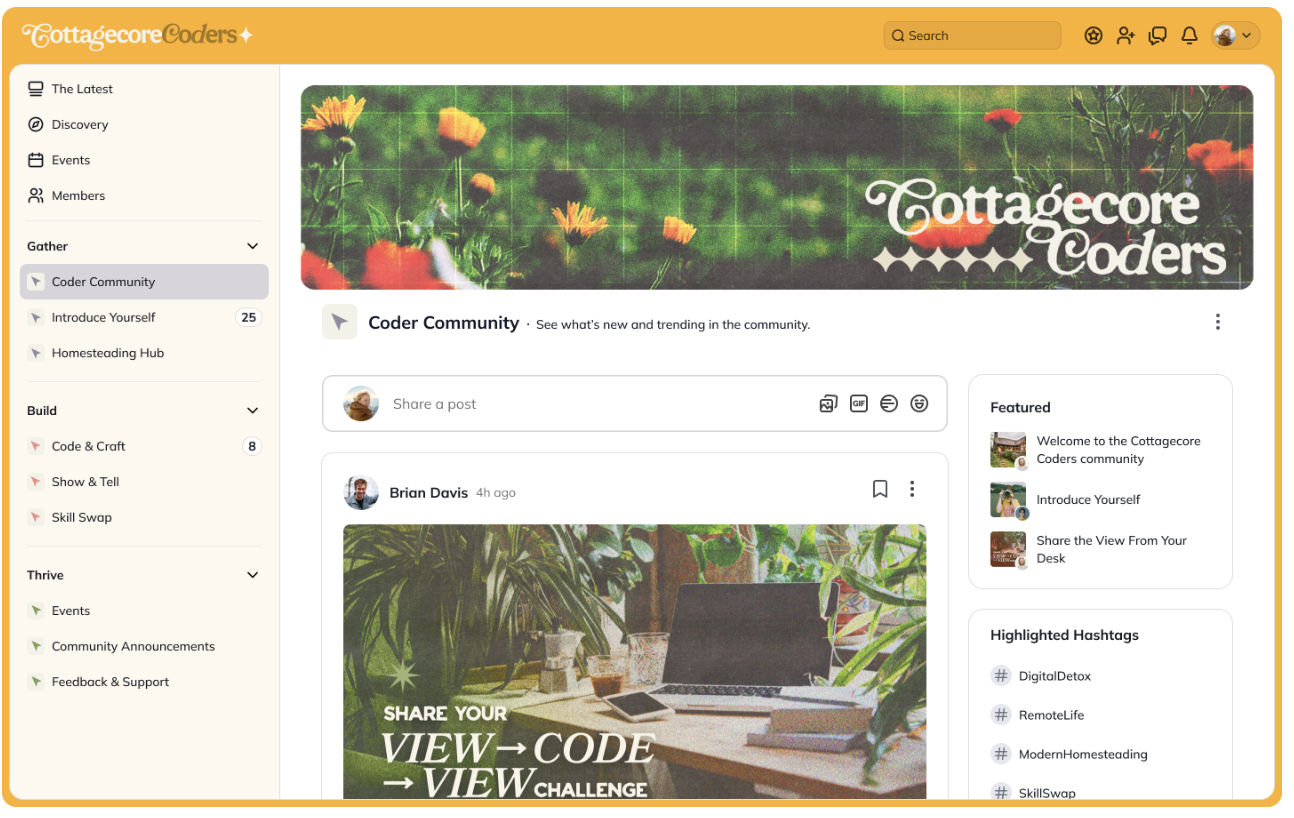 The **Feed** lets you and your members create, view, and engage with posts within a Space-specific stream.
You can customize the Feed by:
* Renaming it
* Choosing the **Default Display Style** and **Default Sort Order**
* Selecting who can post (Everyone, Only Hosts and Moderators)
* Turning on or off specific post types (Posts, Articles, Polls, etc.)
## Members
The **Feed** lets you and your members create, view, and engage with posts within a Space-specific stream.
You can customize the Feed by:
* Renaming it
* Choosing the **Default Display Style** and **Default Sort Order**
* Selecting who can post (Everyone, Only Hosts and Moderators)
* Turning on or off specific post types (Posts, Articles, Polls, etc.)
## Members
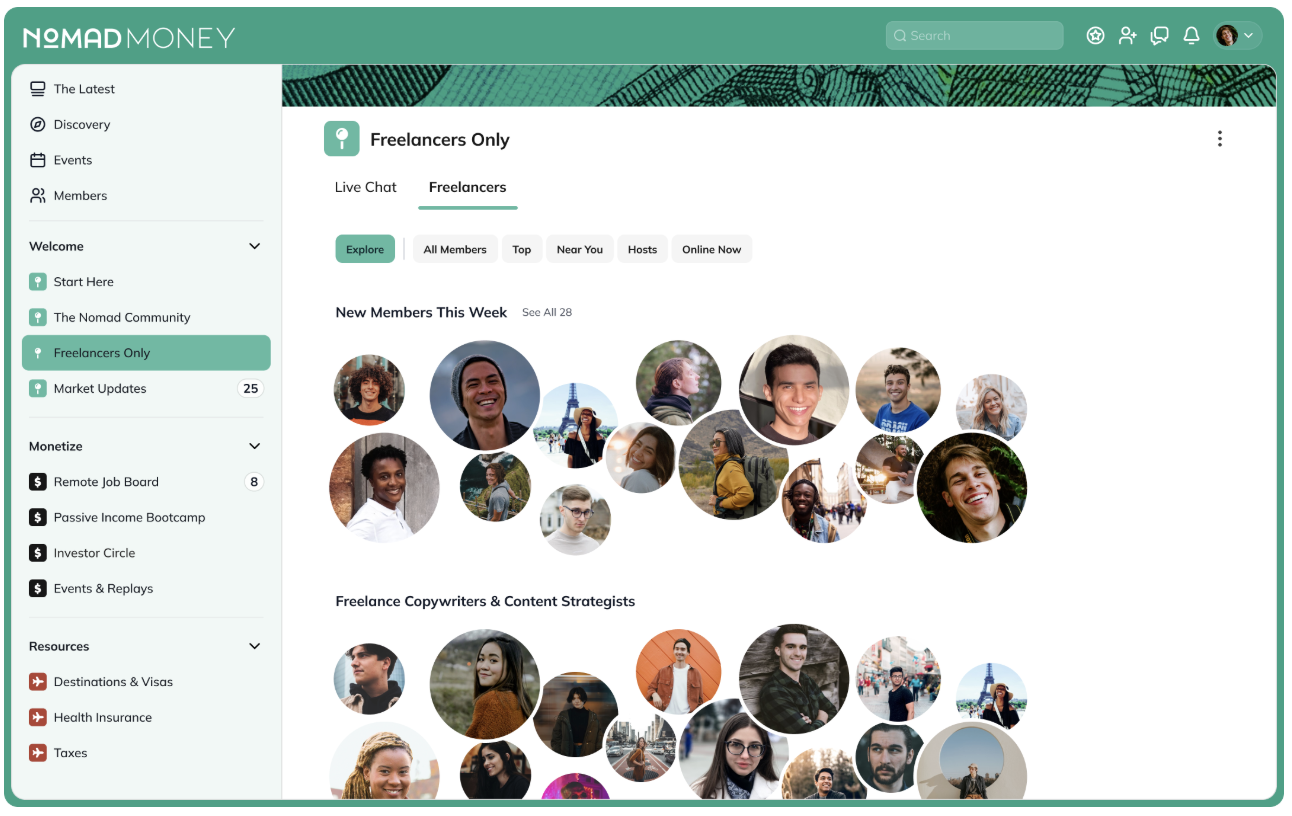 Every Mighty Network includes the [**People Explorer**](https://docs.mightynetworks.com/for-hosts/marketing-features/what-is-the-people-explorer), which helps members connect and discover others in their Spaces.
You can filter profiles by:
* **All**
* **Top**
* **Nearest**
* **Hosts**
* **Online**
* **Explore**
You can also toggle the **Show Explore Tab** on or off to move the Explore tab to the beginning or end of the Members list.
To learn more, [check out this article.](https://docs.mightynetworks.com/for-hosts/marketing-features/what-is-the-people-explorer)
## Course
Every Mighty Network includes the [**People Explorer**](https://docs.mightynetworks.com/for-hosts/marketing-features/what-is-the-people-explorer), which helps members connect and discover others in their Spaces.
You can filter profiles by:
* **All**
* **Top**
* **Nearest**
* **Hosts**
* **Online**
* **Explore**
You can also toggle the **Show Explore Tab** on or off to move the Explore tab to the beginning or end of the Members list.
To learn more, [check out this article.](https://docs.mightynetworks.com/for-hosts/marketing-features/what-is-the-people-explorer)
## Course
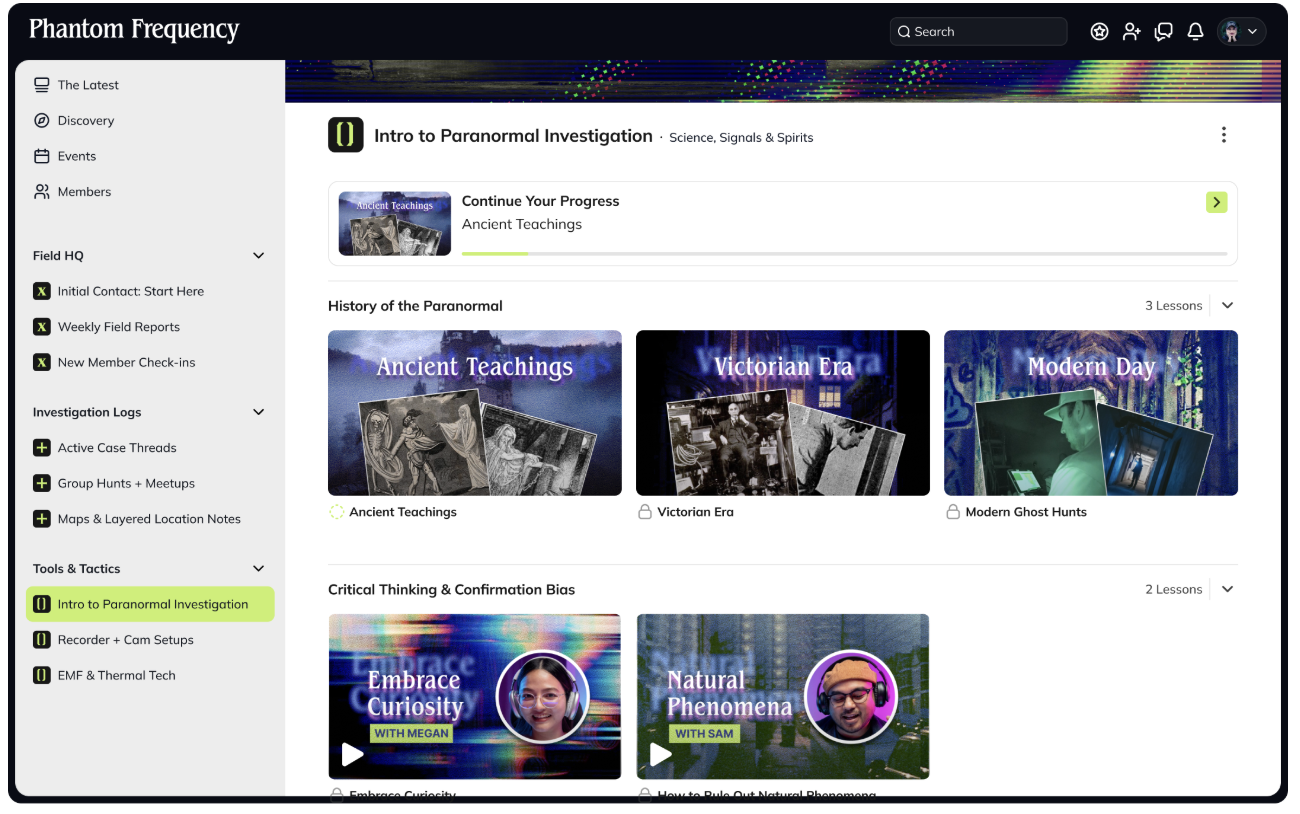 Available on the **Launch Plan** and above, the **Course** feature helps you organize structured content like course material, resource libraries, or directories.
Within a Course, you can:
* Rename the feature
* Add and name **Lessons** and **Sections**
* Choose between **Thumbnail** or **List View**
* Set whether content can be previewed
To learn more, [check out this article.](https://docs.mightynetworks.com/for-hosts/courses/how-do-i-build-a-course-in-my-mighty-network)
## Discovery
Available on the **Launch Plan** and above, the **Course** feature helps you organize structured content like course material, resource libraries, or directories.
Within a Course, you can:
* Rename the feature
* Add and name **Lessons** and **Sections**
* Choose between **Thumbnail** or **List View**
* Set whether content can be previewed
To learn more, [check out this article.](https://docs.mightynetworks.com/for-hosts/courses/how-do-i-build-a-course-in-my-mighty-network)
## Discovery
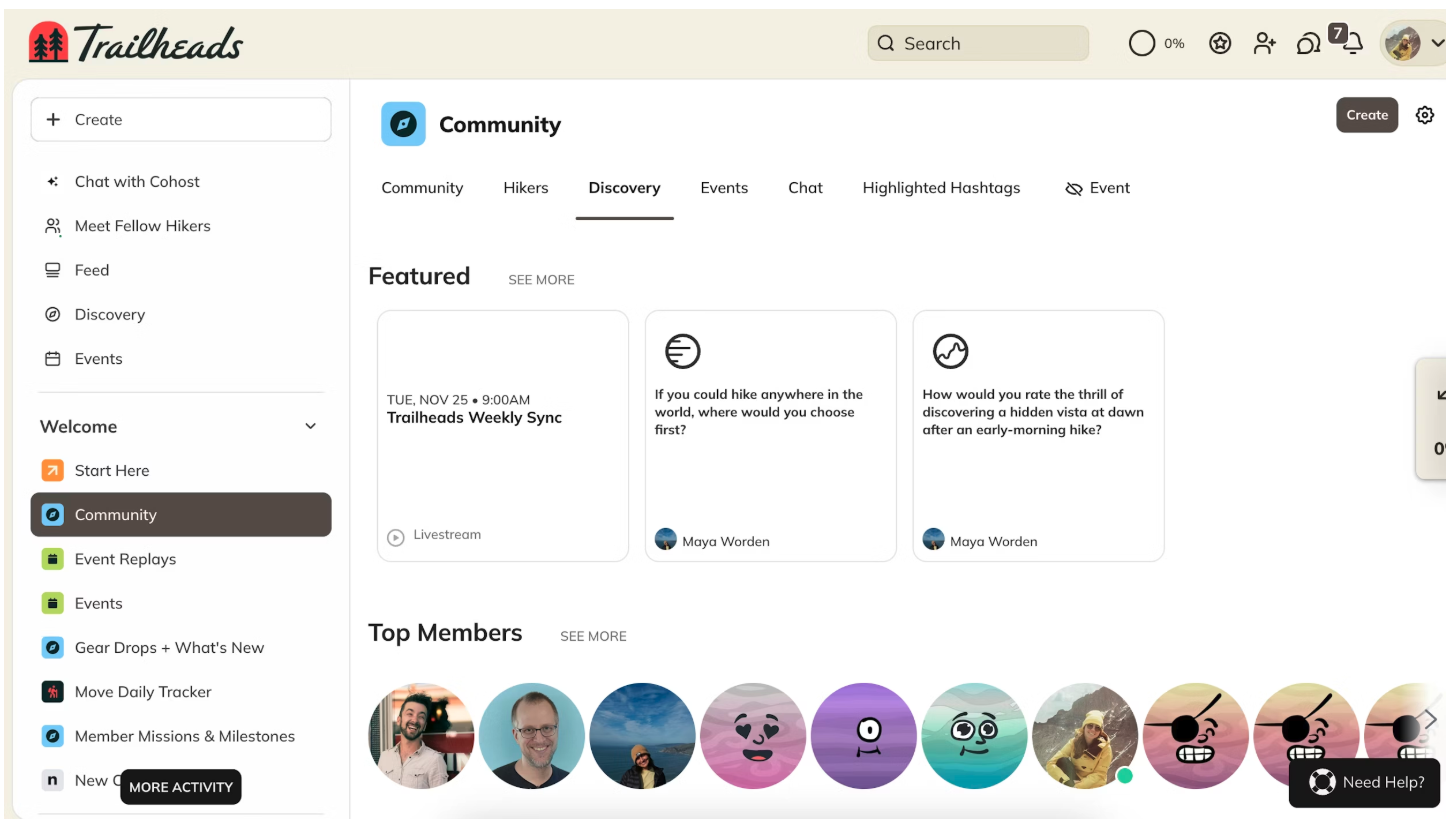 The **Discovery** feature gives your Space a visual layout to highlight key content, members, and features.
* You can show, hide, or reorder up to **eight sections** by dragging and dropping.
* Discovery helps members find what’s most important at a glance.
To learn more, [check out this article](https://docs.mightynetworks.com/for-hosts/setting-up-your-network/whats-the-discovery-feature).
## Events
The **Discovery** feature gives your Space a visual layout to highlight key content, members, and features.
* You can show, hide, or reorder up to **eight sections** by dragging and dropping.
* Discovery helps members find what’s most important at a glance.
To learn more, [check out this article](https://docs.mightynetworks.com/for-hosts/setting-up-your-network/whats-the-discovery-feature).
## Events
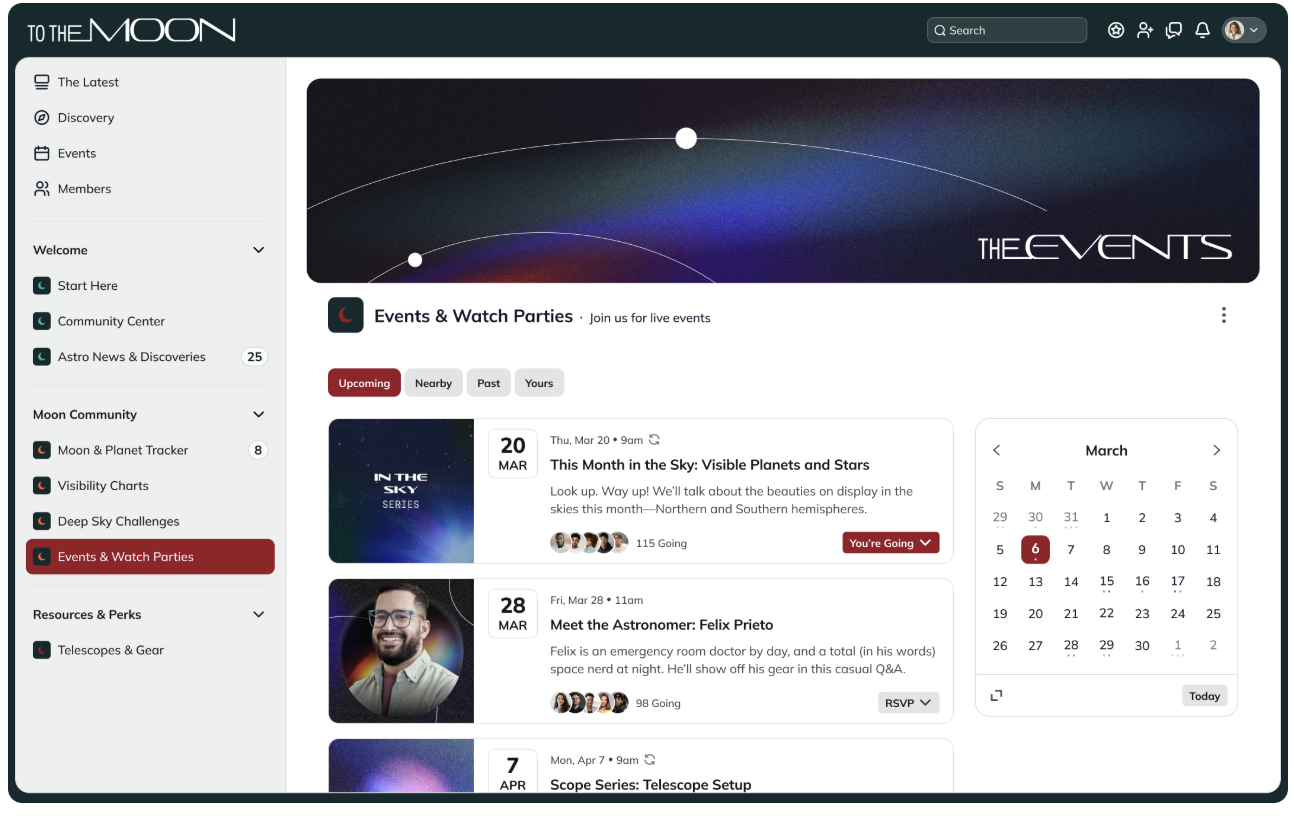 Activate **Events** in your Space to schedule gatherings that include RSVP, messaging, and integrations with third-party services.
* Events appear in the Space Feed (if enabled) and in the **Global Feed** for members who have access to the Space—or for public events.
* You can choose who can create Events: **Everyone** or **Only Hosts and Moderators**.
To learn more, [check out this article](https://docs.mightynetworks.com/for-hosts/events-and-livestream/how-do-i-create-events-in-my-mighty-network).
## Single Event
Activate **Events** in your Space to schedule gatherings that include RSVP, messaging, and integrations with third-party services.
* Events appear in the Space Feed (if enabled) and in the **Global Feed** for members who have access to the Space—or for public events.
* You can choose who can create Events: **Everyone** or **Only Hosts and Moderators**.
To learn more, [check out this article](https://docs.mightynetworks.com/for-hosts/events-and-livestream/how-do-i-create-events-in-my-mighty-network).
## Single Event
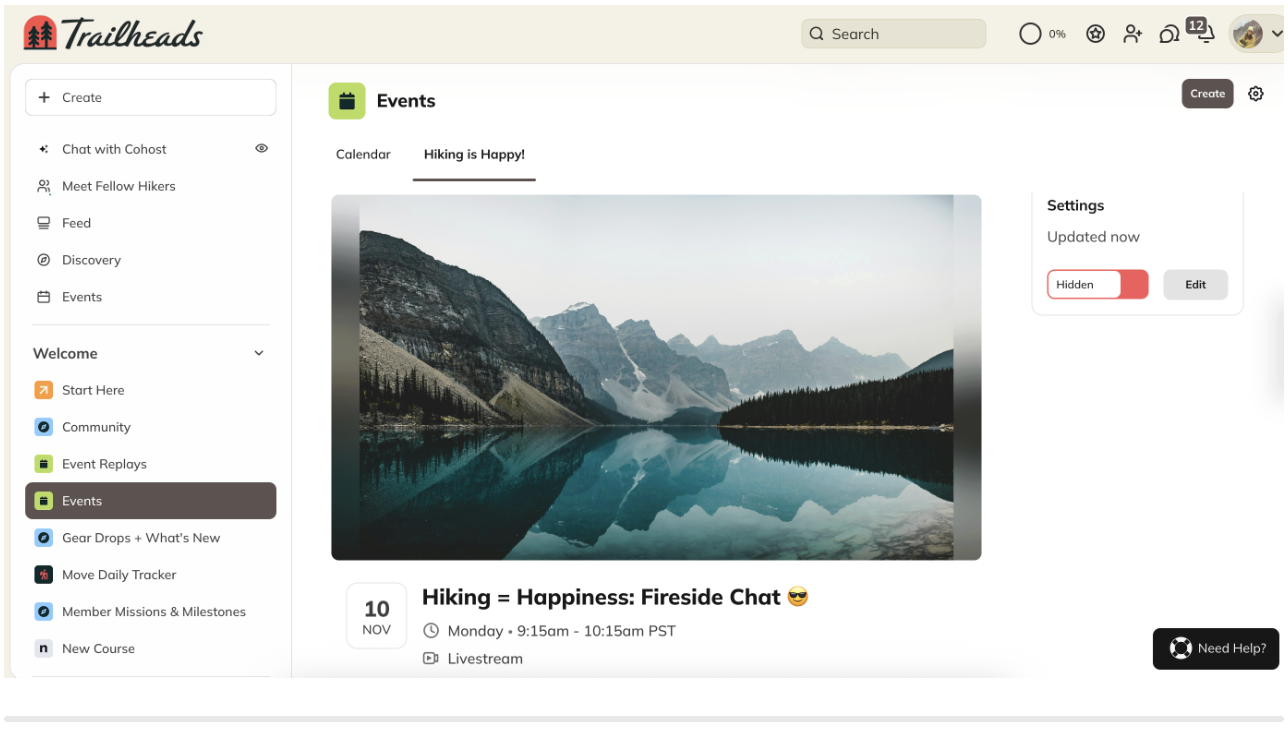 Available on the [**Launch Plan**](https://docs.mightynetworks.com/for-hosts/meet-mighty/whats-included-in-the-mighty-networks-courses-plan) and above, this feature creates a standalone [**Single Event page**](https://docs.mightynetworks.com/for-hosts/events-and-livestream/how-do-i-create-events-in-my-mighty-network).
It’s ideal for one-time events you want to highlight separately from other Spaces or recurring content.
## Page
Available on the [**Launch Plan**](https://docs.mightynetworks.com/for-hosts/meet-mighty/whats-included-in-the-mighty-networks-courses-plan) and above, this feature creates a standalone [**Single Event page**](https://docs.mightynetworks.com/for-hosts/events-and-livestream/how-do-i-create-events-in-my-mighty-network).
It’s ideal for one-time events you want to highlight separately from other Spaces or recurring content.
## Page
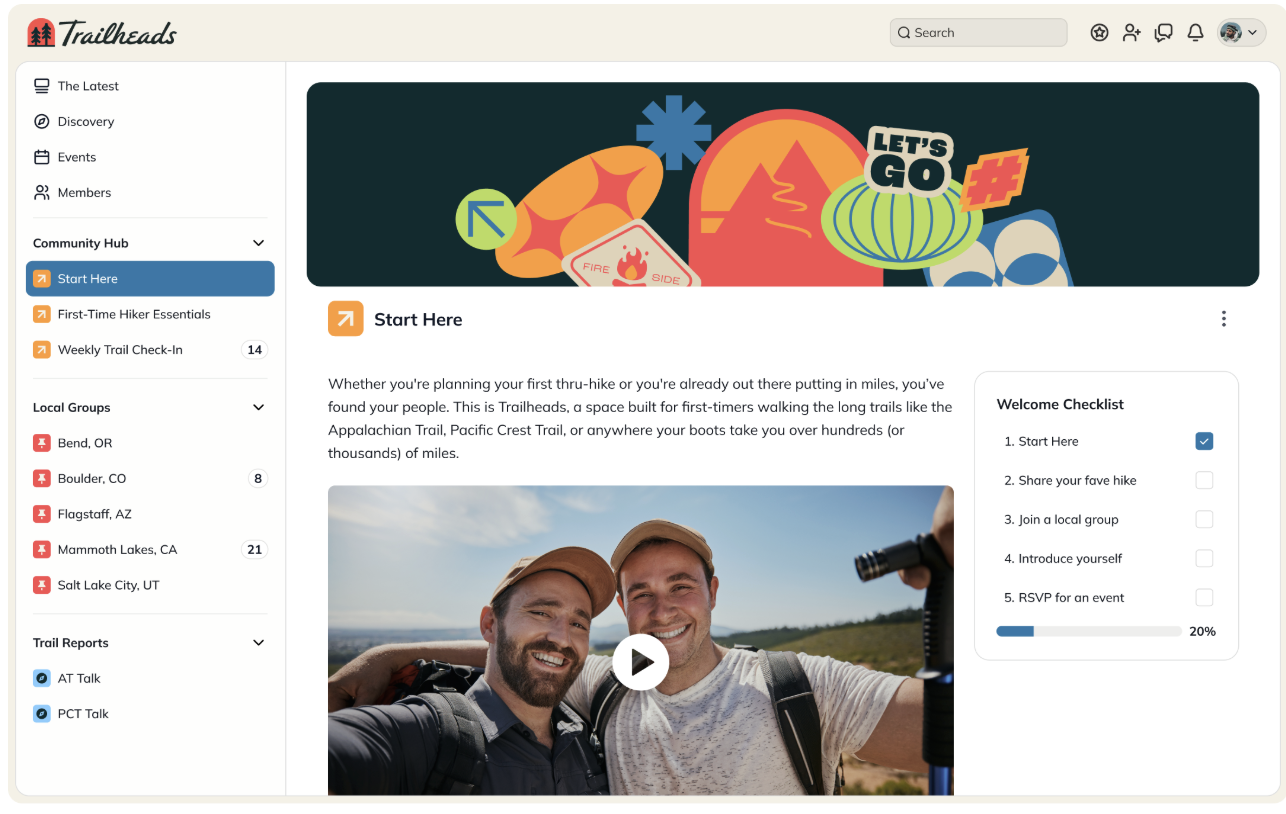 Available on the [**Launch Plan**](https://docs.mightynetworks.com/for-hosts/meet-mighty/whats-included-in-the-mighty-networks-courses-plan) and above, a **Page** is a static, article-style feature that you can use for evergreen content, announcements, or resources.
* You can toggle **comments and reactions** on or off.
* Pages start as **Hidden**—make them visible when you’re ready to publish.
* You can include or remove a title by editing the “Add a Title” field.
**Page Notifications:**
* The Page creator receives all comment notifications.
* Page ownership cannot be transferred.
## Hashtag List
The **Hashtag List** surfaces [highlighted hashtags](https://docs.mightynetworks.com/for-members/engage-and-interact/how-do-i-use-hashtags-in-my-mighty-network) within your Space.
To add one:
1. Go to **gear icon > Space Features > Hashtag List**.
2. Toggle it on.
3. Rename the feature if you’d like.
**Note:** The **Feed** feature must also be enabled for the Hashtag List to appear.
## Important Notes
* You can’t currently add the same feature type more than once in a Space (for example, two Feeds).
* Every Space can include any combination of available features.
* We’re exploring support for multiple instances of the same feature—share your feedback in the [Mighty Networks product roadmap](https://portal.productboard.com/xzueeglxeumrzzs7kq5fzcqt/tabs/4-in-development)!
To learn more about managing Spaces in your Network, [check out this article](https://docs.mightynetworks.com/for-hosts/setting-up-your-network/how-do-i-create-and-manage-my-spaces).
Available on the [**Launch Plan**](https://docs.mightynetworks.com/for-hosts/meet-mighty/whats-included-in-the-mighty-networks-courses-plan) and above, a **Page** is a static, article-style feature that you can use for evergreen content, announcements, or resources.
* You can toggle **comments and reactions** on or off.
* Pages start as **Hidden**—make them visible when you’re ready to publish.
* You can include or remove a title by editing the “Add a Title” field.
**Page Notifications:**
* The Page creator receives all comment notifications.
* Page ownership cannot be transferred.
## Hashtag List
The **Hashtag List** surfaces [highlighted hashtags](https://docs.mightynetworks.com/for-members/engage-and-interact/how-do-i-use-hashtags-in-my-mighty-network) within your Space.
To add one:
1. Go to **gear icon > Space Features > Hashtag List**.
2. Toggle it on.
3. Rename the feature if you’d like.
**Note:** The **Feed** feature must also be enabled for the Hashtag List to appear.
## Important Notes
* You can’t currently add the same feature type more than once in a Space (for example, two Feeds).
* Every Space can include any combination of available features.
* We’re exploring support for multiple instances of the same feature—share your feedback in the [Mighty Networks product roadmap](https://portal.productboard.com/xzueeglxeumrzzs7kq5fzcqt/tabs/4-in-development)!
To learn more about managing Spaces in your Network, [check out this article](https://docs.mightynetworks.com/for-hosts/setting-up-your-network/how-do-i-create-and-manage-my-spaces).