> ## Documentation Index
> Fetch the complete documentation index at: https://docs.mightynetworks.com/llms.txt
> Use this file to discover all available pages before exploring further.
# How Do I Switch My Network Between Plans, Invite-Only, and Anyone Can Join?
## Change from Accessible Through Plans to Anyone Can Join
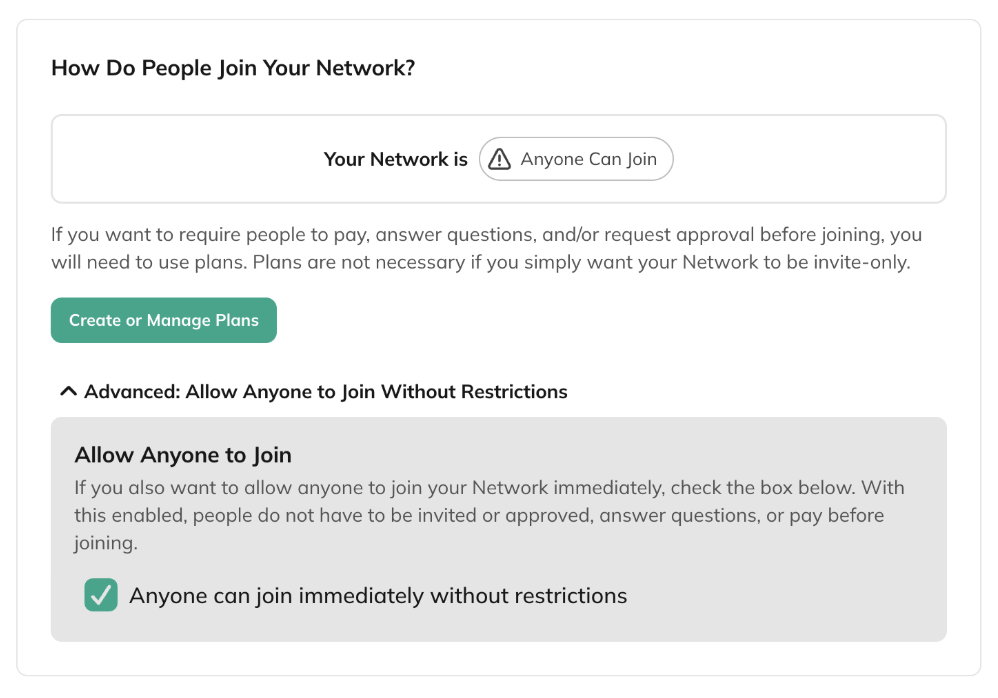
1. Go to [**Admin > Privacy & Access**](https://docs.mightynetworks.com/for-hosts/setting-up-your-network/how-do-i-set-the-privacy-settings-for-my-network).
2. Open **Advanced: Allow Anyone to Join Without Restrictions**.
3. Check **Anyone can join immediately without restrictions**.
Your [**Network Landing Page**](https://docs.mightynetworks.com/for-hosts/marketing-features/how-can-i-customize-my-mighty-networks-landing-page) will now show a **Join** option. All existing members keep the plans that currently give them access.
If you don’t want people to see a plan listed alongside the Join option, open the plan’s settings and make it **hidden** by unchecking all boxes under **Choose Where This Plan Appears**.
 ## Change from Accessible Through Plans to Invite-Only
To switch to Invite-Only, all active plans that include Network access must be made inactive.
1. Open [each plan](https://docs.mightynetworks.com/for-hosts/payments-and-access/how-do-i-manage-my-plans) that includes the Network.
2. Go to [**Visibility & Sharing**](https://docs.mightynetworks.com/for-hosts/payments-and-access/how-do-i-choose-where-plans-appear).
3. Uncheck all boxes under **Choose Where This Plan Appears** to hide the plan.
4. Click **Delete all links** at the bottom (if none were created, skip this step).
Existing members will keep their plan-based access, but the plans will no longer be visible or available for anyone new to join.
Once plans are inactive, update your Network’s **Privacy & Access** settings. You can now send [invite links or email invites](https://docs.mightynetworks.com/for-hosts/admin-and-moderation/how-do-i-view-and-manage-my-members). Only invited people will see the option to join.
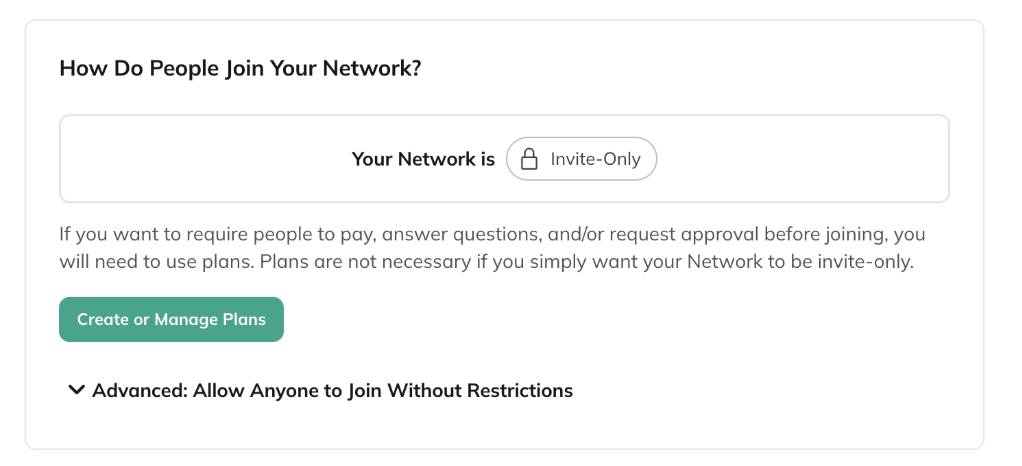
## Change from Accessible Through Plans to Invite-Only
To switch to Invite-Only, all active plans that include Network access must be made inactive.
1. Open [each plan](https://docs.mightynetworks.com/for-hosts/payments-and-access/how-do-i-manage-my-plans) that includes the Network.
2. Go to [**Visibility & Sharing**](https://docs.mightynetworks.com/for-hosts/payments-and-access/how-do-i-choose-where-plans-appear).
3. Uncheck all boxes under **Choose Where This Plan Appears** to hide the plan.
4. Click **Delete all links** at the bottom (if none were created, skip this step).
Existing members will keep their plan-based access, but the plans will no longer be visible or available for anyone new to join.
Once plans are inactive, update your Network’s **Privacy & Access** settings. You can now send [invite links or email invites](https://docs.mightynetworks.com/for-hosts/admin-and-moderation/how-do-i-view-and-manage-my-members). Only invited people will see the option to join.
 ## Change from Invite-Only or Anyone Can Join to Accessible Through Plans
1. [Create a plan](https://docs.mightynetworks.com/for-hosts/payments-and-access/how-do-i-create-a-plan) that includes your Network and any Spaces you want to include.
2. Make the plan active by selecting at least one option under **Choose Where This Plan Appears** or by creating Share Links.
3. If your Network was set to **Anyone Can Join**, go to [**Network Privacy & Access**](https://docs.mightynetworks.com/for-hosts/setting-up-your-network/how-do-i-set-the-privacy-settings-for-my-network) and uncheck **Anyone can join immediately without restrictions**.
Existing members keep their current access, but they will not be placed on a plan. Going forward, people must join your Network through a plan. Anyone invited directly to the Network will be taken to the available plans.
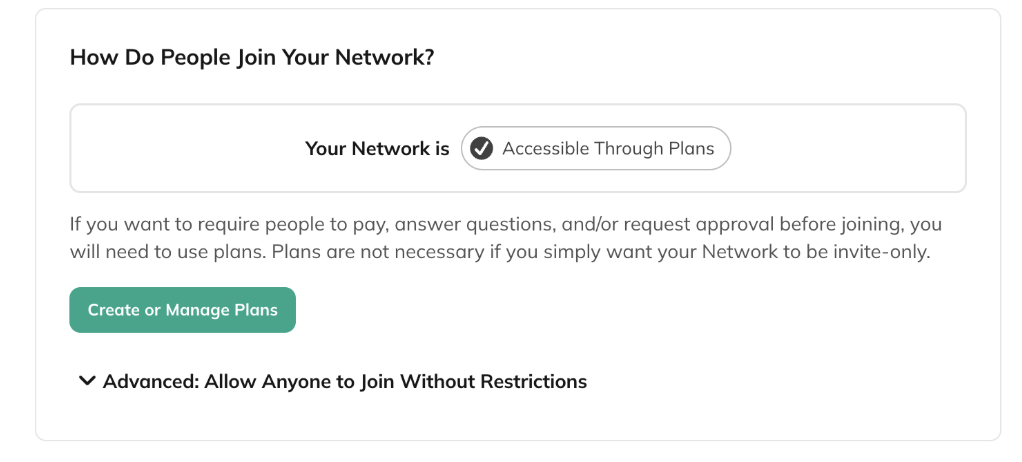
## Change from Invite-Only or Anyone Can Join to Accessible Through Plans
1. [Create a plan](https://docs.mightynetworks.com/for-hosts/payments-and-access/how-do-i-create-a-plan) that includes your Network and any Spaces you want to include.
2. Make the plan active by selecting at least one option under **Choose Where This Plan Appears** or by creating Share Links.
3. If your Network was set to **Anyone Can Join**, go to [**Network Privacy & Access**](https://docs.mightynetworks.com/for-hosts/setting-up-your-network/how-do-i-set-the-privacy-settings-for-my-network) and uncheck **Anyone can join immediately without restrictions**.
Existing members keep their current access, but they will not be placed on a plan. Going forward, people must join your Network through a plan. Anyone invited directly to the Network will be taken to the available plans.
 If you want to learn how to change your **Space** from Accessible Through Plans to Invite-Only or Anyone Can Join and the reverse, [check out this article](https://docs.mightynetworks.com/for-hosts/payments-and-access/how-do-i-switch-my-space-between-plans-invite-only-and-anyone-can-join).