> ## Documentation Index
> Fetch the complete documentation index at: https://docs.mightynetworks.com/llms.txt
> Use this file to discover all available pages before exploring further.
# How Do I Set a Default Plan for Invites? [Beta]
As part of the newest privacy and plan updates, previously Secret Networks with Internal plans will have a **hidden plan automatically created** to grant access to the Network.
All **current members** will be moved to this hidden plan.
Your Network and Space invites will automatically point to this new plan to ensure a smooth transition. If you would like, you can set another plan as the default.
## How To Set a Default Plan
Go to **Admin > Privacy & Access** and scroll to the section "Set Default Plan for Network Invites"
[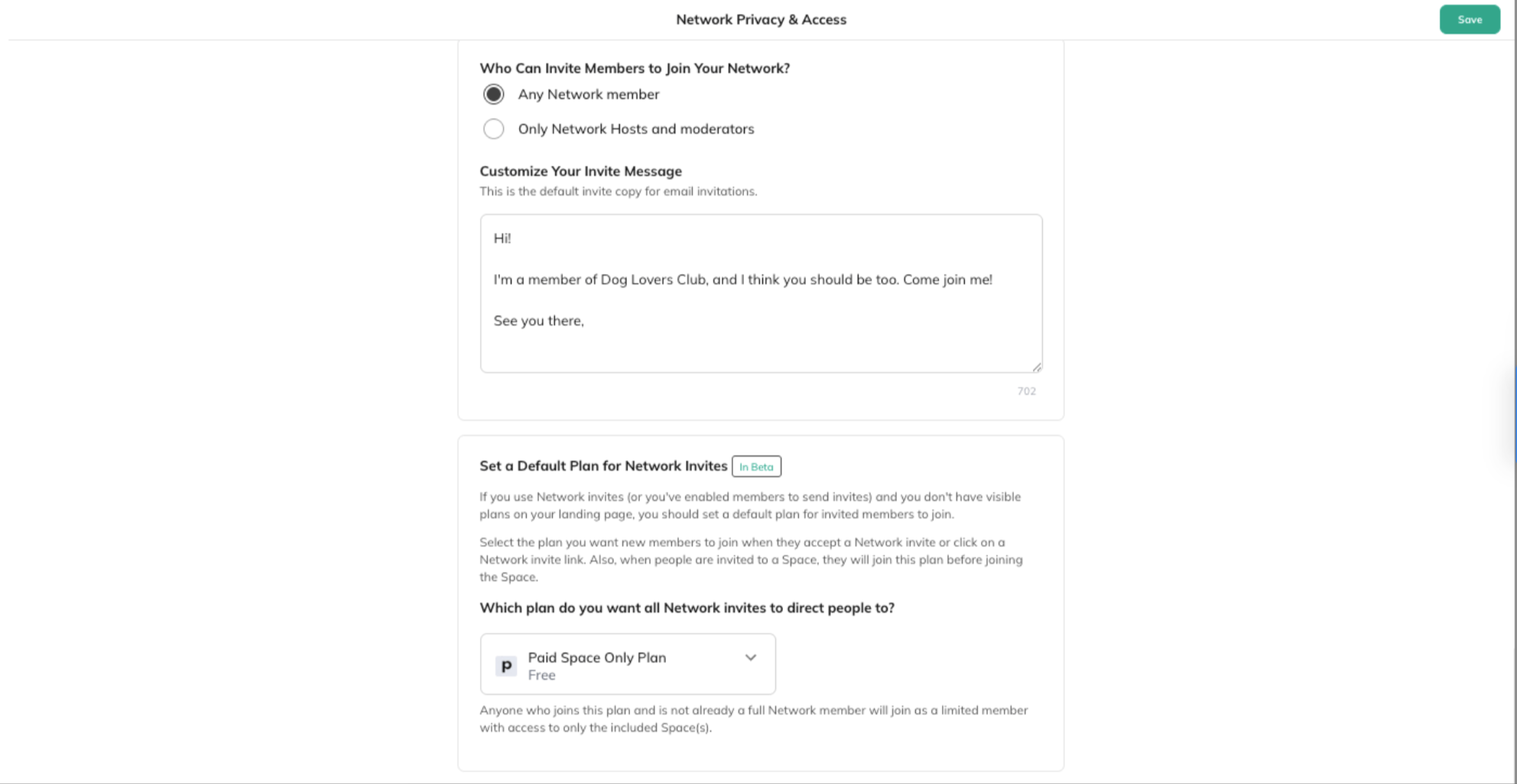 ](/images/for-hosts/payments-and-access/how-do-i-set-a-default-plan-for-invites-beta/Screenshot-2025-07-09-at-11_11_09-AM.png)
You’ll see a dropdown where you can choose the plan you want all Network invites to direct people to.
Here you can choose:
* A default plan or set it to **No Default Plan**
Depending on the plan you choose, there is a message that will explain the access members get:
* **If the plan includes the Network:
](/images/for-hosts/payments-and-access/how-do-i-set-a-default-plan-for-invites-beta/Screenshot-2025-07-09-at-11_11_09-AM.png)
You’ll see a dropdown where you can choose the plan you want all Network invites to direct people to.
Here you can choose:
* A default plan or set it to **No Default Plan**
Depending on the plan you choose, there is a message that will explain the access members get:
* **If the plan includes the Network:
** "Anyone who joins this plan will be a full Network member."
* **If the plan includes only Space(s):
** "Anyone who joins this plan and is not already a full Network member will join as a limited member with access to only the included Space(s)."
* **If no plans are selected:
**"If the Network is set to Invite-Only or Anyone Can Join, any Network invite will allow people to join immediately. If the Network is Accessible Through Plans, people who accept a Network invite or click on a Network invite link will see any visible plans on the landing page."
Moving forward, we suggest the following options to invite people to your Network:
* **[Invite to Plan](https://docs.mightynetworks.com/for-hosts/payments-and-access/how-do-i-create-a-plan#:~:text=Invite%20to%20the%20Plan%20or%20Create%20a%20Share%20Link)**[option or the Plan Share Link](https://docs.mightynetworks.com/for-hosts/payments-and-access/how-do-i-create-a-plan#:~:text=Invite%20to%20the%20Plan%20or%20Create%20a%20Share%20Link)
* Make this plan visible and [add gates](https://docs.mightynetworks.com/for-hosts/payments-and-access/can-i-set-up-questions-and-approval-for-my-members-before-purchasing) to it, like screening questions or approvals