> ## Documentation Index
> Fetch the complete documentation index at: https://docs.mightynetworks.com/llms.txt
> Use this file to discover all available pages before exploring further.
# How Do I Manage Spaces in a Plan?
## How to Add or Remove Spaces
* Go to **Admin > Plans > Plan List** and select the plan you want to update.
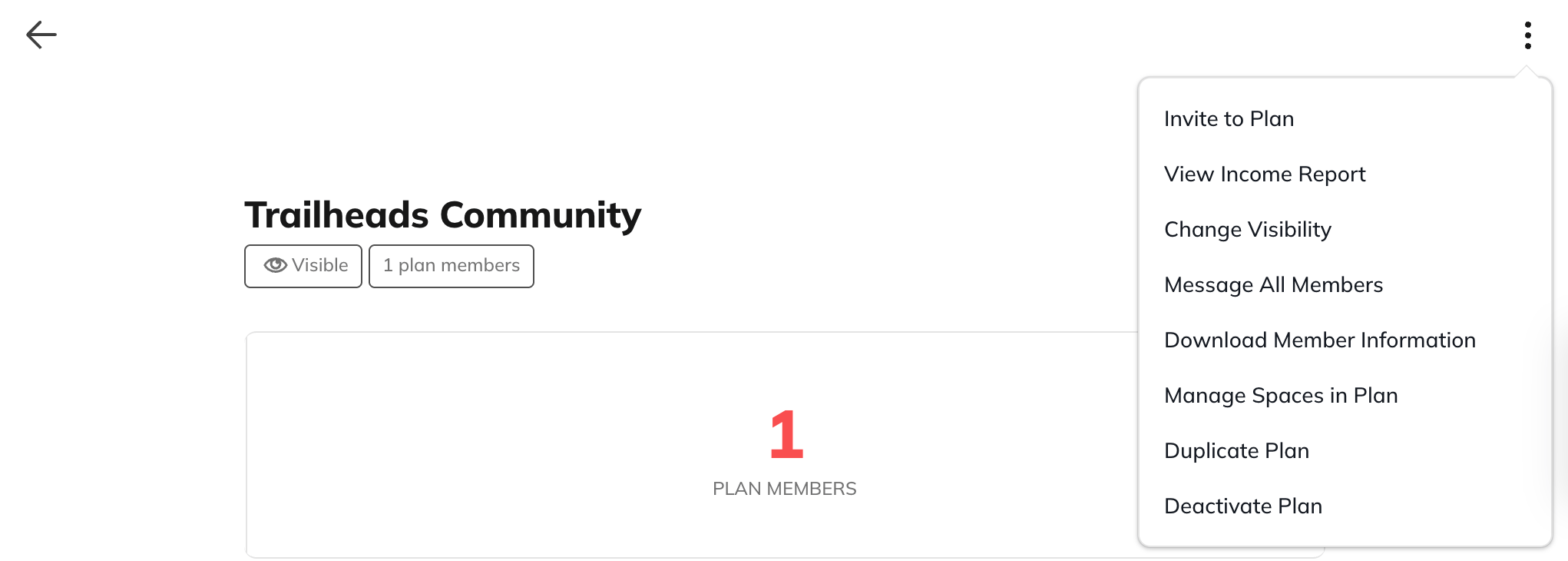
* Open the **three-dot menu** in the upper right corner and choose **Manage Spaces in Plan**.
[ ](/images/for-hosts/payments-and-access/how-do-i-manage-spaces-in-a-plan/Screenshot-2025-11-19-at-12_10_47-PM.png)
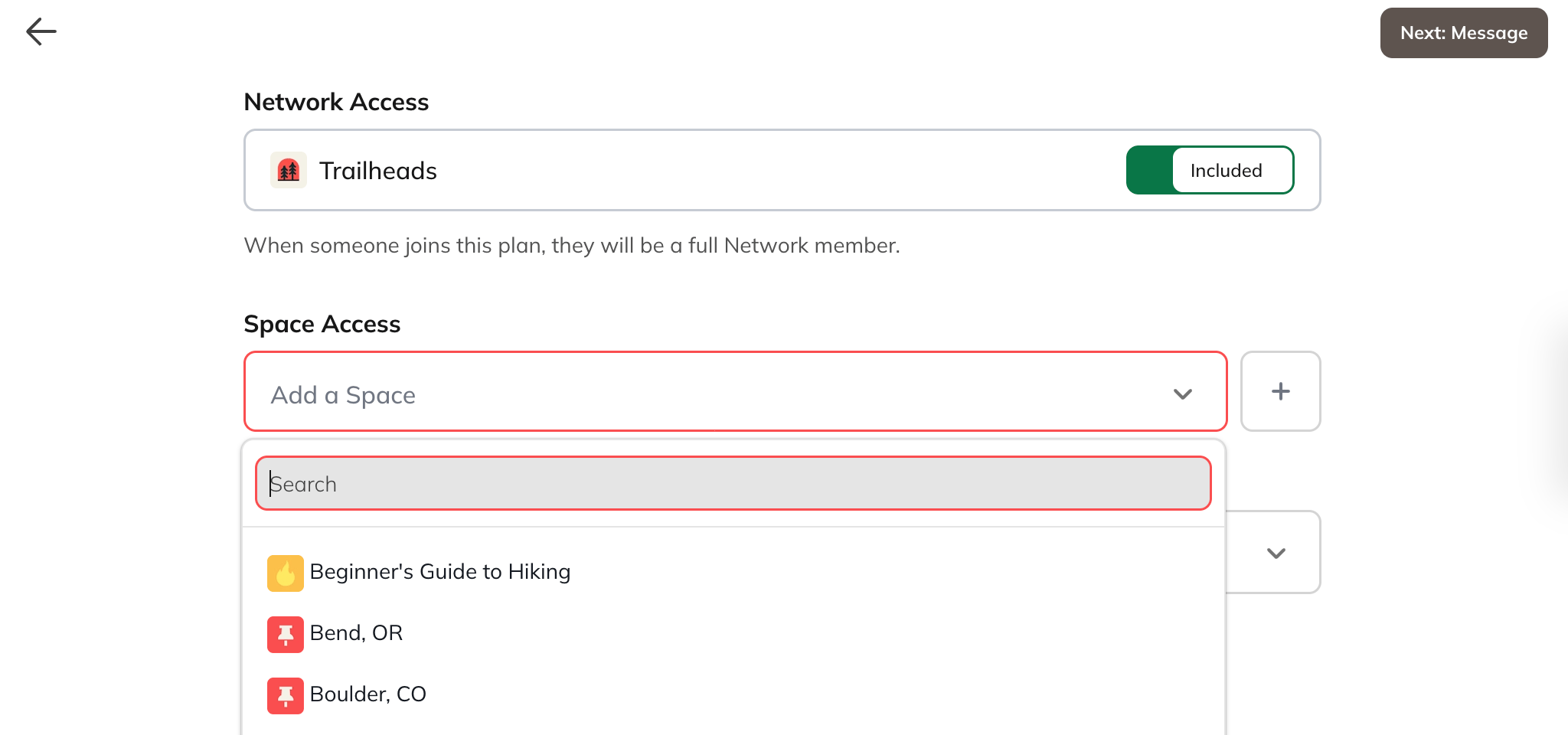
* On the next page, you can:
* **Add or remove Spaces** from the plan
* Set the **Plan Landing Space**, which is the first Space members will land on when they join the plan
[
](/images/for-hosts/payments-and-access/how-do-i-manage-spaces-in-a-plan/Screenshot-2025-11-19-at-12_10_47-PM.png)
* On the next page, you can:
* **Add or remove Spaces** from the plan
* Set the **Plan Landing Space**, which is the first Space members will land on when they join the plan
[ ](/images/for-hosts/payments-and-access/how-do-i-manage-spaces-in-a-plan/Screenshot-2025-11-19-at-12_11_25-PM.png)
* Select **Next: Message** to send a message to your members about the updates you’re making.
* Members will receive [notifications](https://docs.mightynetworks.com/for-hosts/content-and-messaging/what-notifications-do-my-members-get) by email or push, depending on their preferences.
* Review the changes on the final page, then confirm and submit.
## How Access Changes for Members
* **Removing a Space:** All members on the plan lose access to that Space **immediately**.
* **Adding a Space:** All members on the plan gain access **immediately**.
* **Adding the Network:** Members on the plan become **[full members](https://docs.mightynetworks.com/for-hosts/payments-and-access/what-is-a-full-vs-limited-membership)**.
* **Removing the Network:**
* If members don’t have Network access through any other plan, they become **[limited members](https://docs.mightynetworks.com/for-hosts/payments-and-access/what-is-a-full-vs-limited-membership)**.
The **price of the plan does not change** when you add or remove Spaces.
## Important Notes
* You cannot remove the **last remaining Space** from a plan.If you no longer want the plan to provide access, you’ll need to **deactivate the plan** from the same three-dot menu.
](/images/for-hosts/payments-and-access/how-do-i-manage-spaces-in-a-plan/Screenshot-2025-11-19-at-12_11_25-PM.png)
* Select **Next: Message** to send a message to your members about the updates you’re making.
* Members will receive [notifications](https://docs.mightynetworks.com/for-hosts/content-and-messaging/what-notifications-do-my-members-get) by email or push, depending on their preferences.
* Review the changes on the final page, then confirm and submit.
## How Access Changes for Members
* **Removing a Space:** All members on the plan lose access to that Space **immediately**.
* **Adding a Space:** All members on the plan gain access **immediately**.
* **Adding the Network:** Members on the plan become **[full members](https://docs.mightynetworks.com/for-hosts/payments-and-access/what-is-a-full-vs-limited-membership)**.
* **Removing the Network:**
* If members don’t have Network access through any other plan, they become **[limited members](https://docs.mightynetworks.com/for-hosts/payments-and-access/what-is-a-full-vs-limited-membership)**.
The **price of the plan does not change** when you add or remove Spaces.
## Important Notes
* You cannot remove the **last remaining Space** from a plan.If you no longer want the plan to provide access, you’ll need to **deactivate the plan** from the same three-dot menu.