> ## Documentation Index
> Fetch the complete documentation index at: https://docs.mightynetworks.com/llms.txt
> Use this file to discover all available pages before exploring further.
# How Do I Choose Where Plans Appear?
After you create a plan, you can choose where it appears to members and visitors. To manage this, go to **Admin > Plans > Plan List**, then select your plan and open the **Visibility & Sharing** tab.
Any option you enable here will make the plan visible instead of hidden.
You can choose to show a plan on:
* **Landing Page and Global Header**
* **Collections**
* **Network or Space About Page**
When a plan becomes visible—or when you create plan share links—the plan becomes active.
If any Spaces in the plan were previously **[Invite-Only](https://docs.mightynetworks.com/for-hosts/setting-up-your-network/how-do-i-set-the-privacy-settings-for-a-space)**, they will automatically switch to **Accessible Through Plans**.
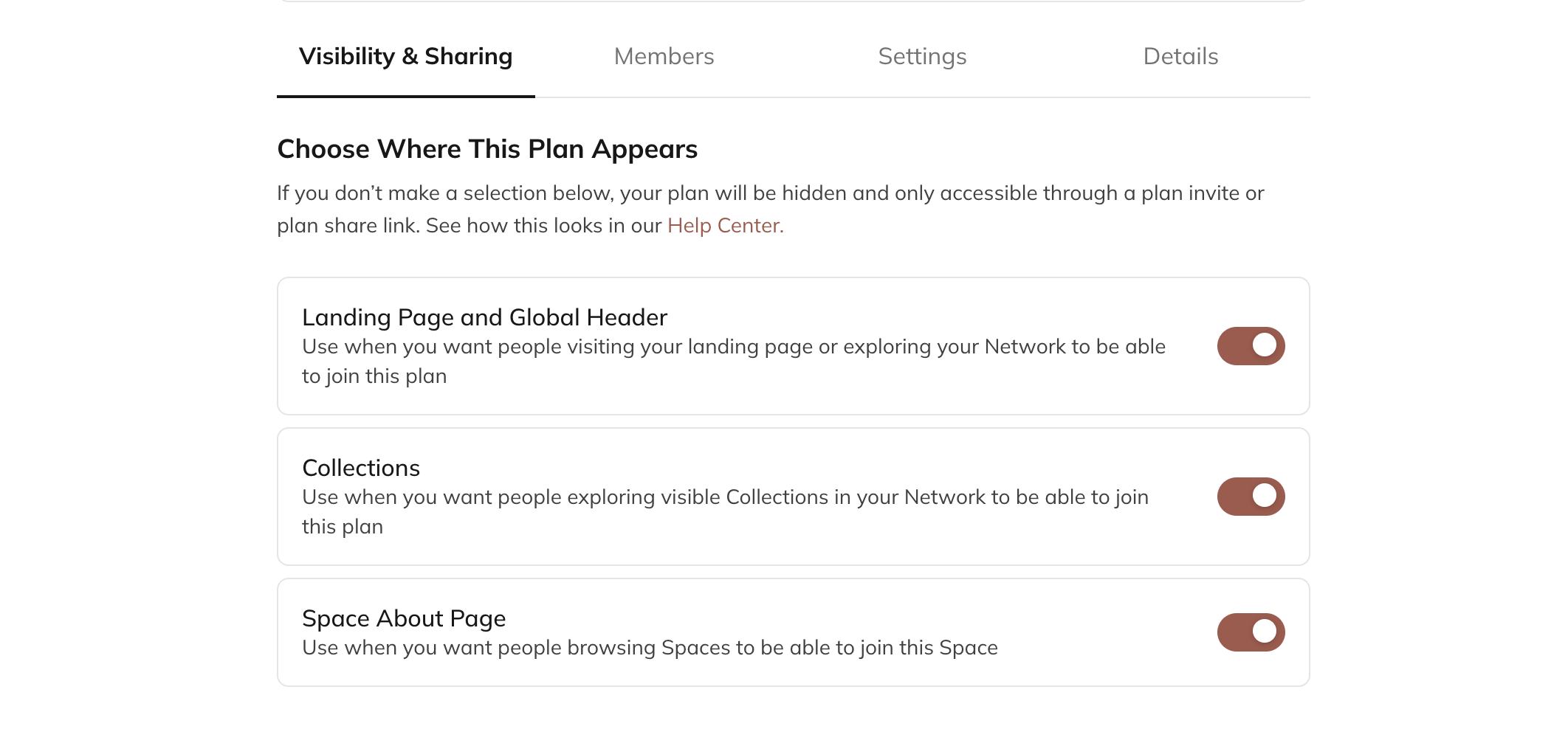
## Options for Plans That Include Only Space Access
(Plans that grant access to one or more Spaces or **[limited memberships](https://docs.mightynetworks.com/for-hosts/payments-and-access/what-is-a-full-vs-limited-membership)**)
You can make these plans visible on:
* **Landing Page and Global Header**
* **Collections**
* **Space About Page**
[ ](/images/for-hosts/payments-and-access/how-do-i-choose-where-plans-appear/Screenshot-2025-07-10-at-10_20_46-AM.png)
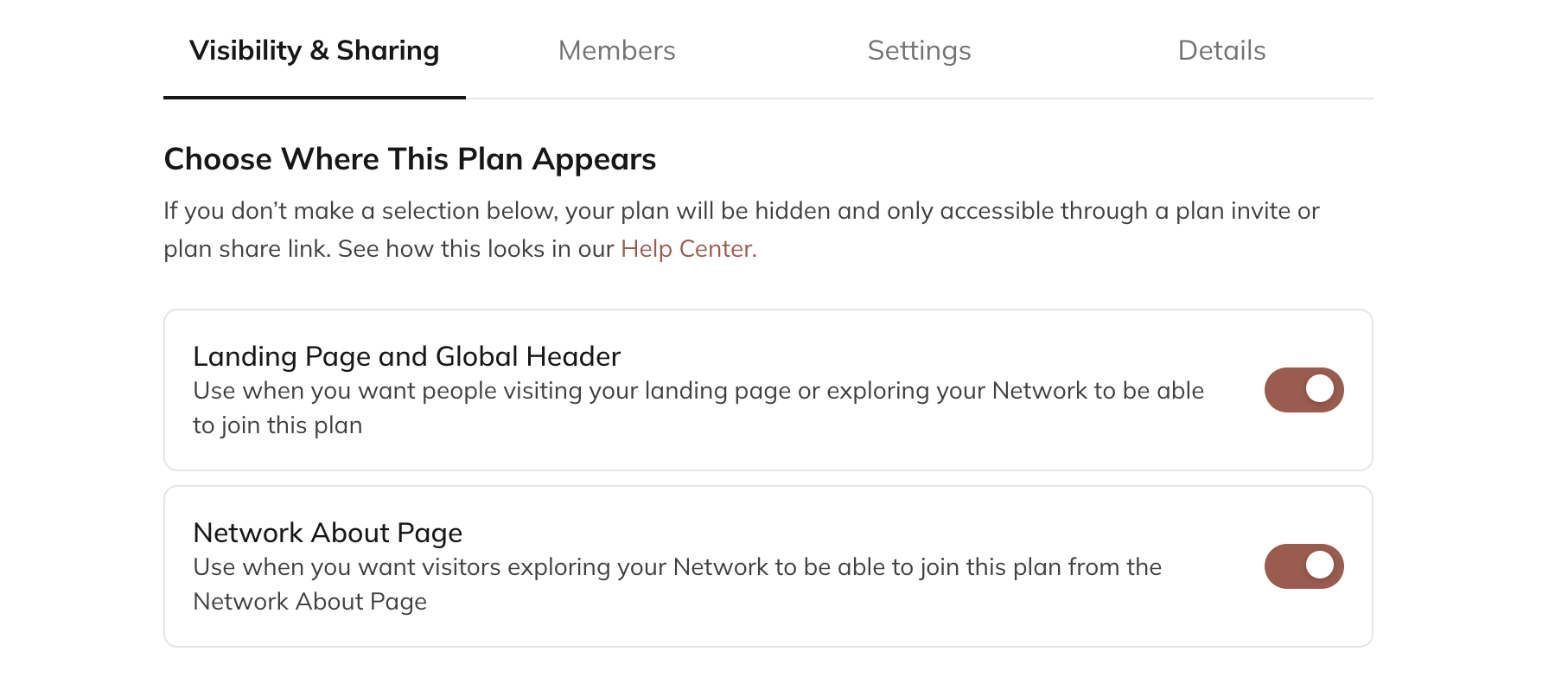
## Options for Plans That Include Network Access
(Plans that grant access to the full Network or [full memberships](https://docs.mightynetworks.com/for-hosts/payments-and-access/what-is-a-full-vs-limited-membership))
You can make these plans visible on:
* **Landing Page and Global Header**
* **Collections**
* **Network About Page**
[
](/images/for-hosts/payments-and-access/how-do-i-choose-where-plans-appear/Screenshot-2025-07-10-at-10_20_46-AM.png)
## Options for Plans That Include Network Access
(Plans that grant access to the full Network or [full memberships](https://docs.mightynetworks.com/for-hosts/payments-and-access/what-is-a-full-vs-limited-membership))
You can make these plans visible on:
* **Landing Page and Global Header**
* **Collections**
* **Network About Page**
[ ](/images/for-hosts/payments-and-access/how-do-i-choose-where-plans-appear/Screenshot-2025-07-10-at-10_24_20-AM.png)
## Landing Page and Global Header
## Landing Page
Use this when you want visitors or potential members browsing your Landing Page to be able to join your plan.
**Important:** Plans you select here won't automatically appear on the Landing Page.
* If you have **one plan**, edit the **Full Width Heading** section and point the button to the plan checkout flow.
* If you have **one plan** and you want to feature it, add the **Featured Plan** section.
* If you have **multiple plans**, add the **Plan Carousel** section.
Reference the video below for a walkthrough.
## Global Header
If your **[Network visibility](https://docs.mightynetworks.com/for-hosts/setting-up-your-network/how-do-i-set-the-privacy-settings-for-my-network)** (**Who Can View Content Inside Your Network**) is set to **Anyone**, visitors will be able to click the **Global Header** and view your plan.
Check out the video for a walkthrough
## Collections
**Use when:**
* Use Collections when you want people browsing visible Collections to be able to join the plan. Make sure the **[Plan Carousel](https://docs.mightynetworks.com/for-hosts/setting-up-your-network/how-do-i-create-and-manage-my-collections)** is enabled in the Collection's settings.
[
](/images/for-hosts/payments-and-access/how-do-i-choose-where-plans-appear/Screenshot-2025-07-10-at-10_24_20-AM.png)
## Landing Page and Global Header
## Landing Page
Use this when you want visitors or potential members browsing your Landing Page to be able to join your plan.
**Important:** Plans you select here won't automatically appear on the Landing Page.
* If you have **one plan**, edit the **Full Width Heading** section and point the button to the plan checkout flow.
* If you have **one plan** and you want to feature it, add the **Featured Plan** section.
* If you have **multiple plans**, add the **Plan Carousel** section.
Reference the video below for a walkthrough.
## Global Header
If your **[Network visibility](https://docs.mightynetworks.com/for-hosts/setting-up-your-network/how-do-i-set-the-privacy-settings-for-my-network)** (**Who Can View Content Inside Your Network**) is set to **Anyone**, visitors will be able to click the **Global Header** and view your plan.
Check out the video for a walkthrough
## Collections
**Use when:**
* Use Collections when you want people browsing visible Collections to be able to join the plan. Make sure the **[Plan Carousel](https://docs.mightynetworks.com/for-hosts/setting-up-your-network/how-do-i-create-and-manage-my-collections)** is enabled in the Collection's settings.
[ ](/images/for-hosts/payments-and-access/how-do-i-choose-where-plans-appear/AD_4nXfXkOuy_tHpa-Q5ym5GPPWibc9xPp8QEdqYdZH5TUj0bd1mGCFwSmb4OVgOVtNLVXFjWGO1_oXZrmL1rXGTX4snFPqHZps9-IgtKIEZ8XGQ0_T3uCbYbDCQaHhchCRa9jWoMO9XPg)
## Space About Page
Show the plan on the **Space About** page to let people join directly from that Space.
**Use this when:**
* You want people browsing Spaces to join the Space through the plan.
* You want to provide context about what’s included before someone joins.
[
](/images/for-hosts/payments-and-access/how-do-i-choose-where-plans-appear/AD_4nXfXkOuy_tHpa-Q5ym5GPPWibc9xPp8QEdqYdZH5TUj0bd1mGCFwSmb4OVgOVtNLVXFjWGO1_oXZrmL1rXGTX4snFPqHZps9-IgtKIEZ8XGQ0_T3uCbYbDCQaHhchCRa9jWoMO9XPg)
## Space About Page
Show the plan on the **Space About** page to let people join directly from that Space.
**Use this when:**
* You want people browsing Spaces to join the Space through the plan.
* You want to provide context about what’s included before someone joins.
[ ](/images/for-hosts/payments-and-access/how-do-i-choose-where-plans-appear/AD_4nXcf7OKrepRzknScsFWukVx1NEmdoGVBJKDQWdO3lRGdISWldOUn_ZEwfJq2v9RL6bhHPddM1ZDa5eMzQ7DsATHGCBKCfDyE2J9rU-FeI8NpWKmqltZyIgsNsKDNzBUkItCUaTUe)
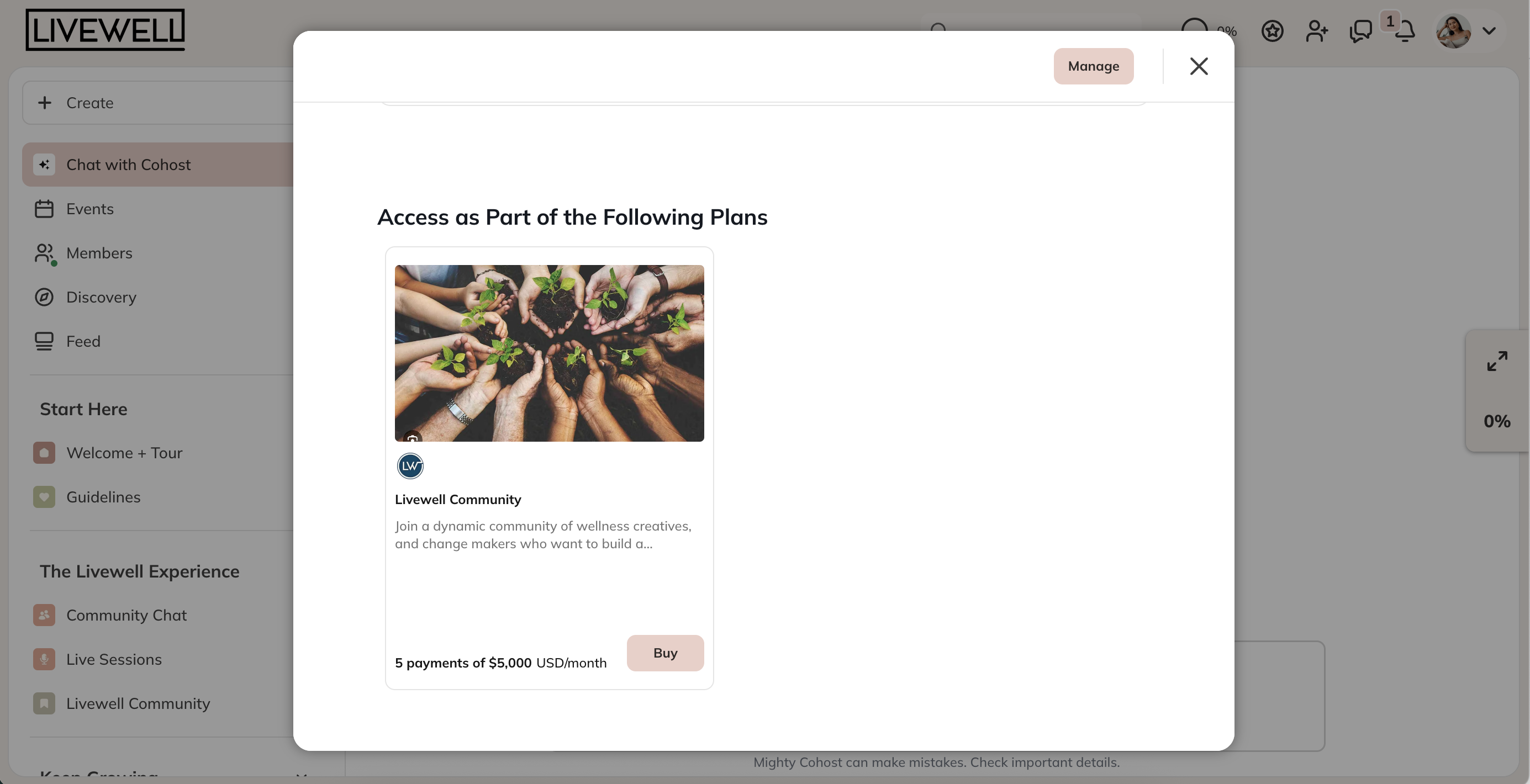
## Network About Page
**Use when:**
* If your **[Network visibility](https://docs.mightynetworks.com/for-hosts/setting-up-your-network/how-do-i-set-the-privacy-settings-for-my-network)** (**Who Can View Content Inside Your Network**) is set to **Anyone**, visitors can view and join your plan directly from the **Network About** page.
[
](/images/for-hosts/payments-and-access/how-do-i-choose-where-plans-appear/AD_4nXcf7OKrepRzknScsFWukVx1NEmdoGVBJKDQWdO3lRGdISWldOUn_ZEwfJq2v9RL6bhHPddM1ZDa5eMzQ7DsATHGCBKCfDyE2J9rU-FeI8NpWKmqltZyIgsNsKDNzBUkItCUaTUe)
## Network About Page
**Use when:**
* If your **[Network visibility](https://docs.mightynetworks.com/for-hosts/setting-up-your-network/how-do-i-set-the-privacy-settings-for-my-network)** (**Who Can View Content Inside Your Network**) is set to **Anyone**, visitors can view and join your plan directly from the **Network About** page.
[ ](/images/for-hosts/payments-and-access/how-do-i-choose-where-plans-appear/Screenshot-2025-07-10-at-10_26_13-AM.png)