> ## Documentation Index
> Fetch the complete documentation index at: https://docs.mightynetworks.com/llms.txt
> Use this file to discover all available pages before exploring further.
# What is the People Explorer?
All plans on Mighty Networks include a dynamic and engaging feature called **People Explorer**, which helps surface connections between members.
The People Explorer on a profile highlights interactions and relationships within the same Mighty Network. It’s influenced by factors like who someone follows and who they’ve engaged with through reactions and comments on similar posts.
## Global Members
[ ](/images/for-hosts/marketing-features/what-is-the-people-explorer/Productivity_Members_People-Explorer.png)
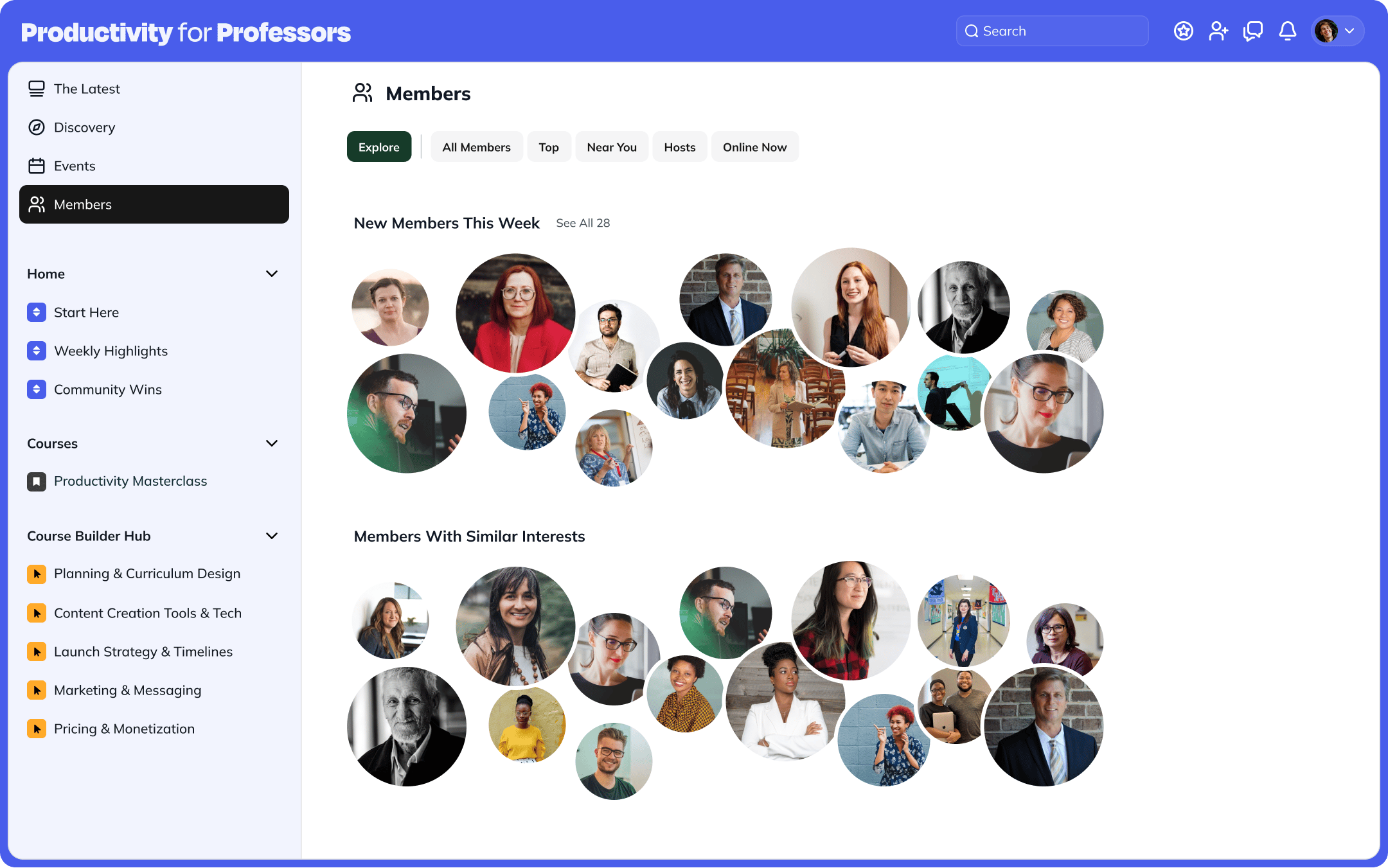
In the **[Global Members](https://docs.mightynetworks.com/for-hosts/setting-up-your-network/what-are-global-features)** view, profiles are displayed in clusters:
* **Top Members**
* **Members Near You** (within 300 km)
* **New Members**
Hovering over a profile enlarges it and opens a preview card with the member’s mini bio and options to **View Profile** or **Chat**.
* If chat is toggled off at the Network level, you’ll only see **View Profile**.
[
](/images/for-hosts/marketing-features/what-is-the-people-explorer/Productivity_Members_People-Explorer.png)
In the **[Global Members](https://docs.mightynetworks.com/for-hosts/setting-up-your-network/what-are-global-features)** view, profiles are displayed in clusters:
* **Top Members**
* **Members Near You** (within 300 km)
* **New Members**
Hovering over a profile enlarges it and opens a preview card with the member’s mini bio and options to **View Profile** or **Chat**.
* If chat is toggled off at the Network level, you’ll only see **View Profile**.
[ ](/images/for-hosts/marketing-features/what-is-the-people-explorer/Productivity_Members_People-Explorer-Selected.png)
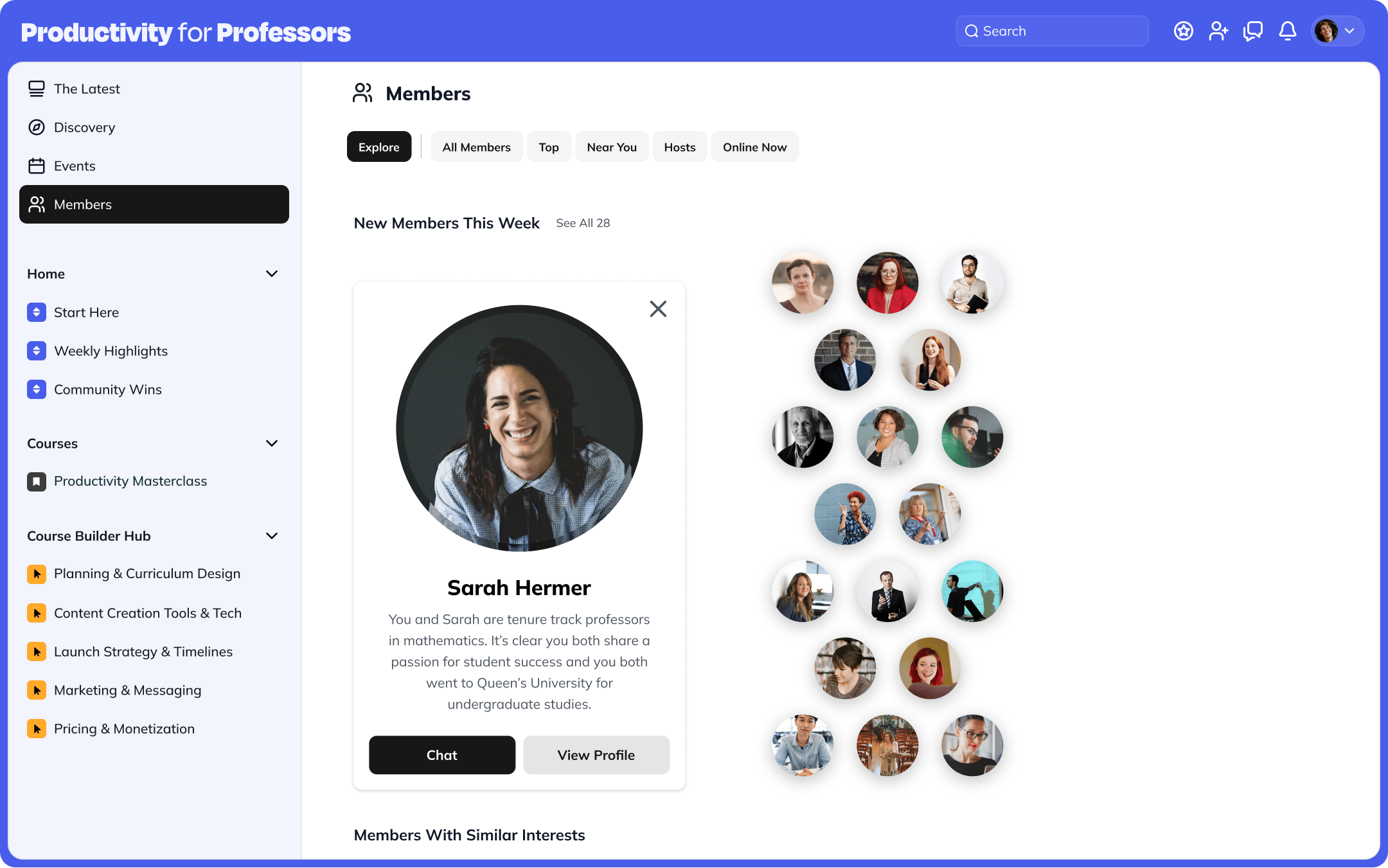
Clicking a profile expands it further to show what you and that member have in common—if **[Show Similarities](https://docs.mightynetworks.com/for-hosts/marketing-features/what-ai-features-does-mighty-networks-have)** is toggled on under **Admin > Setup > AI Features**.
If **Show Similarities** is toggled off or all **Mighty Co-Host™** features are turned off, only the member’s mini bio will display.
From the expanded view, you can choose to **Chat** or **View Profile**.
* Again, if chat is toggled off at the Network level, you’ll only see **View Profile**.
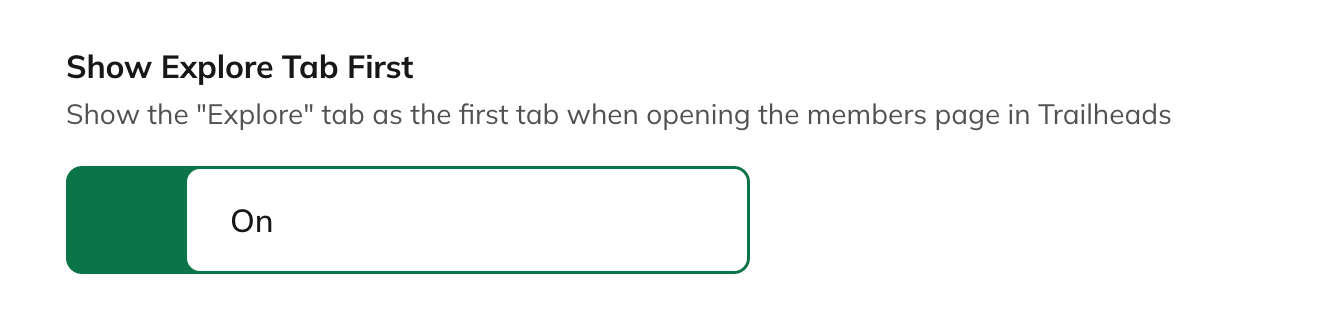
You can also control the order of the **Explore** tab by going to Global Features > Members and toggle off "Show Explore Tab First"
[
](/images/for-hosts/marketing-features/what-is-the-people-explorer/Productivity_Members_People-Explorer-Selected.png)
Clicking a profile expands it further to show what you and that member have in common—if **[Show Similarities](https://docs.mightynetworks.com/for-hosts/marketing-features/what-ai-features-does-mighty-networks-have)** is toggled on under **Admin > Setup > AI Features**.
If **Show Similarities** is toggled off or all **Mighty Co-Host™** features are turned off, only the member’s mini bio will display.
From the expanded view, you can choose to **Chat** or **View Profile**.
* Again, if chat is toggled off at the Network level, you’ll only see **View Profile**.
You can also control the order of the **Explore** tab by going to Global Features > Members and toggle off "Show Explore Tab First"
[ ](/images/for-hosts/marketing-features/what-is-the-people-explorer/Screenshot-2025-11-12-at-3_04_29-PM.png)
## On a Member Profile
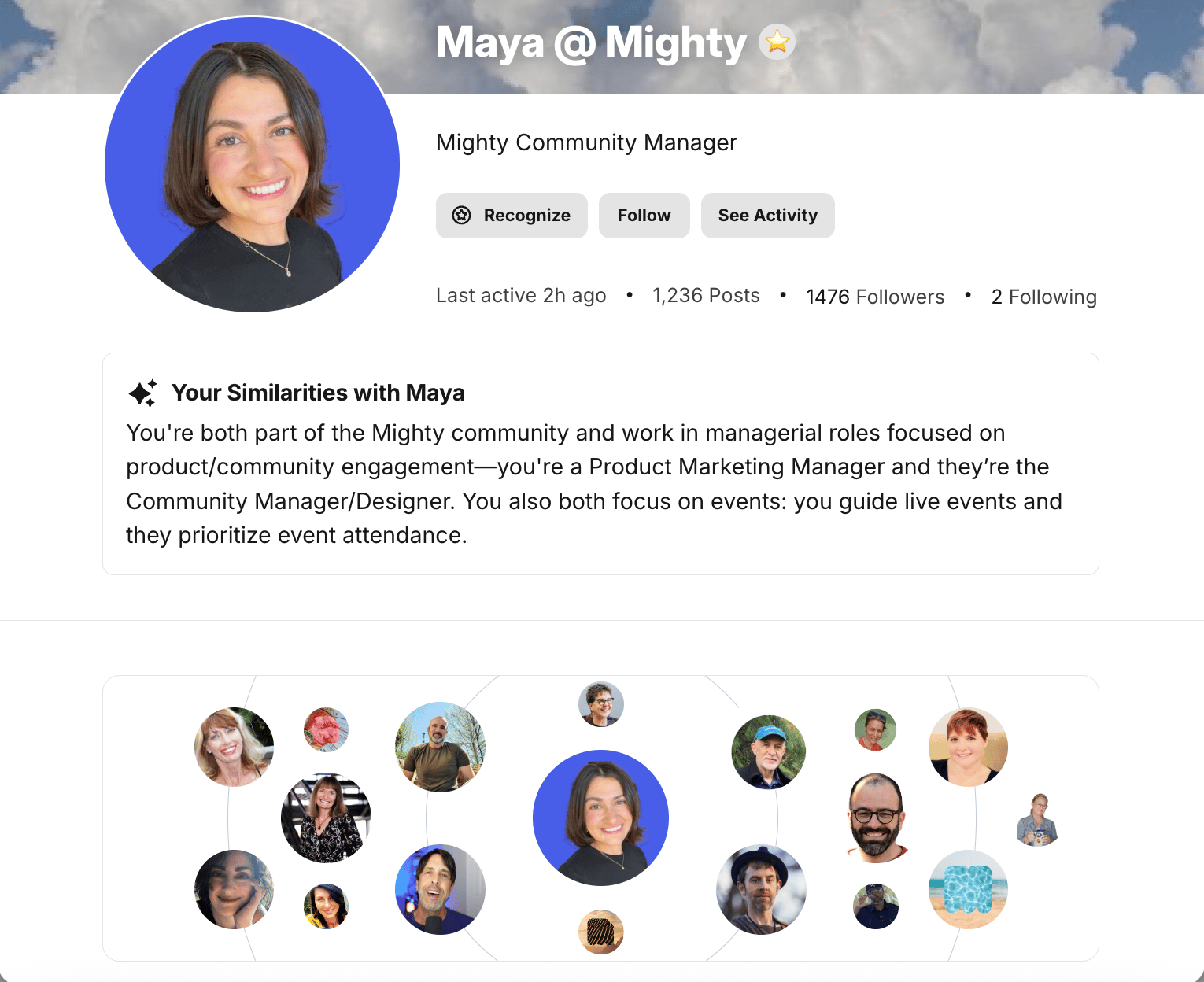
The **People Explorer** also appears directly on member profiles.
Hovering over a profile enlarges it and shows the member’s mini bio. From there, you can see your similarities or **Chat**—depending on which features are enabled.
* If either feature is toggled off, **View Profile** will replace those options.
**Note:** The People Explorer feature becomes visible on a new member’s profile only after they’ve participated in the Network.
[
](/images/for-hosts/marketing-features/what-is-the-people-explorer/Screenshot-2025-11-12-at-3_04_29-PM.png)
## On a Member Profile
The **People Explorer** also appears directly on member profiles.
Hovering over a profile enlarges it and shows the member’s mini bio. From there, you can see your similarities or **Chat**—depending on which features are enabled.
* If either feature is toggled off, **View Profile** will replace those options.
**Note:** The People Explorer feature becomes visible on a new member’s profile only after they’ve participated in the Network.
[ ](/images/for-hosts/marketing-features/what-is-the-people-explorer/Screenshot-2025-11-12-at-3_00_43-PM.png)
## People Explorer in Spaces
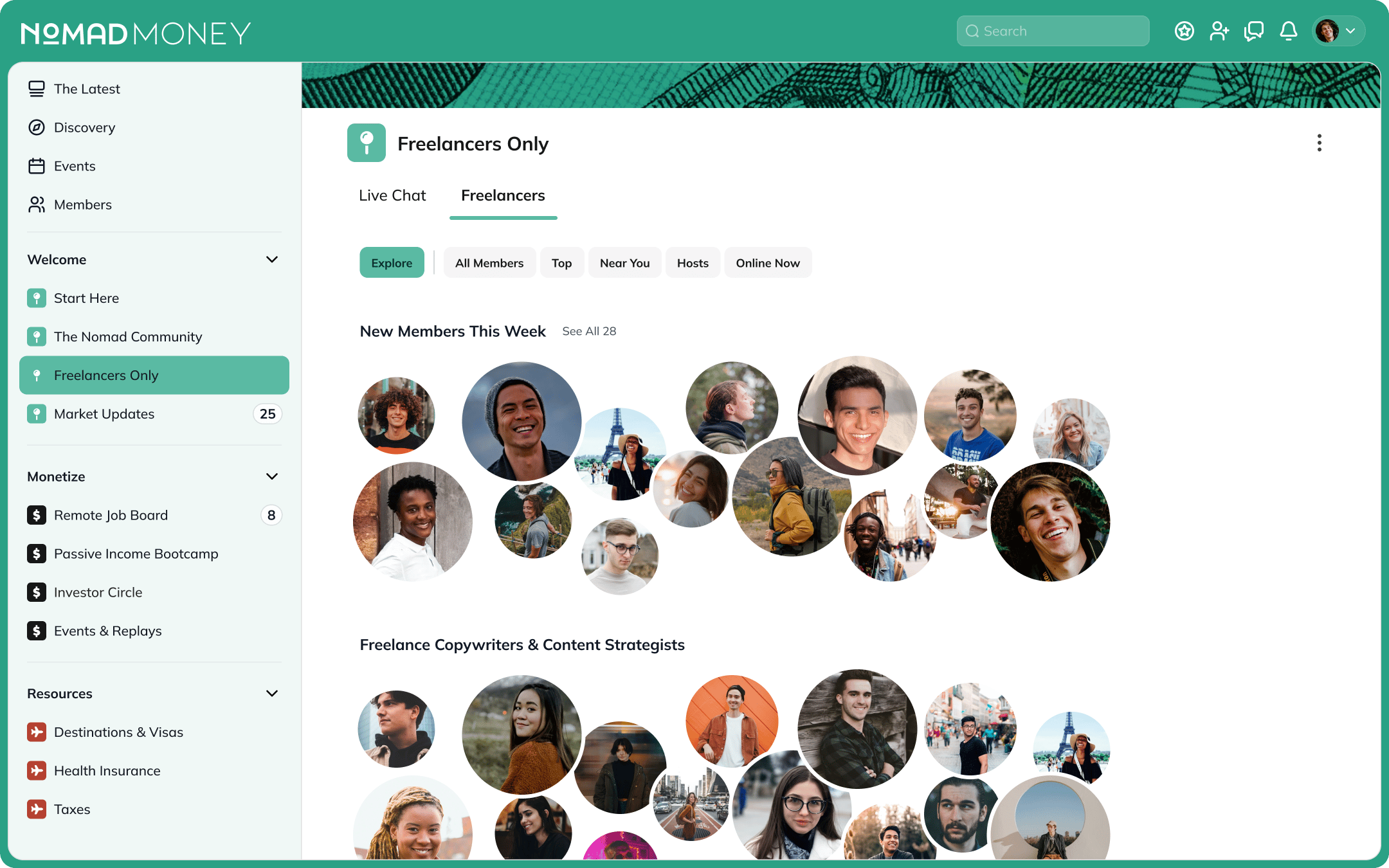
On web, if the **Member** feature is toggled on within a Space, you’ll see a tab called **Explore**.
In this tab, profiles are organized in clusters:
[
](/images/for-hosts/marketing-features/what-is-the-people-explorer/Screenshot-2025-11-12-at-3_00_43-PM.png)
## People Explorer in Spaces
On web, if the **Member** feature is toggled on within a Space, you’ll see a tab called **Explore**.
In this tab, profiles are organized in clusters:
[ ](/images/for-hosts/marketing-features/what-is-the-people-explorer/NomadMoney_Members_People-Explorer.png)
Hovering over a profile enlarges it and opens a preview card with the person’s mini bio and options to **View Profile** or **Chat**.
* If chat is toggled off at the Network level, only **View Profile** will appear.
Clicking a profile expands it to show shared similarities—if **[Show Similarities](https://docs.mightynetworks.com/for-hosts/marketing-features/what-ai-features-does-mighty-networks-have)** is toggled on under **Admin > Setup > AI Features**.
If **Show Similarities** or all **AI features** are turned off, only the member’s mini bio will display.
From there, you can **Chat** or **View Profile**.
* If chat is toggled off, you’ll only see **View Profile**.
You can also control the order of the **Explore** tab within the Space by toggling **Show Explore Tab** on or off under **Space Settings > Space Features > Members**.
](/images/for-hosts/marketing-features/what-is-the-people-explorer/NomadMoney_Members_People-Explorer.png)
Hovering over a profile enlarges it and opens a preview card with the person’s mini bio and options to **View Profile** or **Chat**.
* If chat is toggled off at the Network level, only **View Profile** will appear.
Clicking a profile expands it to show shared similarities—if **[Show Similarities](https://docs.mightynetworks.com/for-hosts/marketing-features/what-ai-features-does-mighty-networks-have)** is toggled on under **Admin > Setup > AI Features**.
If **Show Similarities** or all **AI features** are turned off, only the member’s mini bio will display.
From there, you can **Chat** or **View Profile**.
* If chat is toggled off, you’ll only see **View Profile**.
You can also control the order of the **Explore** tab within the Space by toggling **Show Explore Tab** on or off under **Space Settings > Space Features > Members**.