> ## Documentation Index
> Fetch the complete documentation index at: https://docs.mightynetworks.com/llms.txt
> Use this file to discover all available pages before exploring further.
# How Do I Welcome New Members?
Welcoming new members each day is one of the simplest ways to help people feel recognized and connected from the moment they join your Mighty Network or Space
.
A quick welcome message goes a long way in creating an inviting, active community.
## Welcome New Network Members
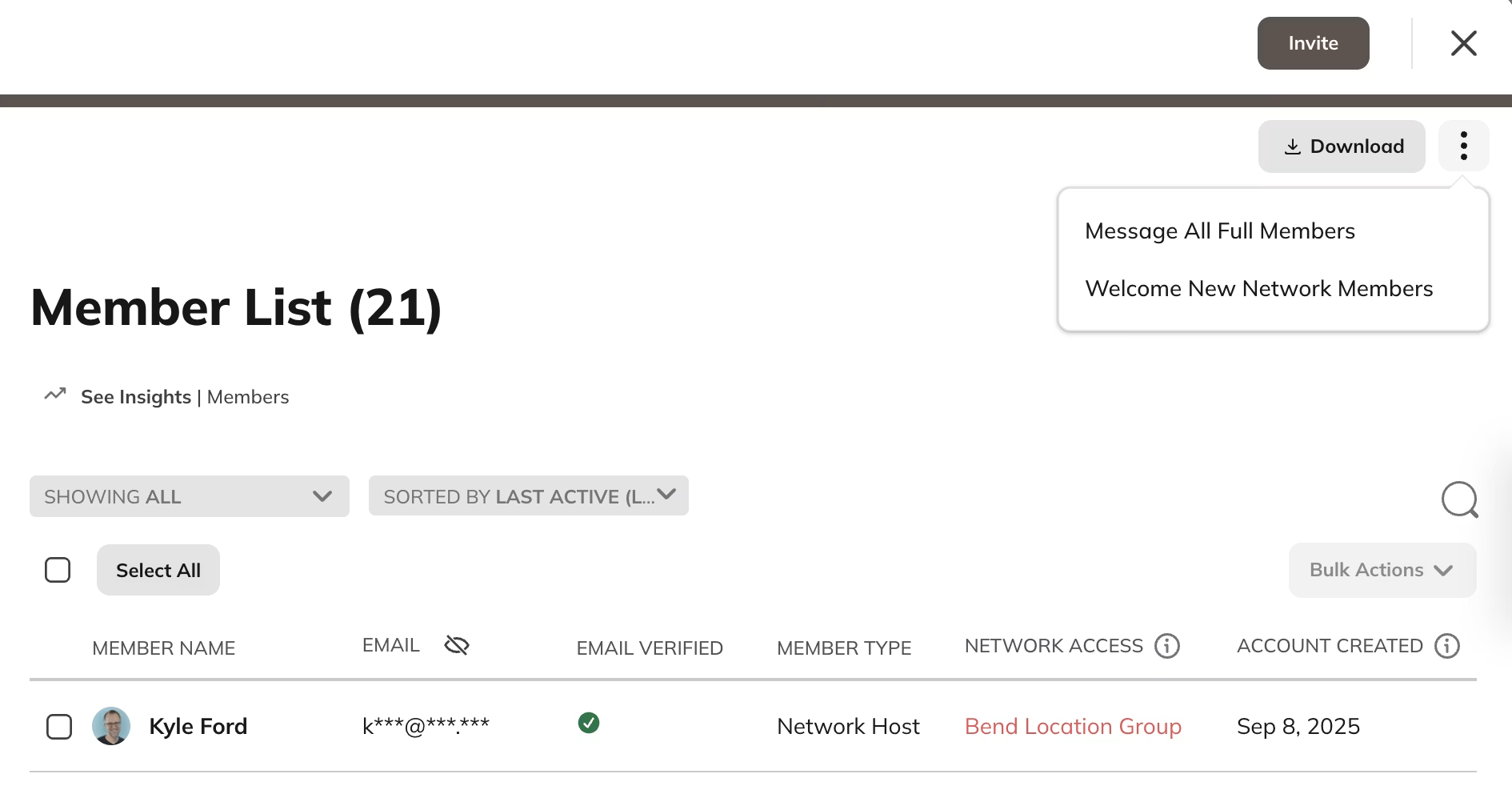
Network Hosts and Network moderators can welcome new [**full members**](https://docs.mightynetworks.com/for-hosts/payments-and-access/what-is-a-full-vs-limited-membership) at any time.
* Go to **Admin > Members > [Member List](https://docs.mightynetworks.com/for-hosts/admin-and-moderation/how-do-i-view-and-manage-my-members)**.
* Open the **three-dot menu** in the upper-right corner.
* Select **Welcome New Members**.
You’ll see a list of everyone who has joined since the last welcome was sent. When you tap **Welcome New Members**, each person receives a short note from you by email or push notification, depending on their individual notification settings.
 ## Welcome New Space Members
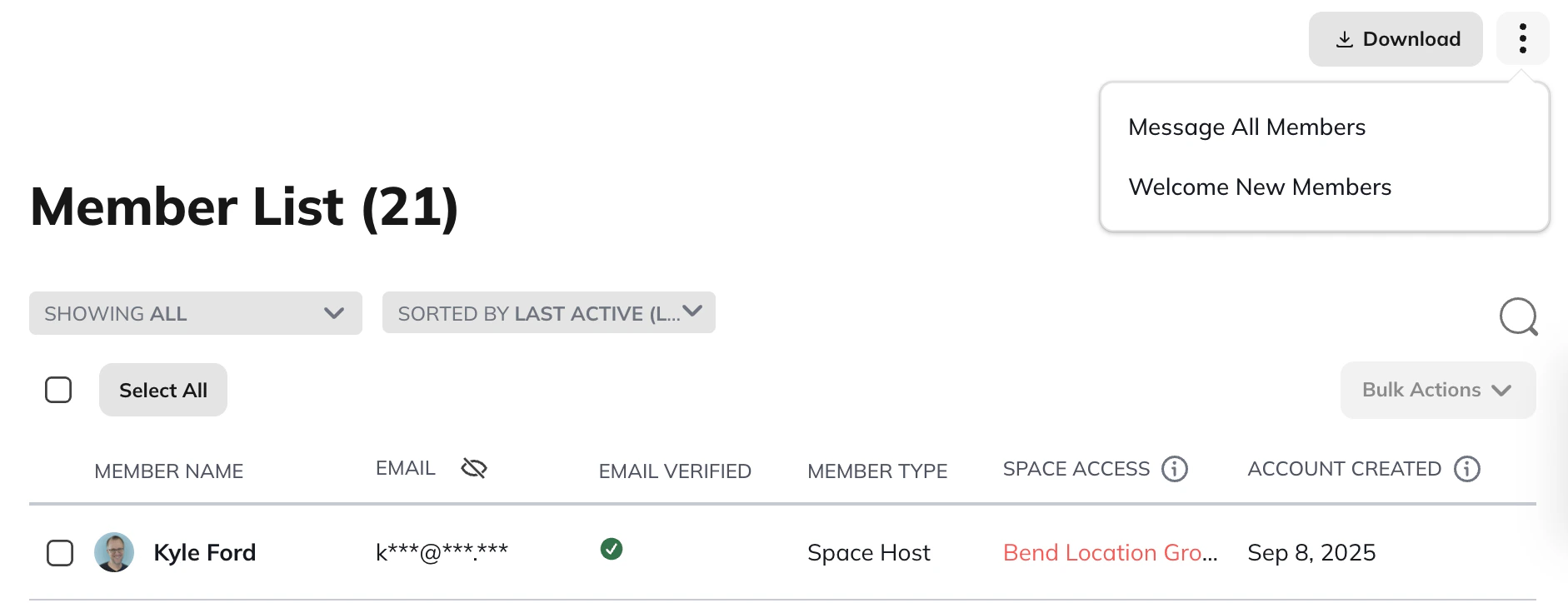
1. Go to the **Space gear icon**.
2. Select **Members > Member List**.
3. Open the **three-dot menu** in the upper-right corner.
4. Select **Welcome New Members**.
## Welcome New Space Members
1. Go to the **Space gear icon**.
2. Select **Members > Member List**.
3. Open the **three-dot menu** in the upper-right corner.
4. Select **Welcome New Members**.
 ## What Members See
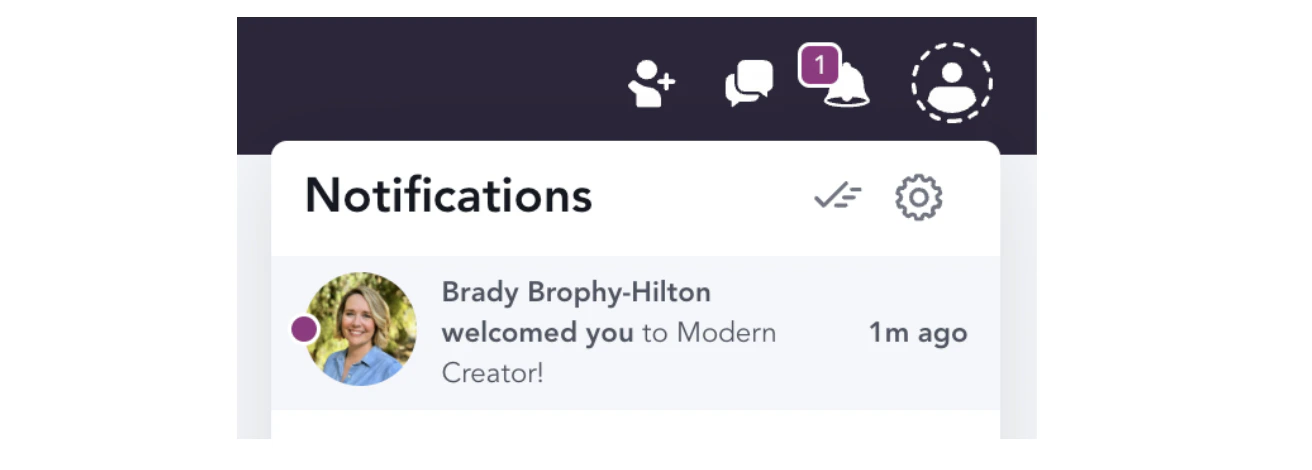
After you tap on the button to **welcome new members**, those members will receive a quick note from you either via email or push notification, depending on [**their notification preferences**](https://docs.mightynetworks.com/for-members/account-and-purchases/what-notifications-will-i-get-as-a-member)**.**
Here is what the **push notification looks like**
## What Members See
After you tap on the button to **welcome new members**, those members will receive a quick note from you either via email or push notification, depending on [**their notification preferences**](https://docs.mightynetworks.com/for-members/account-and-purchases/what-notifications-will-i-get-as-a-member)**.**
Here is what the **push notification looks like**
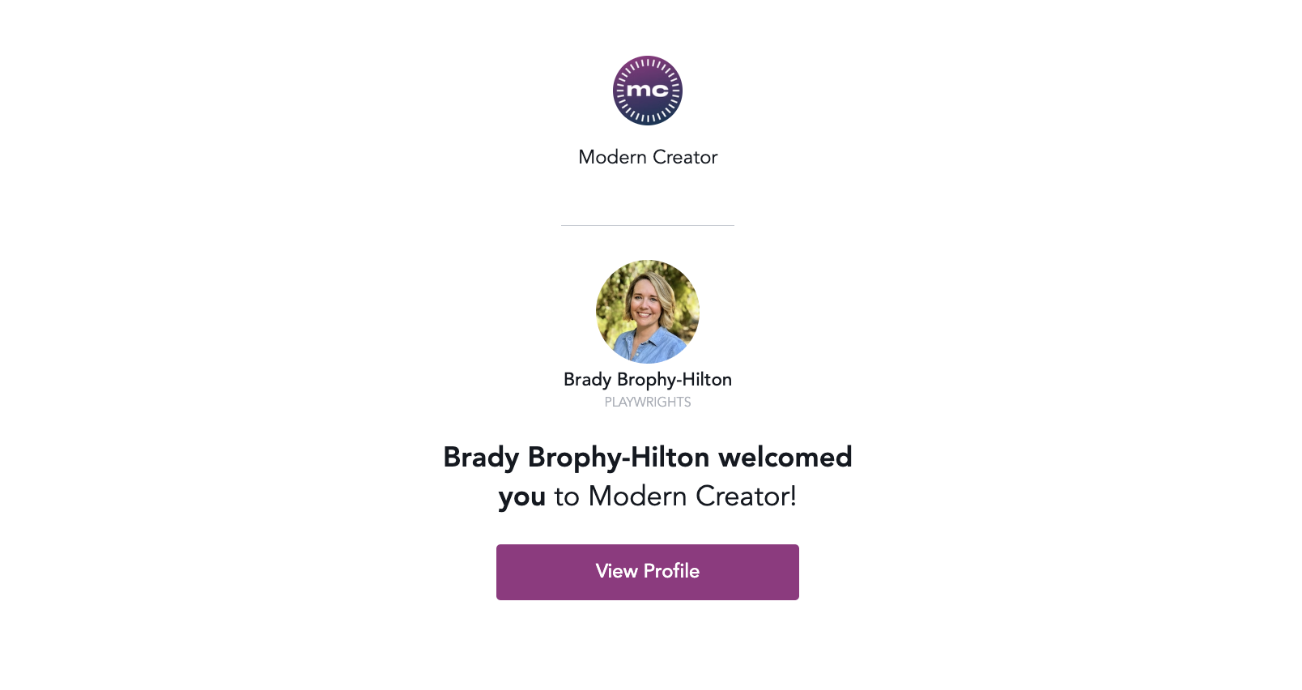
 Here is the **email notification** your members will receive on web:
 ## Customizing and Automating Welcome Messages
There are two ways to personalize your welcome messages.
## Use Automations (Growth Plan and up)
You can create an [**Automation**](https://docs.mightynetworks.com/for-hosts/automations/how-can-i-set-up-automations-in-my-mighty-network) that triggers when someone joins your Mighty Network. The action can be set to send a **private message** from any Host you choose.
You can also send different welcome messages when members join specific **Spaces**, such as Courses or challenges.
## Send Manual Messages Using Filters
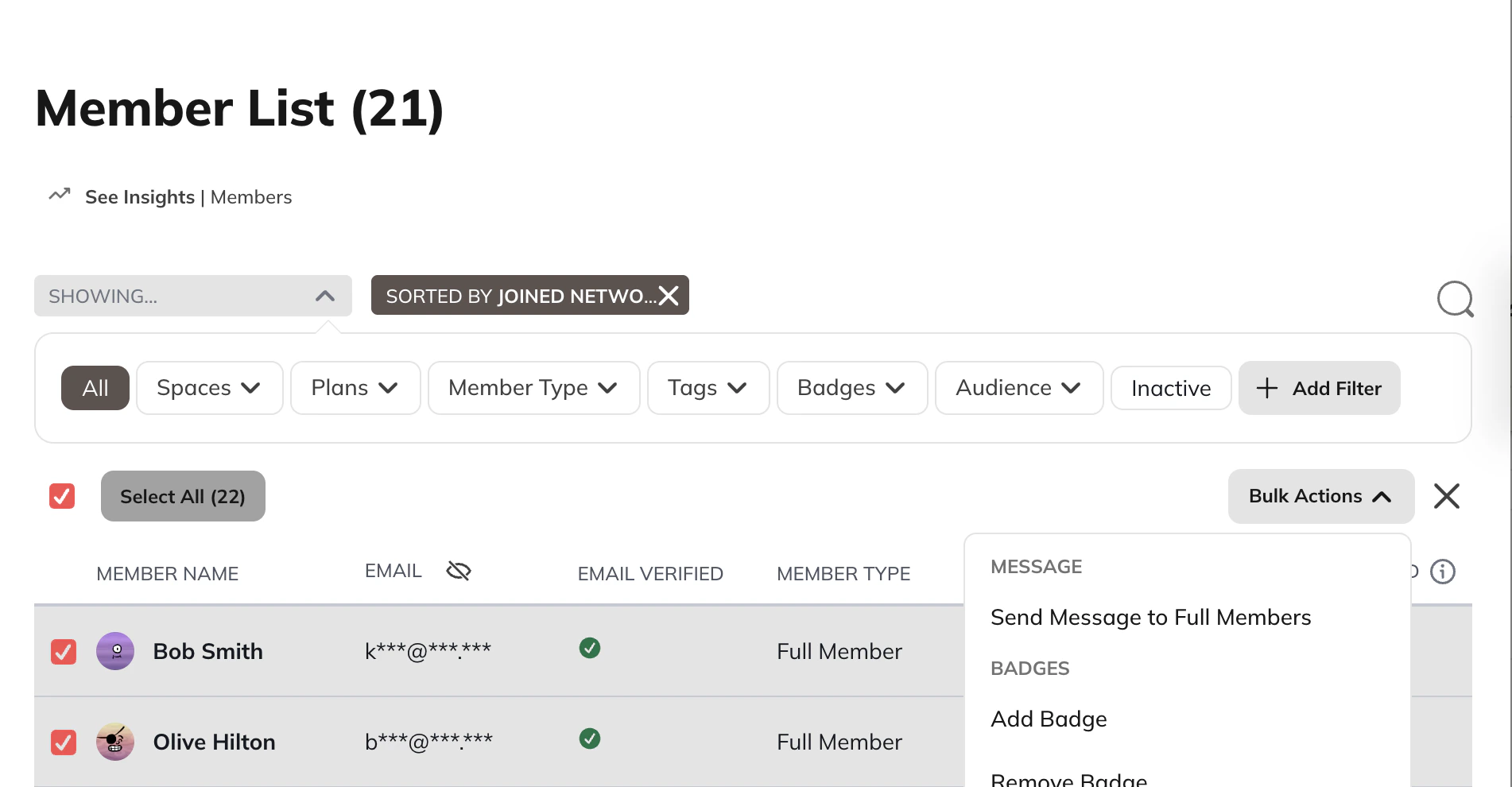
1. Go to the **Member List**.
2. Filter by**Joined Network (Latest)**.
3. Select the members you want to message.
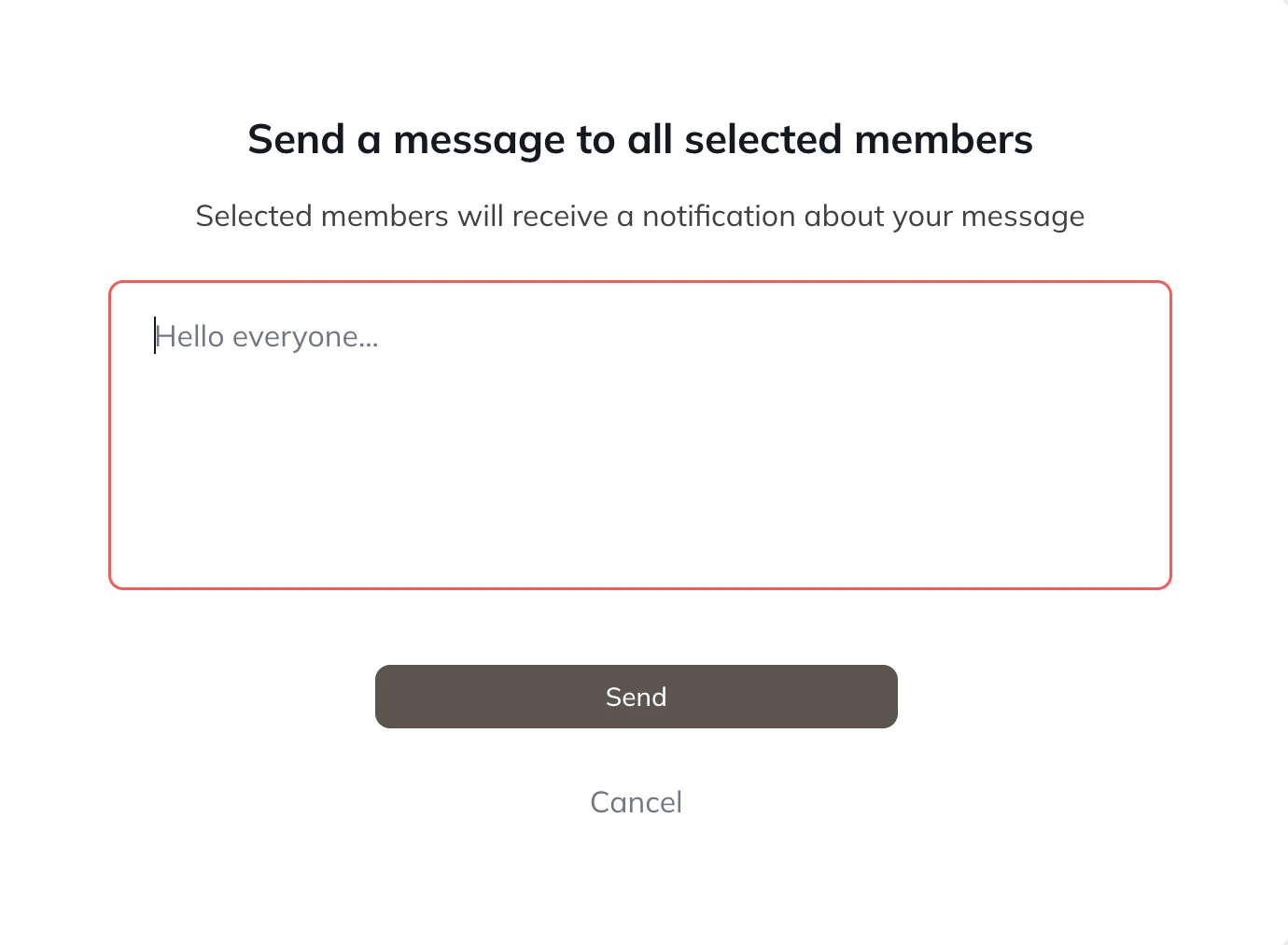
4. Open the **bulk actions** menu and choose **Send Message to Full Members**.
To learn more about bulk actions and messaging, see our [related article](https://docs.mightynetworks.com/for-hosts/admin-and-moderation/how-do-i-view-and-manage-my-members).
## Customizing and Automating Welcome Messages
There are two ways to personalize your welcome messages.
## Use Automations (Growth Plan and up)
You can create an [**Automation**](https://docs.mightynetworks.com/for-hosts/automations/how-can-i-set-up-automations-in-my-mighty-network) that triggers when someone joins your Mighty Network. The action can be set to send a **private message** from any Host you choose.
You can also send different welcome messages when members join specific **Spaces**, such as Courses or challenges.
## Send Manual Messages Using Filters
1. Go to the **Member List**.
2. Filter by**Joined Network (Latest)**.
3. Select the members you want to message.
4. Open the **bulk actions** menu and choose **Send Message to Full Members**.
To learn more about bulk actions and messaging, see our [related article](https://docs.mightynetworks.com/for-hosts/admin-and-moderation/how-do-i-view-and-manage-my-members).
 ## Notifications for Hosts
Hosts and moderators receive **real-time notifications** when a new member joins a Network or Space.
If many members join at once, they’ll be grouped into a single notification to avoid overwhelming your team.
You can click the notification to view new member profiles.
## Managing Welcome Messages Across Your Host Team
Every Host has access to the **Welcome New Members** feature, and the count of new members shown is unique for each Host. Because welcome notes come from individual Hosts, multiple Hosts may welcome the same new members.
If you want to avoid sending too many notifications to new members, consider designating **one Host** to send daily welcomes.
## Additional Ways to Welcome New Members
You can add a [**Welcome Section**](https://docs.mightynetworks.com/for-hosts/content-and-messaging/how-do-i-create-and-manage-featured-and-welcome-sections) to the top of your Feed so new members immediately see helpful context about your Mighty Network.
Each new member also gets a **New Member** badge on their profile for their first 7 days.
## Notifications for Hosts
Hosts and moderators receive **real-time notifications** when a new member joins a Network or Space.
If many members join at once, they’ll be grouped into a single notification to avoid overwhelming your team.
You can click the notification to view new member profiles.
## Managing Welcome Messages Across Your Host Team
Every Host has access to the **Welcome New Members** feature, and the count of new members shown is unique for each Host. Because welcome notes come from individual Hosts, multiple Hosts may welcome the same new members.
If you want to avoid sending too many notifications to new members, consider designating **one Host** to send daily welcomes.
## Additional Ways to Welcome New Members
You can add a [**Welcome Section**](https://docs.mightynetworks.com/for-hosts/content-and-messaging/how-do-i-create-and-manage-featured-and-welcome-sections) to the top of your Feed so new members immediately see helpful context about your Mighty Network.
Each new member also gets a **New Member** badge on their profile for their first 7 days.